Getting Started
INSTALLING A SIM CARD
CAUTION
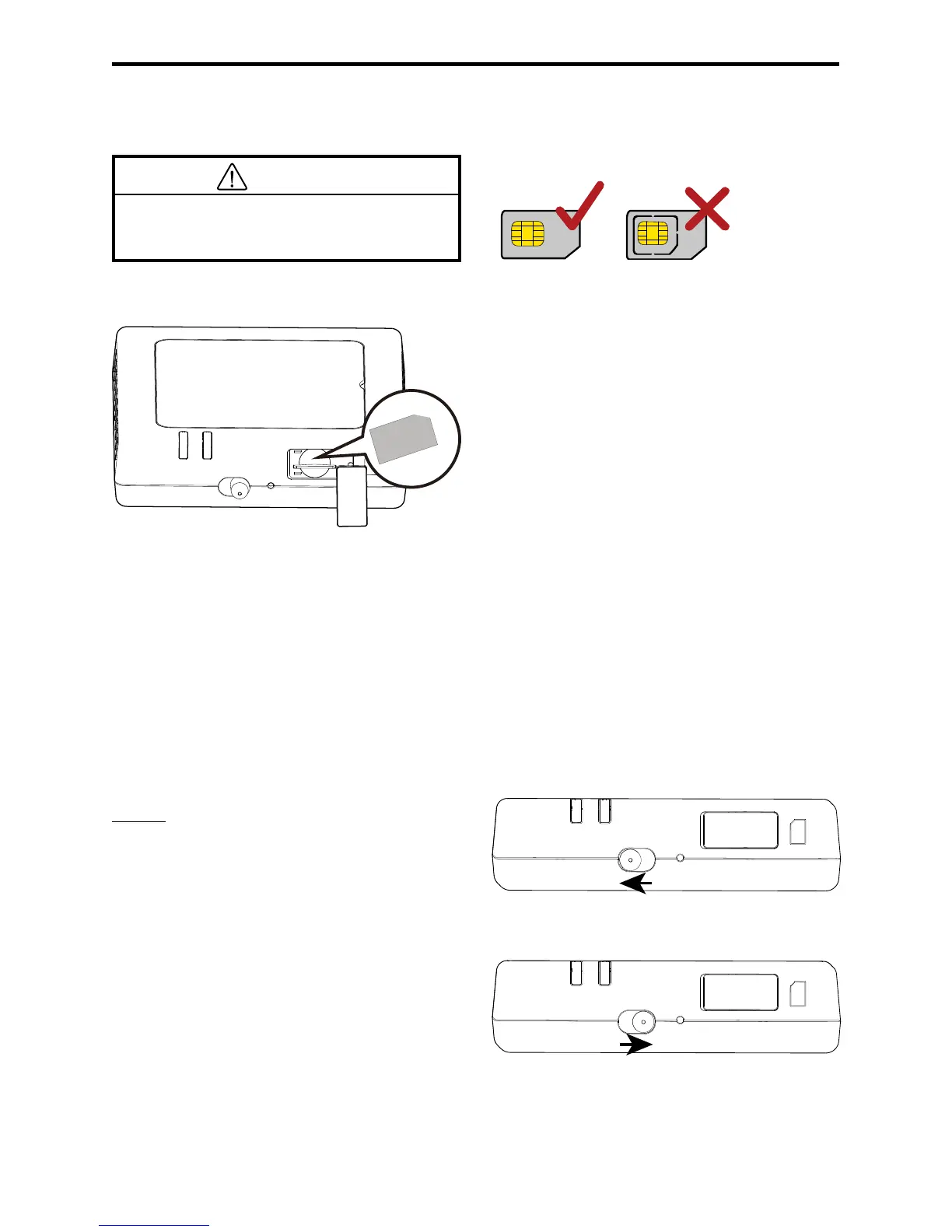
Use a standard SIM card compatible with the
Lexus Hotspot, otherwise you will damage your
Lexus Hotspot.
Install the SIM card according to the illustration.
SIM
3G
WIFI
ON - OFF
RESET
! Note:
If you don’t have a SIM card, please purchase one at your favorite mobile data provider.
Install the SIM card before powering on the device.
Changing the SIM card must be done while the system is turned OFF.
CONNECTING TO THE INTERNET VIA WI-FI
The Lexus Hotspot's management parameters have been preset according to your operator's requirements. You can quickly
connect to the Internet by following these steps.
Step 1: Turn on the Lexus Hotspot
Turn on the vehicle ACC power and switch on the Lexus Hotspot
until the indicators light up, indicating that the Lexus Hotspot is
turned on.
! Note: Switch the device o by either turning the vehicle o or
switching the Lexus Hotspot o.
3G
Wi-Fi
ON - OFF RESET
SIM
3G Wi-Fi
SIM
ON - OFF
RESET



 To Next Page