302
2-4. Using other driving systems
LS460_EE
While backing up
Place the shift lever in “R” position.
Touch on the screen (only when the pre-support func-
tion is not in use).
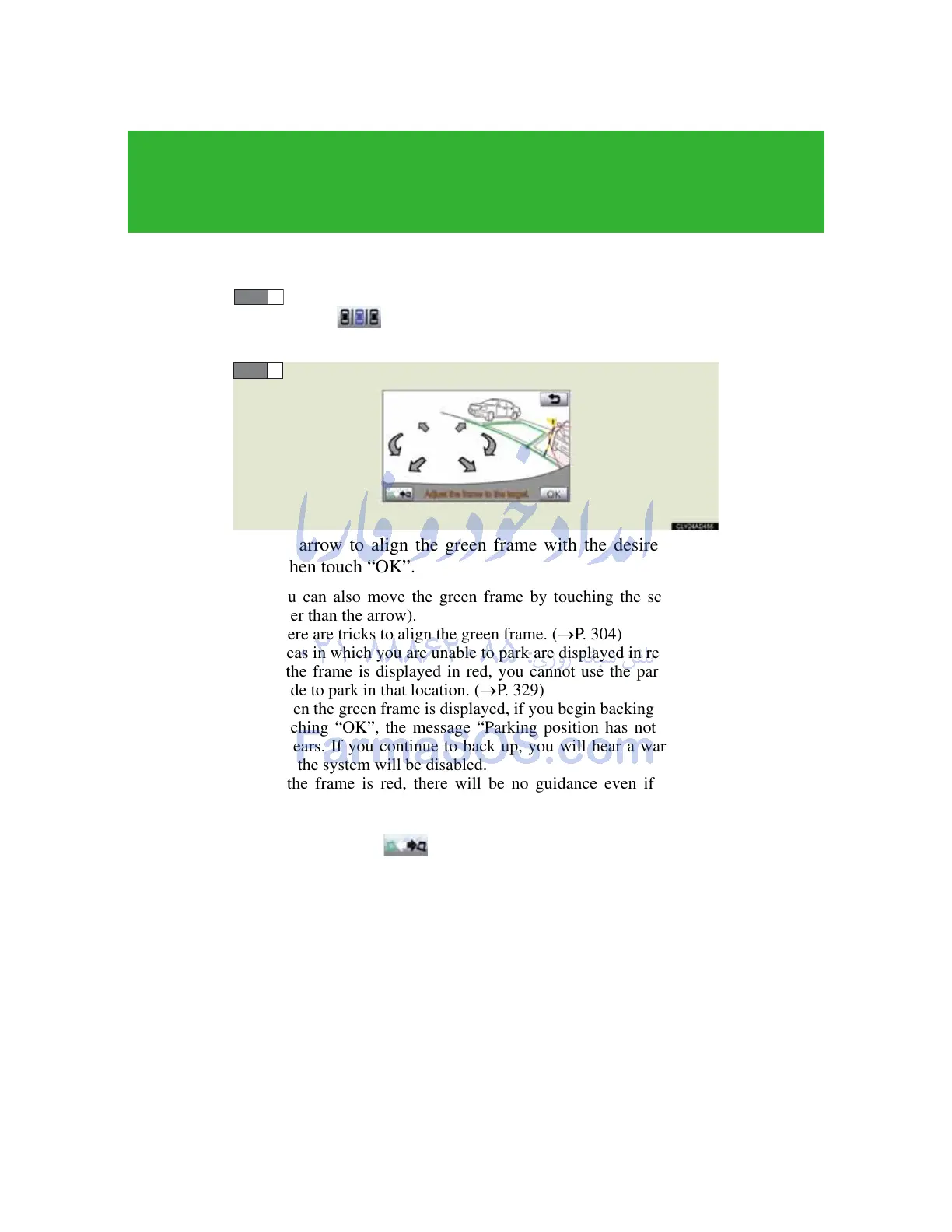
Use the arrow to align the green frame with the desired parking
space, then touch “OK”.
• You can also move the green frame by touching the screen (area
other than the arrow).
• There are tricks to align the green frame. (P. 304)
• Areas in which you are unable to park are displayed in red.
• If the frame is displayed in red, you cannot use the parking assist
mode to park in that location. (P. 329)
• When the green frame is displayed, if you begin backing up without
touching “OK”, the message “Parking position has not been set.”
appears. If you continue to back up, you will hear a warning tone
and the system will be disabled.
• If the frame is red, there will be no guidance even if you begin
backing up.
• If the orientation of the frame is opposite to that of the target park-
ing space, touch .
• There may be times when, due to image distortion, the green frame
does not match the parking space lines on the road surface. In this
case, attempt an approximate match in an area where the warning
flag does not overlap with any parked vehicles or obstacles.
• You may adjust the target parking position even after starting the
parking assist mode.



 To Next Page