321
2-4. Using other driving systems
2
When driving
LS460_EE
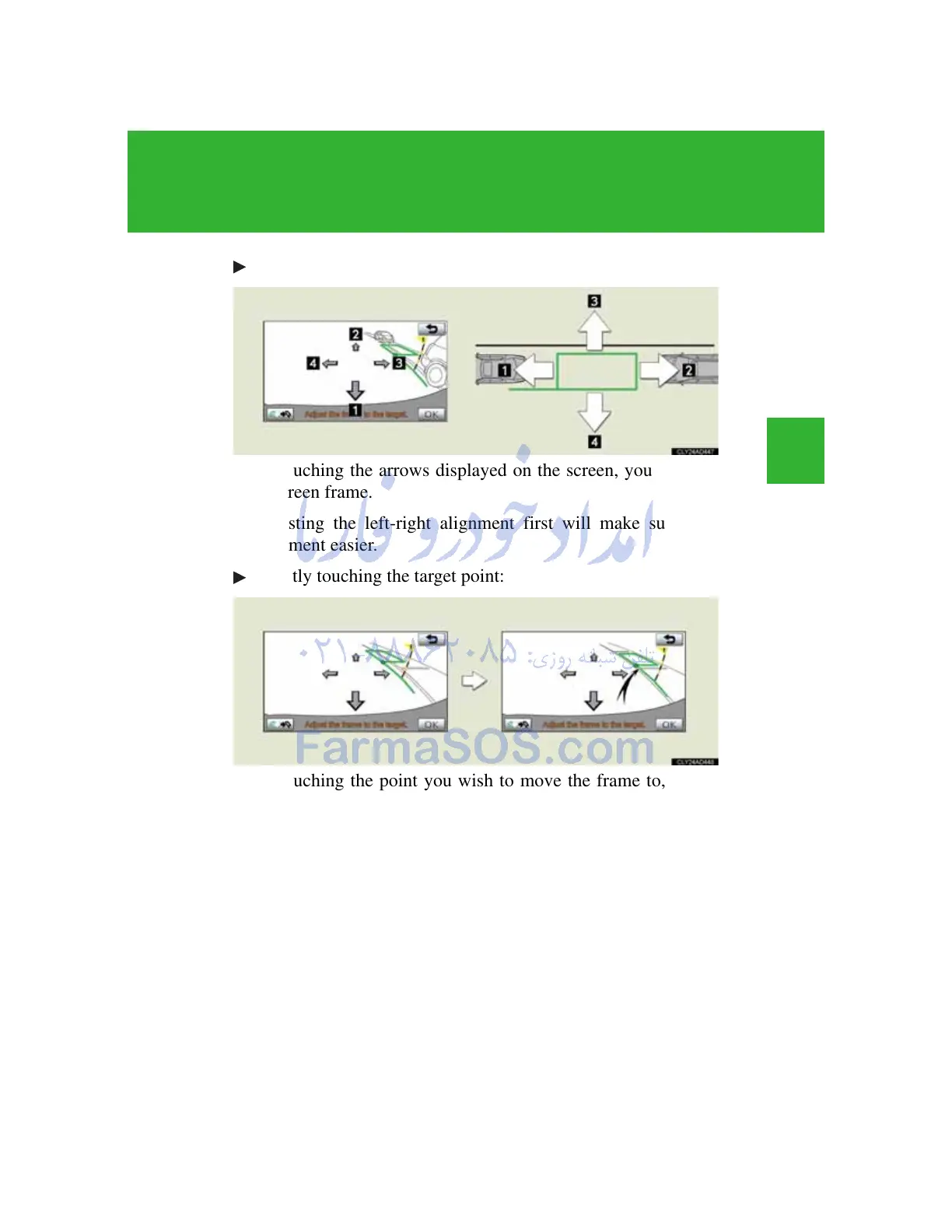
Using the arrows on the screen:
By touching the arrows displayed on the screen, you can move
the green frame.
Adjusting the left-right alignment first will make subsequent
alignment easier.
Directly touching the target point:
By touching the point you wish to move the frame to, you can
move the green frame.
Touch the front edge of the place you wish to move.
If you touch the following areas, the green frame will not move:
• The area surrounding the arrows.
• The area near the lower button on the screen.
• Areas too far away to park in the range of 10.5 m (34.4 ft.) or
more behind the current position, and/or 5.0 m (16.4 ft.) or
more either left or right from the current position.



 To Next Page