382
3-1. Using the touch screen
LS460_EE
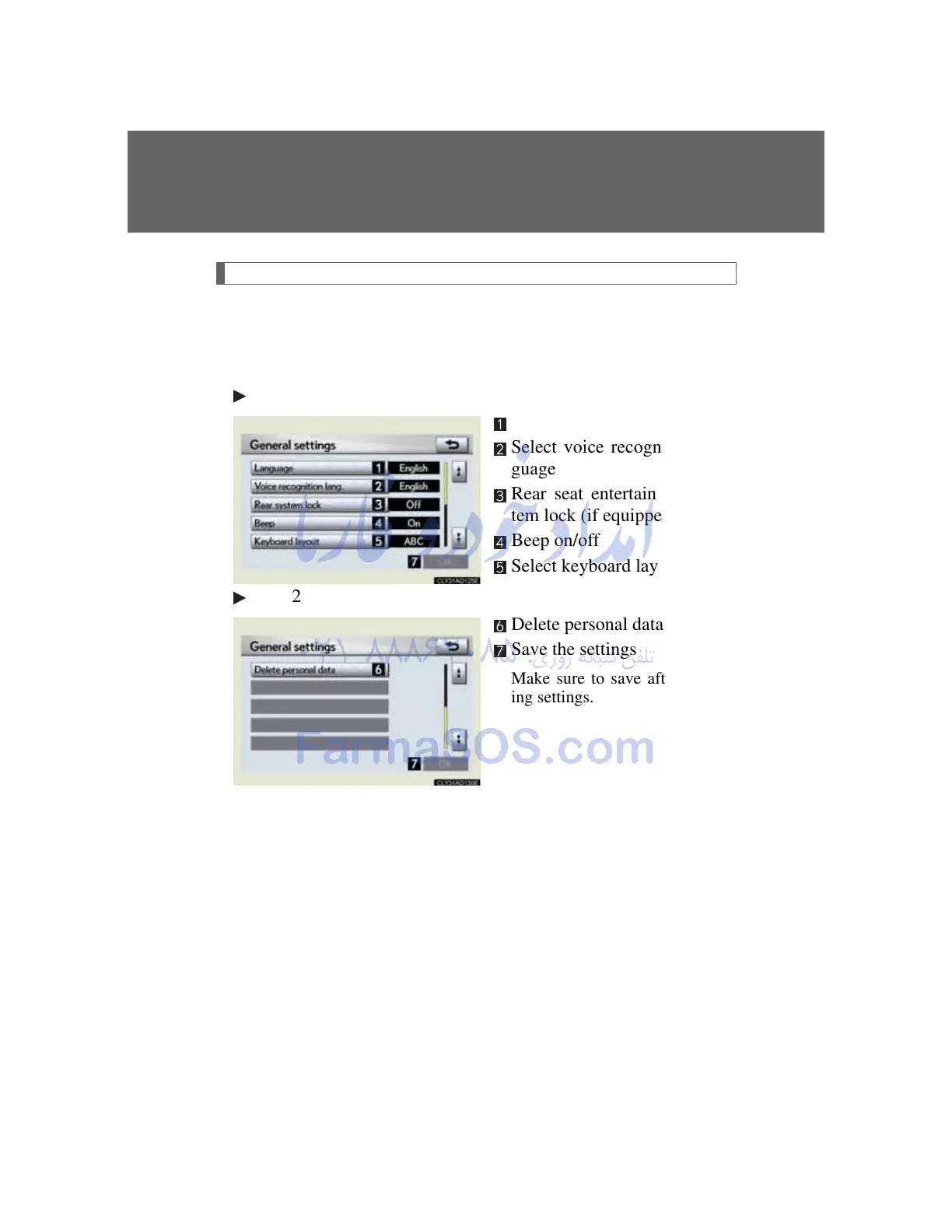
General settings
This screen is used for various settings such as language selection
and setting operation sounds.
Touch “General” on the “Setup” screen.
Page 1
Select language
Select voice recognition lan-
guage
Rear seat entertainment sys-
tem lock (if equipped)
Beep on/off
Select keyboard layout
Page 2
Delete personal data
Save the settings
Make sure to save after chang-
ing settings.
Rear system lock setting
The operation lock on the rear seat entertainment system can be
turned on or off.



 To Next Page