293
4-5. Using the driving support systems
4
Driving
LX570_450d_OM_OM60R63E_(GE)
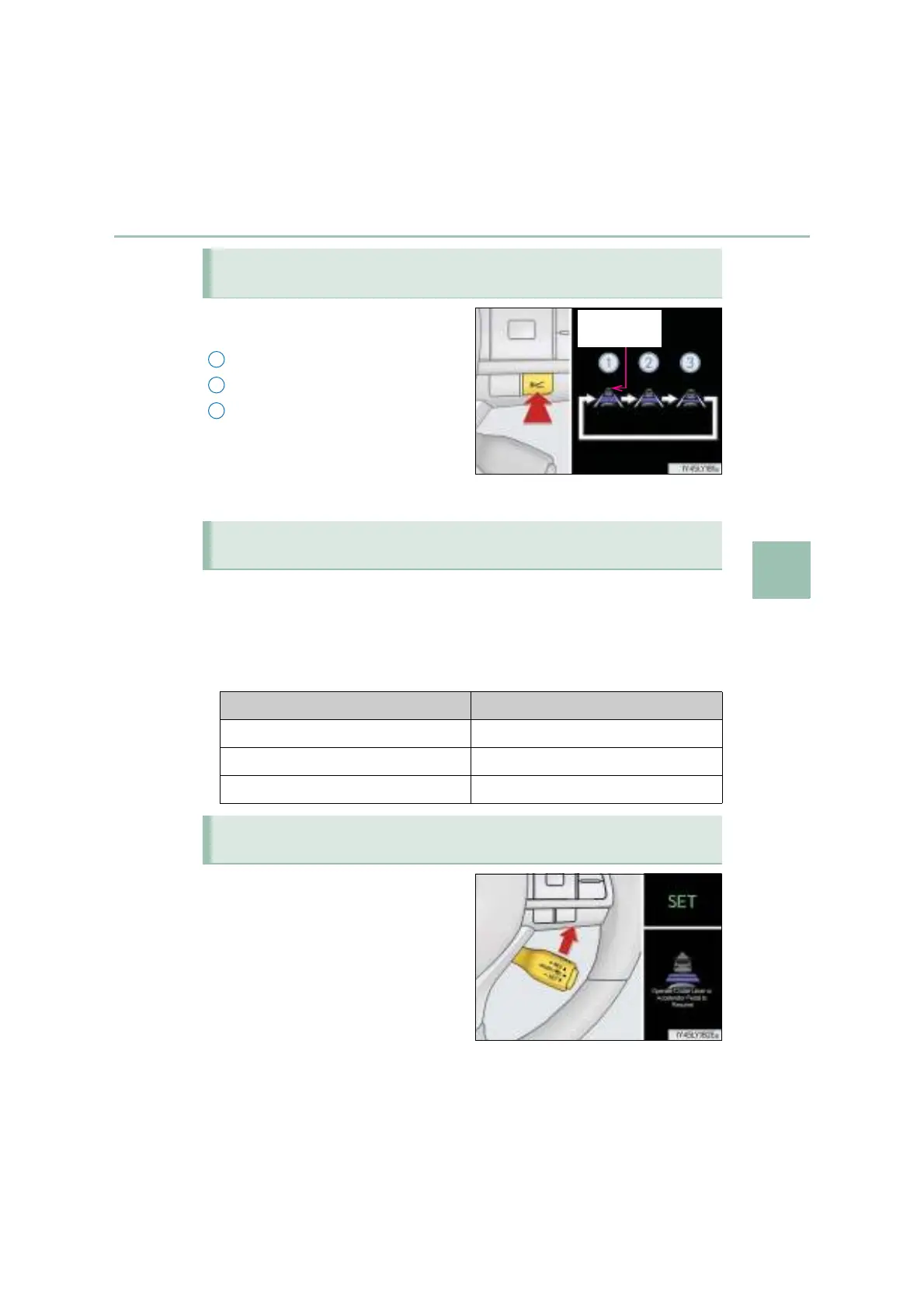
Pressing the switch changes the vehi-
cle-to-vehicle distance as follows:
Long
Medium
Short
The vehicle-to-vehicle distance is set
automatically to long mode when the
engine switch is turned to IGNITION
ON mode.
If a vehicle is running ahead of you, the preceding vehicle mark will also be displayed.
Select a distance from the table below. Note that the distances shown corre-
spond to a vehicle speed of 80 km/h (50 mph). Vehicle-to-vehicle distance
increases/decreases in accordance with vehicle speed. When the vehicle is
stopped by system control, the vehicle stops at a certain vehicle-to-vehicle dis-
tance depending on the situation.
After the vehicle ahead of you starts off,
push the lever up.
Your vehicle will also resume follow-up
cruising if the accelerator pedal is
depressed after the vehicle ahead of
you starts off.
Changing the vehicle-to-vehicle distance (vehicle-to-vehicle distance
control mode)
2
Vehicle-to-vehicle distance settings (vehicle-to-vehicle distance con-
trol mode)
Distance options Vehicle-to-vehicle distance
Long Approximately 50 m (160 ft.)
Medium Approximately 40 m (130 ft.)
Short Approximately 30 m (100 ft.)
Resuming follow-up cruising when the vehicle has been stopped by sys-
tem control (vehicle-to-vehicle distance control mode)



 To Next Page