440
5-3. Using the air conditioning system and defogger
LX570_450d_OM_OM60R63E_(GE)
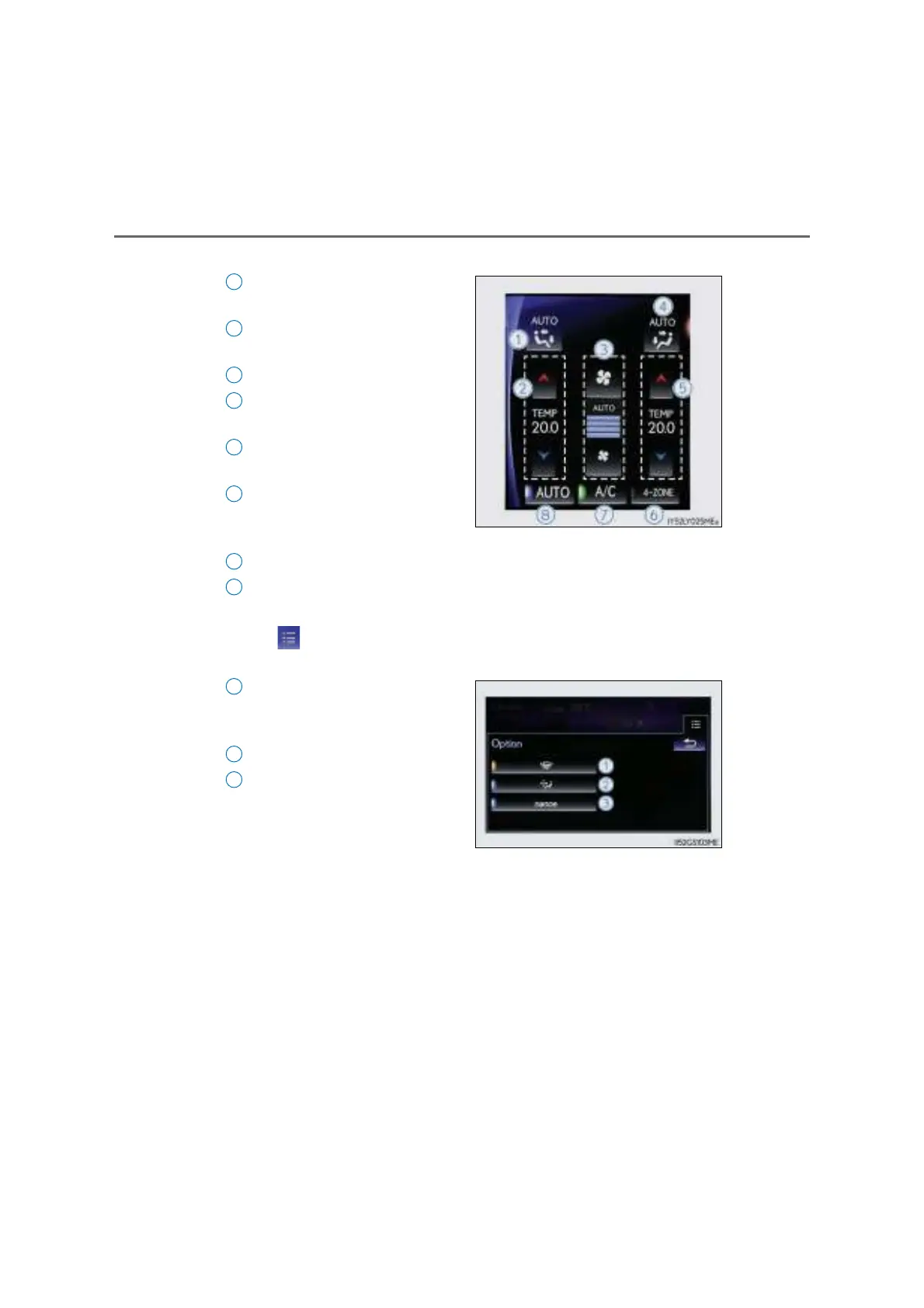
■ Side display
Select the left-hand front seat
side air flow mode
Adjust the left-hand side tem-
perature setting
Adjust the fan speed setting
Select the right-hand front seat
side air flow mode
Adjust the right-hand side tem-
perature setting
Adjust the temperature for driver
and passenger seats separately
(“4-ZONE” mode)
Select to set cooling and dehumidification function on/off
Select to set auto mode on
■ Option control screen
Select on the main display to display the option control screen. The func-
tions can be switched on and off.
Prevent ice from building up on
the windshield and wiper blades
(if equipped) (P. 444)
Pollen removal mode (P. 444)
nanoe* system on/off (if
equipped) (P. 448)
*:nanoe and the nanoe mark are
trademarks of Panasonic Corpora-
tion.



 To Next Page