256
4-5. Using the driving support systems
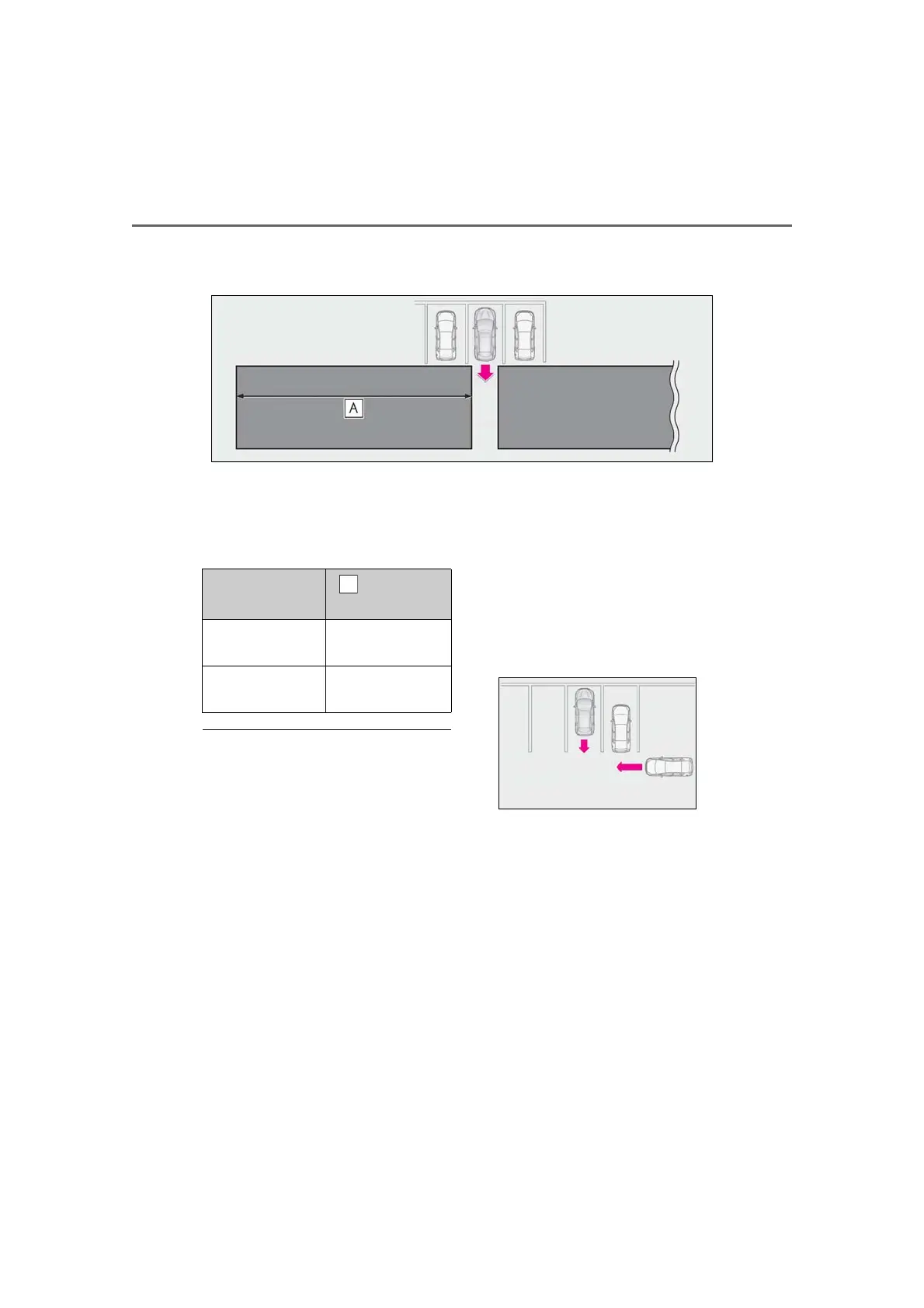
■ RCTA function detection areas
The areas that vehicles can be detected in are outlined below.
The buzzer can alert the driver of
faster vehicles approaching from far-
ther away.
Example:
■ The RCTA function is operational when
The RCTA function operates when all of the
following conditions are met:
● The engine switch is in IGNITION ON
mode.
● The RCTA function is on.
● The shift lever is in R.
● The vehicle speed is less than approxi-
mately 5 mph (8 km/h).
● The approaching vehicle speed is
between approximately 5 mph (8 km/h)
and 18 mph (28 km/h).
■ Setting the buzzer volume
The buzzer volume can be adjusted on the
multi-information display. (P.245)
Use the meter control switches to change
settings. (P.80)
■ Conditions under which the RCTA func-
tion will not detect a vehicle
The RCTA function is not designed to
detect the following types of vehicles and/or
objects:
● Vehicles approaching from directly
behind
● Vehicles backing up in a parking space
next to your vehicle
● Vehicles that the sensors cannot detect
due to obstructions
● Guardrails, walls, signs, parked vehicles
and similar stationary objects
*
● Small motorcycles, bicycles, pedestrians,
etc.
*
● Vehicles moving away from your vehicle
● Vehicles approaching from the parking
spaces next to your vehicle
*
*
: Depending on the conditions, detection
of a vehicle and/or object may occur.
■ Conditions under which the RCTA func-
tion may not function correctly
● The RCTA function may not detect vehi-
cles correctly in the following situations:
Approaching vehi-
cle speed
Approximate
alert distance
18 mph (28 km/h)
(fast)
65 ft. (20 m)
5 mph (8 km/h)
(slow)
18 ft. (5.5 m)



 To Next Page