328
5-6. Using the other interior features
A portable device, such as a smart-
phone or mobile battery, can be
charged by just placing it on the
charging area, provided the device is
compatible with the Qi wireless
charging standard created by the
Wireless Power Consortium.
The wireless charger cannot be used
with a portable device that is larger
than the charging area. Additionally,
depending on the portable device, the
wireless charger may not operate
properly. Refer to the operation man-
ual of the portable device.
■ The “Qi” symbol
The “Qi” symbol is a trademark of the
Wireless Power Consortium.
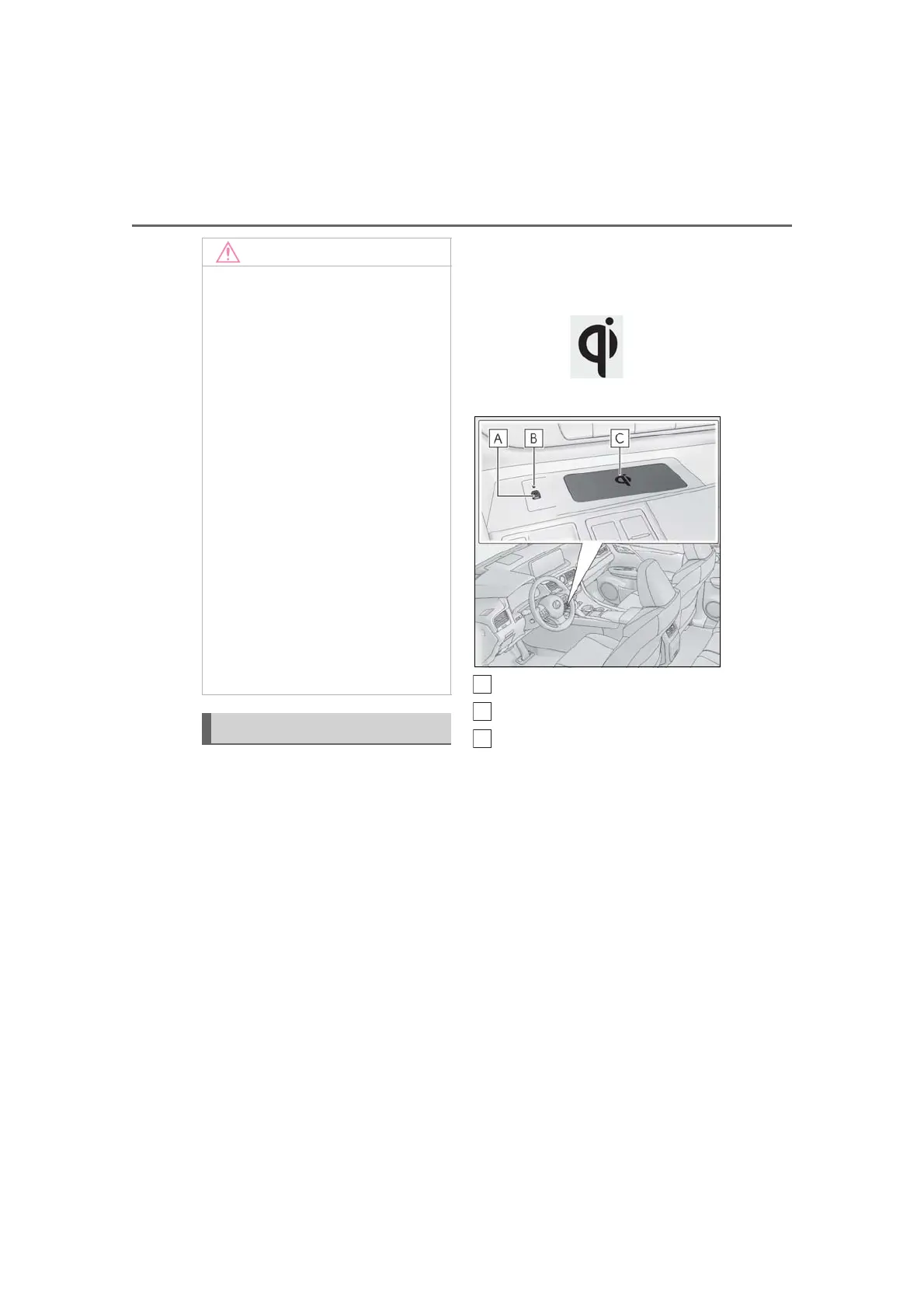
■ Name for all parts
Power supply switch
Operation indicator light
Charge area
■ Using the wireless charger
1 Press the power supply switch of
the wireless charger.
Pressing the switch again turns the wireless
charger off.
When turned on, the operation indicator
light (green) comes on.
When the engine switch is turned off, the
on/off state of the wireless charger will be
● Rear console: When the USB
charging ports are not in use, close the
lids. If a foreign object or liquid enters a
port may cause a short circuit.
● Do not apply excessive force to or
impact the USB charging ports.
● Do not disassemble or modify the USB
charging ports.
■ To prevent damage to external
devices
● Do not leave external devices in the
vehicle. The temperature inside the
vehicle may become high, resulting in
damage to an external device.
● Do not push down on or apply unnec-
essary force to an external device or
the cable of an external device while it
is connected.
■ To prevent battery discharge
Do not use the USB charging ports for a
long period of time with the engine
stopped.
Wireless charger (if equipped)



 To Next Page