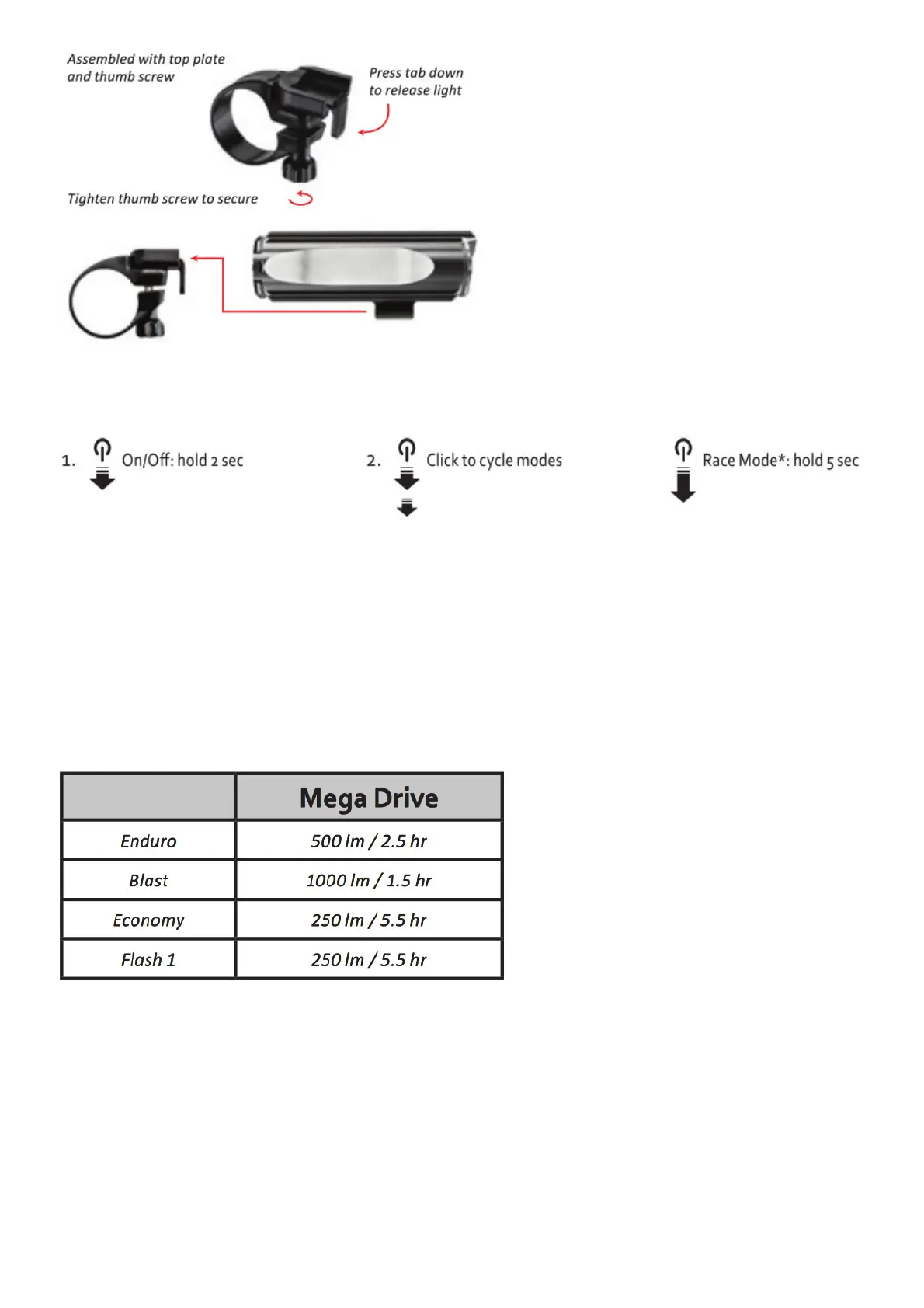
Operation:
*Race Mode: With the light off, press and hold the Power Button for five (5) seconds, until the light
flashes, then release the button. The light will now enter Race Mode where only Blast and Economy
modes are selectable. The light will remain in Race Mode even when turned off or when the battery is
removed. With the light off, press and hold the Power Button for an additional five (5) seconds to
return the light to normal mode.
Run Times and Modes:
Mode Check: When the light is OFF you can check the selected mode set. Click the Power Button once
to display the mode set. A BLUE LED that blinks twice means the light is in race mode.
With a fully charged Lezyne battery your Lezyne LED Light will have approximately the following run
times and outputs (Lumens = Im).
Intelligent Power Indicator: Lezyne LED Lights are equipped with a battery monitor to indicate
remaining run time during use. A green and red LED located in the Power Button show the battery
status.
Battery Check: When the light is OFF you can check the charge level. Click the Power Button once to
display the charge status for 2 seconds. A red LED means you should charge the light before your ride.



 To Next Page