Thermal protection circuit: Lezyne LED Lights are protected by a thermal detection system. If the
operating temperature of the light is too high, the light will automatically change to the lowest setting.
To return to normal mode settings, turn off the light and allow it cool until the ambient temperature is
below 45°C (113°F).
Charging:
Before using your Lezyne LED Light for the first time, fully charge the battery.
To charge battery:
1. Confirm light is turned off.
2. Release Rear Battery Door Latch and open Rear Battery Door.
3. Insert small end of USB cable into light. Insert other end of cable into powered USB port.
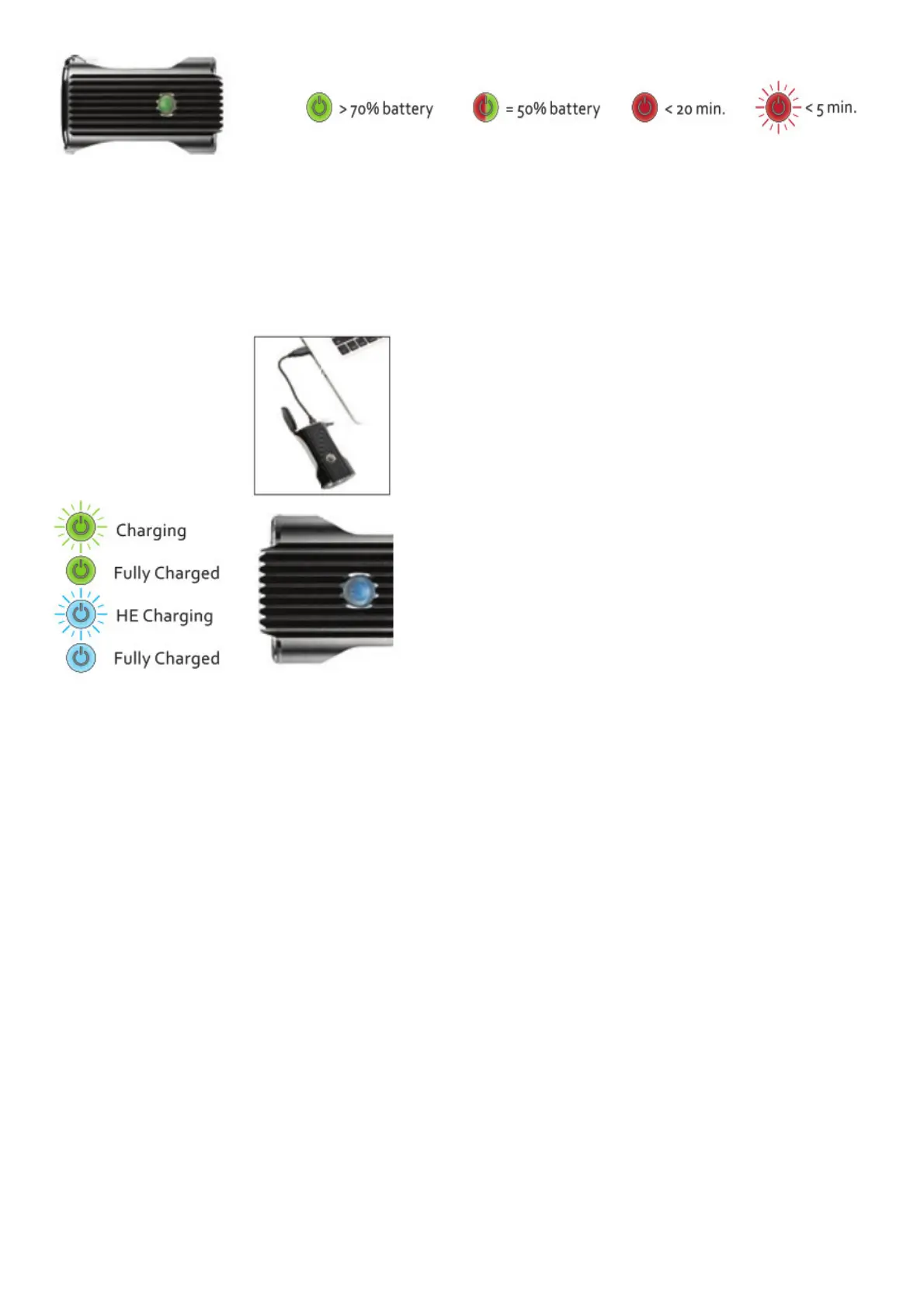
4. When charging, green LED will flash. If the USB port is capable of High-Efficiency Charging, blue
LED will flash and light will automatically switch to HE Charging.
5. If green or blue LED does not flash when plugged in, selected USB port may not be powered. Try
another USB port.
6. Battery will be fully charged in 4-6 hours using HE Charging and 10-12 hours using standard
charging. Battery is fully charged when green or blue LED becomes solid.
7. Remove light from charger and secure Rear Battery Door.
8. If there is a problem with battery, both red and green LEDs will light up. Remove/replace battery.
Spare batteries: If you choose to carry extra batteries it is okay to change the batteries at any point
during use.
To remove the battery when the light is OFF: (2) Open Rear Battery Door. The battery will now be
exposed. (2) Rotate the Battery Retaining Tab out of the way. (3) Use gravity to slide the battery out.
(4) Replace it with a correctly aligned LIR 2 Cell Lezyne battery. (5) Replace the Rear Battery Door and
secure latch.



 To Next Page