19
How to Create Tablets with the RTP 9®
Tools and Materials Needed
• Raw material formulation
• Fully assembled RTP 9® with Hopper
• Safety goggles
• Disposable latex/rubber gloves (for food grade products and to protect hands from grease)
• Hairnet and/or beard net (food grade products only)
• Sterile shoe covers (food grade products only)
WARNING: To prevent any potential personal injury, unplug the RTP 9® from
the electrical outlet.
Instructions
Note: Wear latex/rubber gloves (and appropriate food grade attire if applicable) during this
process.
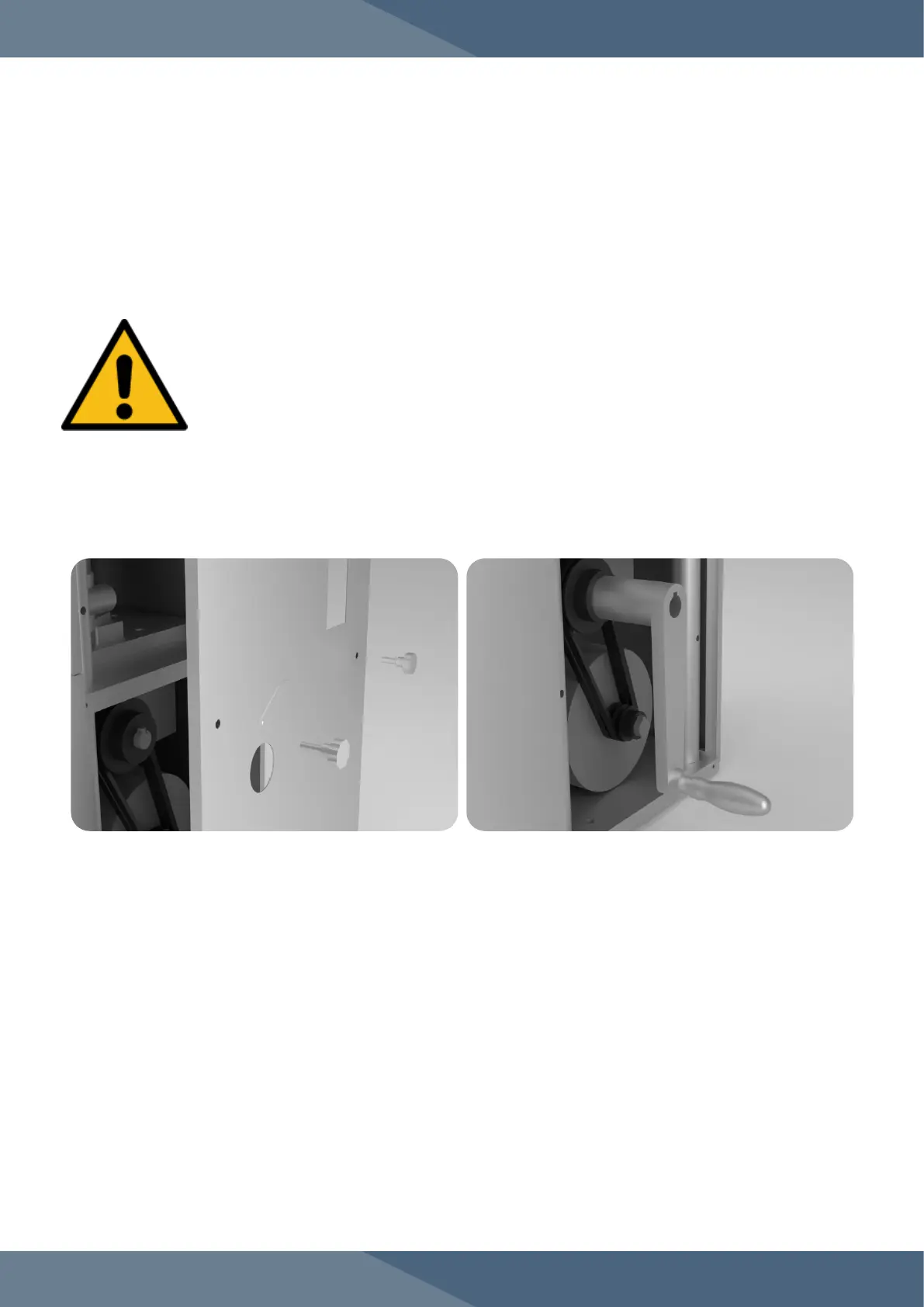
1. Open the rear side panel door.
2. Fix the Handle onto the Drive Belt Pulley's socket.
3. Turn the Handle manually for one full Turret rotation in the direction indicated by the arrow to
ensure proper machine operation.
4. Pour the dry materials into the Hopper.
4.1 Note: Manually press a tablet to avoid the chance of jamming the machine.
5. Remove the Handle and reinsert the panel door.
6. Plug in the RTP 9® to an electrical outlet.
6.1 Note: For 110 V outlet, plug in the Power Transformer and flip its switch.
7. Press the green RUN button to start the machine.
8. Press the red STOP button to stop the machine.


 To Next Page