9
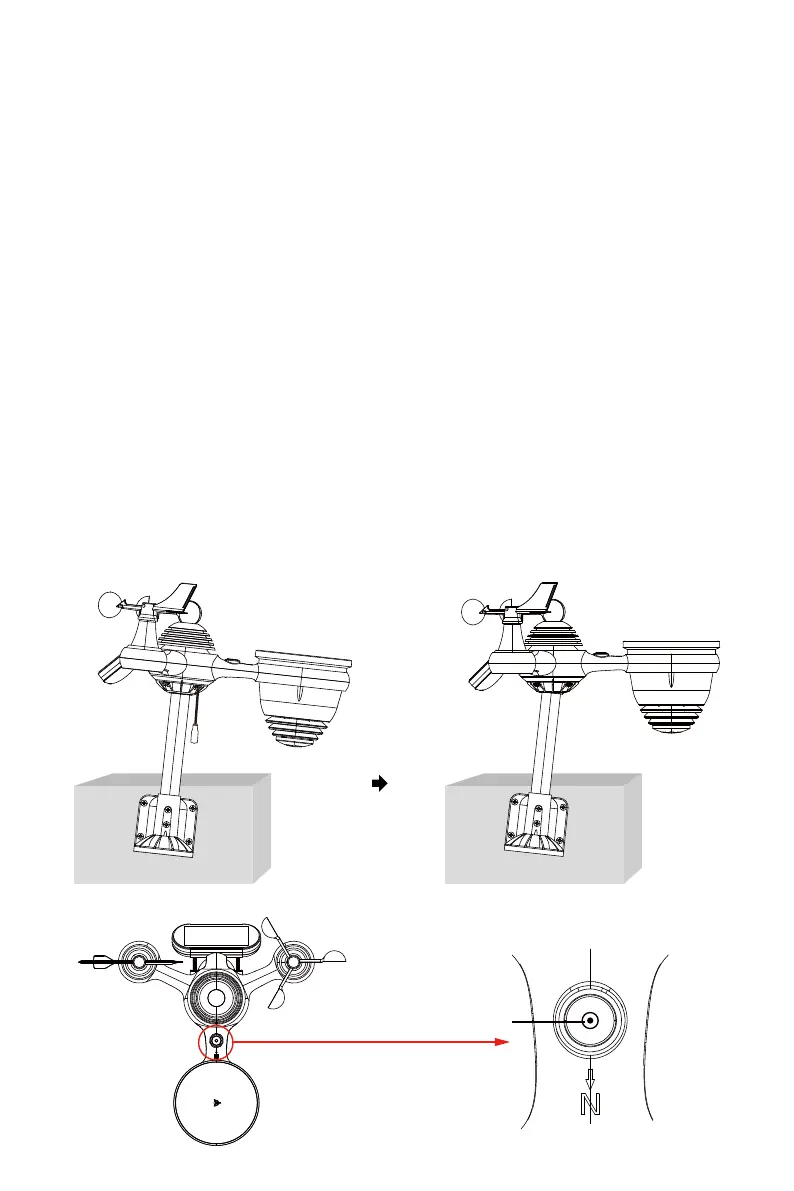
The bubble
POINTING THE WIRELESS 7-IN-1 OUTDOOR SENSOR TO SOUTH (OPTIONAL)
The outdoor wireless weather sensor is calibrated to be pointed north for maximum
accuracy. However, for your convenience, if you are a user located in the Southern Hemi-
sphere, you can use the sensor with the rain collector pointing south.
NOTE: Changing the hemisphere setting will automatically switch the direction of the
moon phases on the display.
Pointing the wireless weather sensor toward the south will allow maximum sunlight on
the solar panel, especially during the winter season in the Southern Hemisphere.
Mount and install the wireless weather sensor with the rain collector pointing South,
instead of North. (Please refer to MOUNTING THE WIRELESS 7-IN-1 OUTDOOR SENSOR.)
Select "STH" for south hemisphere in the clock setting mode. (Please refer to "setting the
clock")
1.)
2.)
ADJUSTING THE 7-IN-1 WIRELESS SENSOR LEVEL
Use the bubble level indicator to make sure the wireless outdoor sensor is completely
level. If the sensor is not level, the gain gauge, UV and Light intensity will not measure
properly.
To adjust the level of wireless outdoor sensor, loose the screws of the mounting pole.
Adjust the level of the wireless outdoor sensor in order make sure the bubble is in the
center of the bubble level indicator.
Tighten the screw of the mounting pole again.
●
●
●


 To Next Page
 Loading...


