12
NOTES:
When the Wi-Fi setup is complete, your computer or mobile device will return to the
default Wi-Fi connection. If it does not, simply open your device’s wireless network
settings and manually reconnect.
While in AP mode, you can press and hold the 【BARO/-/ 】 button over 3 seconds to
exit AP mode. The weather station will simply restore the previous AP settings.
NOTE:
We do not recommend calibration of most values with the exception of Relative Pressure,
which must be correctly calibrated to reflect your distance above sea level to account for
altitude effects.
CALIBRATION
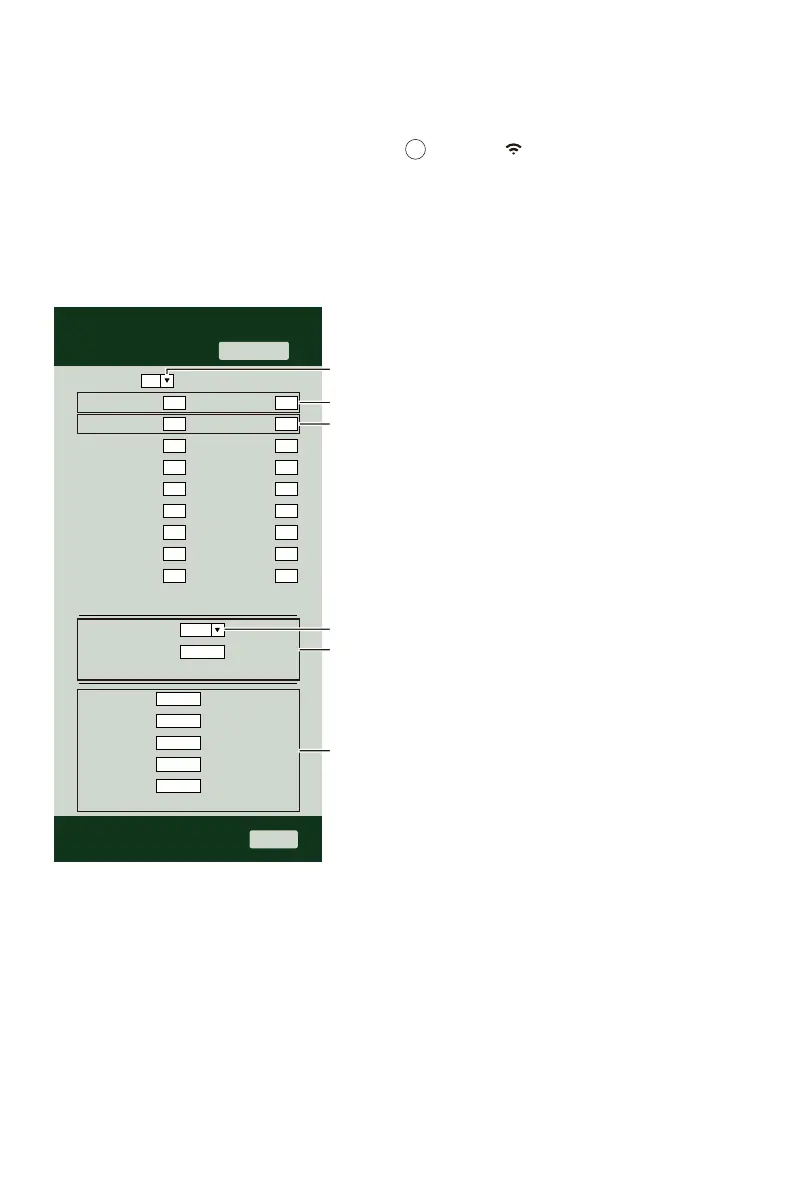
Once you are connected via Wi-Fi to the weather station and have opened the setting page
at http://192.168.1.1, clicking “ADVANCED” will open the following page (Figure 2).
1.)
2.)
3.)
You may enter or change the offset and gain values for different measurement parame-
ters.
Once you have completed your calibrations, press the “APPLY” button.
The current offset value will update to show the value that you entered (instead of the
default value). If you want to change the value, you can enter a new value in the box
beside the number (as in step 1). To update the value again, press “APPLY” button .
Figure 2
SETTINGS
Humidity %
SETUP ADVANCED
Temperature
Current offset:Indoor
Current offset:
Current offset:
Current offset:
Current offset:
Current offset:
Current offset:
Current offset:
Current offset:
Outdoor
CH 1
CH 2
CH 3
CH 4
CH 5
CH 6
CH 7
Current offset:
Current offset:
Current offset:
Current offset:
Current offset:
Current offset:
Current offset:
Current offset:
-5.0~5.0°C/ -9.0~9.0°F
(Default: 0)
Range: -9~9%
(Default: 0)
Current offset:
Setting Range: -100~100hpa/ -2.95~2.95inHg/ -75~75mmHg
Pressure:
Absolute Pressure Offset: (Default: 0)
*Rain gain: Range: 0.5~1.5 (Default: 1.0)
*Wind speed gain: Range: 0.5~1.5 (Default: 1.0)
*Wind direction: Range: -10~10 (Default: 0°)
*UV gain: Range: 0.5~1.5 (Default: 1.0)
*Light gain: Range: 0.5~1.5 (Default: 1.0)
* Depend on the model
℃
hPa
0.0
0.0
0.0
0.0
0.0
0.0
0.0
0.0
0.0
0
0
0
0
0
0
0
0
0
0
0
1
1
1
1
Apply
Firmware Version: 1.0.1
Outdoor temperature and humidity calibration section
Rain, wind speed, wind direction,
UV and light calibration use gain method
Indoor temperature and humidity calibration section
Select setting unit
Pressure calibration section
Select setting unit
14


 To Next Page
 Loading...


