EasyManua.ls Logo

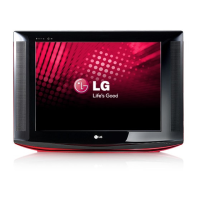
LG 21FU6RL - User Manual

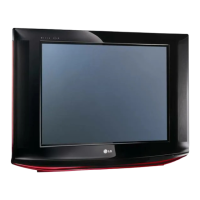
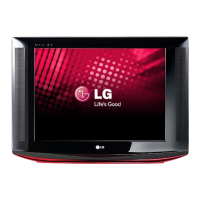
LG 21FU6RL
14 pages
Print Icon
To Next Page IconTo Next Page
Loading...
담당
MODEL
BRAND
Printing Specification
1. Trim Size (Format) : 150mm x 210 mm
2. Printing Colors
Cover : 1 COLOR (BLACK)
Inside : 1 COLOR (BLACK)
3. Stock (Paper)
Cover : Uncoated paper , 백상지 60 g/
Inside : Uncoated paper , 백상지 60 g/
4. Printing Method : OFF-SET
5. Bindery : Saddle stitch
6. Language : English (1)
7. Number of pages : 12
Model Description
Part No.
2.
User’s Guide Specification
1.
User’s Guide Specification
Changes
4.
REV.
NO.
YY/MM/DD SIGNATURE CHANGE NO.
CHANGE CONTENTS
a
b
c
d
e
g
f
SUFFIX
21FU6RL-L4/L3
LG
MFL42505213_d
(1) Origin Notification
* LGESY : China * LGEVN : Vietnam * LGEEG : Egypt * LGEAZ : Brazil
* LGENP : China * LGETH : Thailand * LGEMA : Poland
* LGEIN : Indonesia * LGEIL : India * LGERA : Russia
* LGEDI : Indonesia * LGEAK : Kazakhstan * LGERS : Mexico
h
i
Special Instructions3.
Product Name
21FU6RL
j
Irwan B I
09.02.17
K B KIM
08.09.09
CW81B
“This part contain Eco-hazardous substances (Pb, Cd, Hg, Cr6+, PBB, PBDE, etc.) within LG standard level,
Details should be followed Eco-SCM management standard[LG(56)-A-2524].
Especially, Part should be followed and controlled the following specification.
(1)Eco-hazardous substances test report should be submitted
when Part certification test and First Mass Production.
(2) Especially, Don’t use or contain lead(Pb) and cadmium(Cd) in ink.
N
O
T
E
S
08/07/22 Auria F Y
Change product dimension >> page 11 ; add "auto demo" >> page 5
; add rev >> cover ; change "exit" to "enter" >> page 3 ; delete "front" >> page 4
08/09/09 Auria F Y adding model 21FU1RL-L3 model> cover n page 11
09/02/09 Irwan B I adding list models at cover
09/02/17 Irwan B I adding product dimension

Other manuals for LG 21FU6RL

Question and Answer IconNeed help?

Do you have a question about the LG 21FU6RL and is the answer not in the manual?

Summary

Model Description

Printing Specification

Special Instructions

Origin Notification

Details country of origin for various components or manufacturing locations.

Changes

Safety Precautions

Cleaning

Instructions for safely cleaning the television receiver.

Power Supply

Guidance on operating the television receiver from the correct power source.

Installation

Recommendations for safely installing the television receiver.

Writing Model And Serial Numbers

Information on recording model and serial numbers for future reference.

Description of Controls: Remote

Remote Control Button Functions

Detailed functions of various buttons on the TV remote control.

Panel Information: Indicators and Buttons

Panel Indicators and Sensors

Explains the function of the power indicator, remote sensor, and other panel elements.

Panel Buttons

Describes the function of buttons located on the TV's panel itself.

Description of Controls: Continued

Remote Control Button Functions (Continued)

Details the functions of the remaining buttons on the TV remote control.

Panel Information: Continued

Panel Indicators and Sensors (Continued)

Explains the function of the power indicator, remote sensor, and other panel elements.

Panel Buttons (Continued)

Describes the function of the remaining buttons on the TV's panel.

On Screen Menus

Menu Selection

Step-by-step guide on how to navigate and select options within the on-screen menus.

Basic TV Operation

Turning On;Off the TV

Instructions for powering the television on from standby and switching it off.

Selecting the On Screen Language

Guide to changing the display language of the on-screen menus.

Memorizing Channels

Explains methods for storing available TV channels for easy access.

Adjusting the Volume

Instructions on how to increase, decrease, or mute the TV's audio volume.

Various Functions

Setting the Clock

Procedure for setting the current time, necessary for timer functions.

Setting the Off Timer

Function to automatically switch the TV to standby mode at a preset time.

Setting the On Timer

Function to automatically turn the TV on at a preset time and channel.

Setting the Sleep Time

Automatically turns the TV off after a preset time has elapsed.

Auto Off

Automatically switches the TV to standby mode if no signal is received.

Game (some models)

Information on playing games using the TV set.

Key Lock

Feature to prevent unauthorized control by locking the remote.

Auto Demonstration (some models)

Allows review of all programmed menus on the TV set.

Favorite channel memory

Convenient feature to quickly scan up to five chosen channels.

Adjusting the Fine

Adjusts picture to stable condition for horizontal stripes or twisted images.

Picture Control

Enjoying the Eye Function

Automatically adjusts picture based on surrounding conditions using 'Magic Eye'.

Auto Picture Control

Select factory-programmed picture modes for preferred viewing.

Adjusting the Picture

Manually adjust picture levels like Contrast, Brightness, Color, Sharpness, Tint.

XD (some models)

LG's picture improving technology for enhanced HD source display.

Sound Control

Enjoying the Stereo;SAP Broadcast

Receives MTS stereo and SAP programs with additional sound signals.

Auto Sound Control

Automatically adjusts sound for optimal viewing of different programs.

Turbo Sound (some models)

Emphasizes and amplifies sound for a more powerful audio experience.

X-wave (Wireless Sound) (some models)

Allows listening to TV sound through an FM receiver.

AVL (Auto Volume Leveler)

Automatically maintains an equal volume level across different channels.

Adjusting the treble (some models)

Function to increase or decrease the treble audio setting.

Adjusting the bass (some models)

Function to increase or decrease the bass audio setting.

Closed Caption Function

Using Closed Captions

Explains how closed captions convert audio to written text for dialogue and narration.

Caption Tips

Provides advice on closed caption signal reception and troubleshooting.

Using the Text Function

Details how text services provide information like program lists and news.

Operating the Caption and Text

Instructions for selecting caption modes or text services.

Antenna Connections

Connecting an Outdoor Antenna

Recommendations for using an outdoor antenna for optimal TV signal reception.

Connecting a CATV Cable

Instructions for connecting a cable television service to the TV.

Connection of External Equipment

Connecting AUDIO;VIDEO IN Jacks

How to connect VCRs or other audio/video devices to the TV's input jacks.

Connecting the S-VHS VCR (some models)

Guide for connecting a S-VHS VCR to the TV's S-VIDEO and audio/video inputs.

VCR Recording (some models)

Instructions for recording programs from the TV to a VCR.

Recording a program from connected other equipment (some models)

How to record programs from external playback devices onto a VCR.

Connecting DVD Player

How to connect

Steps for connecting component DVD player inputs (Y, PB, PR) to the TV.

How to use

Instructions for using the DVD player with the TV set, selecting COMPONENT mode.

Product Dimension

Troubleshooting Check List

Overview

This document is a user's guide specification for an LG Color Television, specifically models 21FU6RL-L4/L3 and 21FU6RL. It includes details on the model, printing specifications for the manual, special instructions, and a change log.

Model Description

  • Model: 21FU6RL-L4/L3
  • Brand: LG
  • Product Name: 21FU6RL
  • Suffix: CW81B
  • Part No.: MFL42505213_d

Printing Specification (for the manual itself)

  • Trim Size (Format): 150mm x 210mm
  • Printing Colors:
    • Cover: 1 COLOR (BLACK)
    • Inside: 1 COLOR (BLACK)
  • Stock (Paper):
    • Cover: Uncoated paper, 백상지 60 g/m²
    • Inside: Uncoated paper, 백상지 60 g/m²
  • Printing Method: OFF-SET
  • Bindery: Saddle stitch
  • Language: English (1)
  • Number of pages: 12

Special Instructions (Eco-hazardous substances)

This part contains Eco-hazardous substances (Pb, Cd, Hg, Cr6+, PBB, PBDE, etc.) within LG standard levels, with details following Eco-SCM management standard [LG(56)-A-2524].
  • Eco-hazardous substances test reports must be submitted for Part certification and First Mass Production.
  • Do not use or contain lead (Pb) and cadmium (Cd) in ink.

Origin Notification (for manufacturing locations)

  • LGESY: China
  • LGENP: China
  • LGEVN: Vietnam
  • LGETH: Thailand
  • LGEEG: Egypt
  • LGEMA: Poland
  • LGEIL: India
  • LGERA: Russia
  • LGEDI: Indonesia
  • LGEAK: Kazakhstan
  • LGERS: Mexico
  • LGEIN: Indonesia

Device Function and Usage Features

Safety Precautions:

  • WARNING: To reduce the risk of fire or electric shock, do not expose the product to rain or moisture.
  • CAUTION: To reduce the risk of electric shock, do not remove cover (or back). No user-serviceable parts inside. Refer servicing to qualified service personnel.
  • Cleaning: Unplug before cleaning. Use a damp cloth, not liquid or aerosol cleaners.
  • Power Supply: Operate only from the type of power source indicated on the marking label.
  • DISCONNECTING DEVICE FROM MAINS: The mains plug is the disconnecting device and must remain readily operable.
  • Installation: Do not use near water. Do not place on unstable carts/stands/tables. Use manufacturer-recommended carts/stands. Wall or shelf mounting must follow manufacturer instructions.
  • Ventilation: Slots and openings are provided for ventilation and must not be blocked or covered. Do not place on soft surfaces or in built-in installations without proper ventilation.
  • Magnetism: Avoid operating near speakers or large metallic furniture to prevent color purity disturbance.
  • Wet Location Marking: Apparatus shall not be exposed to dripping or splashing, and no liquid-filled objects (e.g., vases) should be placed on it.
  • Use: Do not allow anything to rest on the power cord. Do not locate where the cord will be abused. Do not overload wall outlets/extension cords. Do not push objects into cabinet slots. Never spill liquid.
  • Service: Do not attempt to service yourself; refer to qualified personnel.

Remote Control Functions:

  • POWER BUTTON (ON/OFF): Turns the TV on/off.
  • NUMBER BUTTONS: Selects channels directly.
  • APC (Auto Picture Control) BUTTON: Adjusts factory preset pictures based on ambient lighting.
  • MENU BUTTON: Displays on-screen menus.
  • CH (or PR) UP/DOWN (▲/▼) BUTTONS: Selects channels, navigates menu items.
  • VOLUME UP/DOWN (◄►) BUTTONS: Adjusts volume, enters/adjusts selected menu items.
  • ENTER (■) BUTTON: Enters displayed menus, memorizes adjusted menus, recalls current TV mode.
  • FCR (Favorite Channel Review) BUTTON: Selects favorite channels.
  • AUTO PRG./A.PROG (Auto program) BUTTON: Memorizes channels automatically.
  • EYE/ BUTTON (some models):* Switches eye picture on/off.
  • REVIEW BUTTON (some models): Returns to the previous channel.
  • WIDE/ZOOM/ BUTTON (some models):* Selects picture format (4:3, 16:9, ZOOM).
  • MUTE BUTTON: Mutes/restores sound.
  • TV/VIDEO BUTTON (some models): Selects TV, VIDEO, or COMPONENT mode.
  • CAPTION BUTTON (some models): Selects CAPTION mode.
  • SLEEP BUTTON: Sets desired sleep time.
  • MEMORY/ERASE BUTTON (some models): Memorizes or erases desired channels.
  • PICTURE BUTTON: Displays picture modes.
  • MTS BUTTON (some models): Listens to MTS sound.

Panel Information:

  • POWER BUTTON (or ON/OFF): Turns the TV on/off.
  • STAND BY INDICATOR: Illuminates red when in standby mode.
  • REMOTE CONTROL SENSOR: Receives remote signals.
  • TV/VIDEO (■) BUTTON: Selects TV, VIDEO, or COMPONENT mode.
  • MENU BUTTON: Displays on-screen menus.
  • CHANNEL UP/DOWN (▲/▼) BUTTONS: Selects channels, navigates menu items.
  • VOLUME UP/DOWN (◄►) BUTTONS: Adjusts volume, enters/adjusts selected menu items.

On-Screen Menus:

  • Menu Selection: Use MENU button, ▲/▼ to display menus, ► to select items, / or ▲/▼ to change settings. ENTER (■) or ◄ to move up, ► to move down.
  • Channel Menu: Auto prog., Manual, Favorite.
  • Picture Menu: APC, XD, Contrast, Brightness, Color, Sharpness, Tint (not displayed in PAL-M/N).
  • Sound Menu: DASP, Turbo Snd., AVL, Balance, Treble, Bass.
  • Timer Menu: Clock, Off timer, On timer, Auto off.
  • Special Menu: Language, Input, Key lock, Caption, Auto Demo.

Basic TV Operation:

  • Turning on/off the TV: Press POWER (or ON/OFF) on set or remote. Standby indicator lights red. To turn on from standby, press TV/VIDEO, CH ▲/▼, or number button.
  • Selecting the on-screen language: Use MENU, ▲/▼ to select Language, then ►, ▲/▼ to choose language.
  • Memorizing Channels:
    • AUTO PROGRAM: Searches and memorizes all active channels. Use AUTO PRG./A.PROG button.
    • MANUAL PROGRAM: Use MEMORY/ERASE button to memorize or erase specific channels.
  • Selecting the Channel: Use ▲/▼ or NUMBER buttons.
  • Adjusting the Volume: Use ◄► buttons. MUTE button mutes sound.

Various Functions:

  • Setting the Clock: Set current time before using on/off timer.
  • Setting the Off Timer: Automatically switches TV to standby at a preset time.
  • Setting the On Timer: Automatically turns TV on at a preset time and channel.
  • Setting the Sleep Time: Automatically turns TV off after a preset time (10, 20, 30, 60, 90, 120, 180, 240 minutes).
  • Auto Off: Switches to standby if no input signal for 10 minutes.
  • Game (some models): Allows playing TV games.
  • Key Lock: Prevents unauthorized viewing by requiring remote control.
  • Auto Demonstration (some models): Reviews all programmed menus.
  • Favorite channel memory: Quickly scans up to five favorite channels using FCR button.
  • Adjusting the Fine: Adjusts picture for stable condition (e.g., horizontal stripe, twisted picture, no color).

Picture Control:

  • Enjoying the Eye Function (some models): Automatically adjusts picture based on surrounding conditions using Magic Eye. Press EYE/* button.
  • Auto Picture Control: Selects factory preset picture modes (Magic eye, Clear, Optimum, Soft, User) using APC button.
  • Adjusting the Picture: Manually adjusts Contrast, Brightness, Color, Sharpness, Tint (not displayed in PAL-M/N).
  • XD (some models): LG Electronic's unique picture improving technology for HD sources. Automatically changes to Off when APC options are selected.

Sound Control:

  • Enjoying the Stereo/SAP Broadcast (some models): Receives MTS stereo programs and SAP (Secondary Audio Program). Use MTS button to select MONO, STEREO, or SAP mode.
  • Auto Sound Control: Automatically adjusts sound for program character (Flat, Music, Movie, Sport, User) using DASP.
  • Turbo Sound (some models): Emphasizes and amplifies normal sound.
  • X-wave (Wireless Sound) (some models): Listens to sound through FM receiver. Adjust frequency via menu.
  • AVL (Auto Volume Leveler): Automatically keeps volume level equal across channels.
  • Adjusting the treble (some models): Increases or decreases treble.
  • Adjusting the bass (some models): Increases or decreases bass.

Closed Caption Function (some models):

  • Function: Converts audio to written words (subtitles).
  • Using Closed Captions: Displays dialogue and narration. Real-time captioning for live programs. Effective for hearing-impaired and language learning.
  • Caption Tips: Not all broadcasts include captions. Some stations broadcast two signals (MODE 1 for captions, MODE 2 for info). Poor reception (ignition, ghosts, snow) can affect caption display.
  • Using the Text Function: Provides information services (program lists, weather, stock exchange, news) via full TV screen.
  • Operating the Caption and Text: Use CAPTION button or MENU to select OFF, Mode 1, Mode 2, Text 1, or Text 2.

Antenna Connections:

  • Connecting an Outdoor Antenna: Recommended for best reception. Inspect for weathering.
    • 300 Ohm Flat Wire: Connect to 300 ohm to 75 ohm adapter, then to 75 ohm antenna jack.
    • 75 Ohm Coaxial Cable: Connect directly to 75 ohm antenna jack.
  • Connecting a CATV Cable: Remove existing adapter/cable, connect 75 ohm coaxial cable to 75 ohm antenna jack.

Connection of External Equipment (some models):

  • IN 1 JACKS: Connect VCR, LASER DISC, CAMCORDER outputs. Select VIDEO1 or VIDEO.
  • IN 2 JACKS: Connect VCR, LASER DISC, CAMCORDER outputs. Select VIDEO2 or S-VIDEO.
  • OUT JACKS: Connect VCR, Audio amplifier inputs for recording or monitoring.
  • Q/EARPHONE JACK (some models): Located on front or side of TV.
  • Connecting AUDIO/VIDEO IN Jacks: Connect VCR audio/video outputs to IN 1(AV) jacks. Select VIDEO1 or VIDEO. For stereo models, IN 2(A/V) for VIDEO2.
  • Connecting the S-VHS VCR (some models): Connect S-VHS output to S-VIDEO jack, audio outputs to IN 2(A/V) jacks. Select S-VIDEO.
  • VCR Recording (some models): Connect recording VCR inputs to OUT (A/V) jacks.
  • Recording a program from connected other equipment (some models): Connect playback VCR outputs to IN 1(A/V) jacks, recording VCR inputs to OUT (A/V) jacks. Select VIDEO1 or VIDEO (or VIDEO2 for IN 2).

Connecting DVD Player (some models):

  • How to connect: Connect component DVD inputs (Y, PB, PR(480i)) and audio (L/R) to corresponding ports.
  • How to use: Turn TV on, press TV/VIDEO button on remote or front panel to select COMPONENT.

Product Dimension:

  • 21FU6RL-L4: Viewing Size 510mm, Width 603mm, Depth 329.5mm, Height 455.3mm
  • 21FU1RL-L3: Viewing Size 510mm, Width 603mm, Depth 329mm, Height 455.3mm
  • 21FC1RB: Viewing Size 510mm, Width 636mm, Depth 481.4mm, Height 476.5mm
  • 21FC2RG: Viewing Size 510mm, Width 636mm, Depth 487mm, Height 476.5mm
  • 21FX4AL: Viewing Size 510mm, Width 636mm, Depth 476.5mm, Height 481.4mm

Troubleshooting Check List:

  • No power: Check power cord, TV on.
  • No picture or sound: Check remote batteries, try another channel.
  • Poor picture but good sound: Check antenna connections, local interference, adjust antenna.
  • Poor reception: Check antenna connections, local interference, adjust antenna.
  • Lines in picture: Check antenna connections, local interference, adjust antenna.
  • Ghosts (multiple images): Check antenna connections, local interference, adjust antenna.
  • Remote control does not work: Check remote batteries.
  • Cannot tune desired channel: Program channel using AUTO PROGRAM.

LG 21FU6RL Specifications

General IconGeneral
BrandLG
Model21FU6RL
CategoryTV
LanguageEnglish

Related product manuals