Need help?
Do you have a question about the LG 21FS2ALX and is the answer not in the manual?
Critical safety points for servicing to prevent hazards like shock, fire, or radiation.
Essential advice for safe servicing procedures, component handling, and electrical safety.
Procedures for AC leakage checks (cold and hot) to ensure user safety before return.
Procedures for adjusting white balance using a color analyzer and adjustment JIG.
Detailed procedure for adjusting deflection settings for precise picture geometry.
Flowchart for diagnosing issues in RF-Stereo models, focusing on picture and sound.
Troubleshooting steps for cases where the TV displays no raster or no sound.
Further steps for diagnosing and resolving "No Raster" issues.
Diagnostic flowchart for scenarios with no picture or no sound output.
Flowchart for troubleshooting AV stereo and mono model video/audio problems.
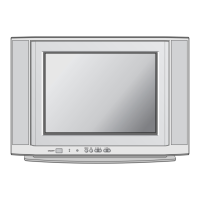
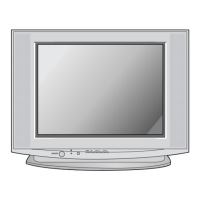
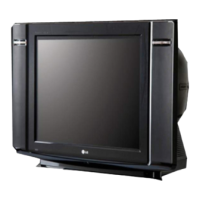
This document serves as a service manual for the LG Color TV, chassis MC-049C, covering models 21FS2ALX/RG/RL/RLX and 21FS2ALX/RG/RL/RLX-TC. It provides comprehensive information for technicians on the operation, adjustment, troubleshooting, and maintenance of these television sets.
The television set is designed to receive various broadcast systems, including PAL/SECAM BG, PAL/SECAM DK, PAL I/I, NTSC M, SECAM-L/L', and NTSC 4.43(AV), making it compatible with a wide range of global broadcasting standards. It supports both VHF (E2-E12, 02-13), UHF (E21-E69, 14-69), and CATV (S1-S20, S21-S41, 02-71) channels, offering extensive channel reception capabilities. The TV operates on a standard input voltage of 110-240V~ at 50/60Hz, with a specific 240V~, 50Hz variant for EU markets. It features a 21-inch SUPER SLIM screen and a FVS 100-program tuning system. The operating environment for the TV is specified between 0 and 45 degrees Celsius with humidity under 85%, while storage conditions range from -20 to 60 degrees Celsius, also with humidity under 85%.
The TV's functions are primarily controlled via a remote control handset, though some basic adjustments can be made using buttons on the front panel. The remote control includes a POWER button to switch the set on/off or to standby, NUMBER BUTTONS for direct channel selection, and a MENU (or INDEX) button to access menus or teletext index pages. An optional EYE/* button controls the eye function. Programme Up/Down buttons (▲/▼) allow for channel selection, automatic program scanning, and menu item navigation. Volume Up/Down buttons (◄►) adjust the sound level and menu settings. An OK button confirms selections or displays the current mode. The Q.VIEW button returns to the previously viewed program. For teletext models, dedicated TELETEXT BUTTONS are provided for teletext functions. PSM (Picture Status Memory) recalls preferred picture settings, and a FAVOURITE button selects favorite programs. Optional TURBO PICTURE / SOUND BUTTONS enhance picture and sound quality.
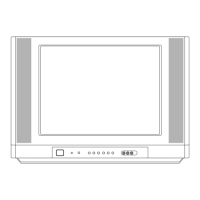
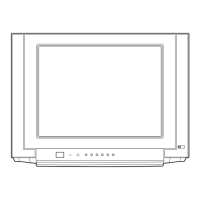
On the front panel, the TV typically features a MAIN POWER (ON/OFF) switch, a POWER/STANDBY INDICATOR that illuminates differently based on the set's status, a REMOTE CONTROL SENSOR for receiving signals from the handset, a MENU button, and an OK button with integrated Volume Up/Down (◄►) and Programme Up/Down (▲/▼) controls. Some models include side panel AUDIO/VIDEO IN SOCKETS (AV2) for connecting external equipment and a HEADPHONE SOCKET for private listening.
The service manual emphasizes several safety precautions. An isolation transformer is recommended during servicing to protect technicians from electrical shocks and prevent damage to the receiver. Fuses and high-wattage resistors should be replaced with specified components, and wires should be kept away from high voltage or high temperature parts. Extreme care is advised when handling the picture tube due to its high vacuum and large surface area, specifically not lifting it by its neck. The manual highlights that the high voltage section and picture tube are sources of X-RAY RADIATION, and for continued protection, replacement tubes must be of the same type as specified. Regular AC leakage current checks are crucial before returning the receiver to the customer to ensure electrical safety. This includes both cold and hot checks, with specific resistance and voltage limits to prevent shock hazards.
Adjustment instructions are provided for various parameters. White balance adjustment, for instance, requires connecting an adjustment JIG in SVC mode and setting specific values for CUT R, CUT B, WDR R, and WDR B based on target X and Y coordinates and color temperature for both low and high light conditions. The process involves receiving a 100% white pattern and adjusting until optimal conditions are met. Focus adjustment involves tuning the upper Focus volume of the FBT (Flyback Transformer) for the best focus of horizontal and vertical lines on a digital pattern. Screen voltage adjustment is performed by receiving a PAL or SECAM (NTSC) signal, entering screen adjustment mode, and adjusting the FBT screen volume until the width line disappears.
Sub-brightness adjustment is carried out by tuning to a digital pattern, entering the sub-brightness mode via the service menu, and adjusting the data using the channel and volume keys until the gray scale on the bottom screen shows one or two distinct volumes. Deflection setting data adjustment, which includes Vertical Shift (VS), Vertical Amplitude (VA), Vertical Linearity (VL), S Correction (SC), Horizontal Shift (HS), Trapezoidal (ET), Pin Cushion (EP), ANGLE, and Bow adjustments, ensures proper geometry and image display. These adjustments are performed by receiving a digital pattern, entering the deflection adjustment mode, and using the channel and volume keys to set the data. The manual also details how to inspect the condition of a transmission and reception in FM TRANSMITTER models, which involves generating a voice signal, selecting a transmitted frequency in the OSD, and checking reception on an FM receiver or earphone.
Option adjustments are crucial for configuring the TV's functions according to the specific model. These adjustments are made in SVC mode using the IN-START button and involve selecting and setting various options such as INCH (screen size), SYS (receiving system), SOUND (audio output type), CH+AU (channel auto-tuning), AV2 (AV input), DVD, SCART1, GAME, EYE, TX (teletext), KEY (remote control key type), DEGAU (degaussing), TEXT (teletext type), TOP (teletext top page), ACMS (Automatic Channel Memory System), I2 SV (I2C bus slave), VOL (volume control), TSEAR (Turbo Search), TP-S (Turbo Picture/Sound), and HDEV (High Definition Video). Further options for OSD language (OSD L), TXT language (TXT L), LNA (Low Noise Amplifier), A2_ST (A2 Stereo), ECO (Eco mode), TILT (picture tilt), BOOST (picture boost), 2SCRT (2-SCART), CHINA (China mode), and SSLIM (Super Slim) are also available.
Troubleshooting flowcharts are provided for common issues such as "Picture O.K / No Sound," "No Raster / Sound OK," "No Raster," and "No Picture / No Sound," and "AV STERRO / MONO MODEL." These flowcharts guide technicians through a systematic process of checking waveforms, voltages, and components to identify and resolve problems. For instance, the "Picture O.K / No Sound" flowchart directs checks of the IF waveform, IC11, IC601, and specific components like TU101, Q601, F806, and D828. The "No Raster" flowchart involves checking B+ voltage, AC line fuse, voltage of C803, IC801, IC802, IC826, and the SMPS transformer. The "No Picture / No Sound" flowchart guides checks of OSD display, receiving system, auto-program function, various DC voltages, reset voltage, SCL/SDA lines, and components like IC11, IC13, IC12, Q501, Q503, and Q504. The "AV STERRO / MONO MODEL" flowchart focuses on checking AV connections, waveforms at IC11 and IC601, voltages at TU101, and the signal line of speakers.
The manual also includes a detailed exploded view of the TV components, along with a comprehensive replacement parts list. This list identifies critical safety parts, which must be replaced with the exact specified part numbers to prevent hazards such as X-RADIATION, shock, or fire. The parts list covers various components including brackets, CPT (Cathode Ray Tube), speakers, degaussing coils, deflection yokes, earth connections, cabinet assemblies, control buttons, springs, power cords, and PWBs (Printed Wiring Boards) for the main, sub A/V, and sub T.T. chassis. Further detailed lists are provided for ICs, diodes, capacitors, transistors, coils, inductors, connectors, resistors, filters, crystals, jacks, wafers, and miscellaneous accessories, each with their part number and description. This extensive documentation ensures that technicians have all the necessary information for accurate diagnosis, repair, and maintenance of the LG Color TV.
 General
| Aspect Ratio | 4:3 |
|---|---|
| Screen Size | 21 inches |
| Inputs | Composite, RF |
| Power Consumption | 65W |
| Dimensions (W x H x D) | 20.1 x 17.7 x 18.9 inches |
| Weight | 44.1 lbs |

 To Next Page