EasyManua.ls Logo

LG 22CNV23K - User Manual

LG 22CNV23K
51 pages
Print Icon
To Next Page IconTo Next Page
Loading...
www.lg.com
OWNER'S MANUAL
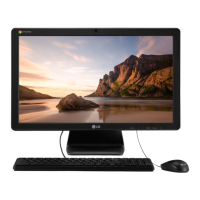
CLOUD MONITOR
(LED LCD MONITOR)
22CNV23K
24CAV23K
Please read the safety information carefully before using the product.
CLOUD Monitor(LED LCD Monitor) Model
English

Questions and Answers

  • E
    Eric HumphreyAug 10, 2025
    What to do if my LG Monitor screen is blank?
    • T
      Tammy FordAug 10, 2025
      If your LG Monitor screen is blank, there are several things you can check:Ensure the power cord is correctly plugged into the outlet. Check the power indicator on the monitor. Adjust the brightness and contrast settings. If the monitor is in power saving mode, move the mouse or press any key on the keyboard. Also, verify that your computer is turned on. If the signal cable between the PC and the monitor is missing or disconnected, check the cable and reconnect it. If signals transferred from the PC (video card) are out of the horizontal or vertical frequency range of the monitor, please see the 'Product Specification' section of this manual to set the appropriate frequency.
  • D
    Dana LarsonAug 16, 2025
    How to fix abnormal display colors on my LG 22CNV23K Monitor?
    • M
      Mary CoxAug 17, 2025
      To correct abnormal display colors on your LG Monitor, first, set the color to 24 bit (true color) or higher by navigating to Control Panel > Display > Settings > Color Quality in Windows. Also, check if the signal cable is properly connected; try reconnecting the cable or re-inserting the PC's video card. Note that when using the monitor, pixilated spots (red, green, blue, white or black) may appear on the screen, which is normal and not related to the monitor's performance.
  • J
    Jeremy MccallAug 22, 2025
    What to do if the image is displayed abnormally on my LG 22CNV23K?
    • V
      Valerie ReedAug 22, 2025
      If the image on your LG Monitor is displayed abnormally, try pressing the AUTO button. This will automatically optimize the screen to the current display mode.
  • S
    Stephen GrossAug 29, 2025
    Why does my LG Monitor screen retain an image?
    • A
      Angela YoungAug 29, 2025
      If your LG Monitor screen retains an image, it may be due to displaying a still image for a prolonged time, which can cause damage to the screen. To prevent this, use a screen saver to protect the screen when using the monitor for extended periods.
  • G
    Glenn MorseSep 4, 2025
    How to unlock OSD on LG 22CNV23K?
    • L
      Laurie MillerSep 4, 2025
      If the "OSD LOCKED" message is displayed on your LG Monitor, press and hold the MENU button for a couple of seconds to unlock the OSD. The "OSD UNLOCKED" message will then be displayed.

LG 22CNV23K Specifications

General IconGeneral
Resolution1920 x 1080 (Full HD)
Brightness250 cd/m²
Aspect Ratio16:9
ConnectivityHDMI, D-Sub
Viewing Angle178°

Related product manuals