WATCHING TV / PROGRAMME CONTROL
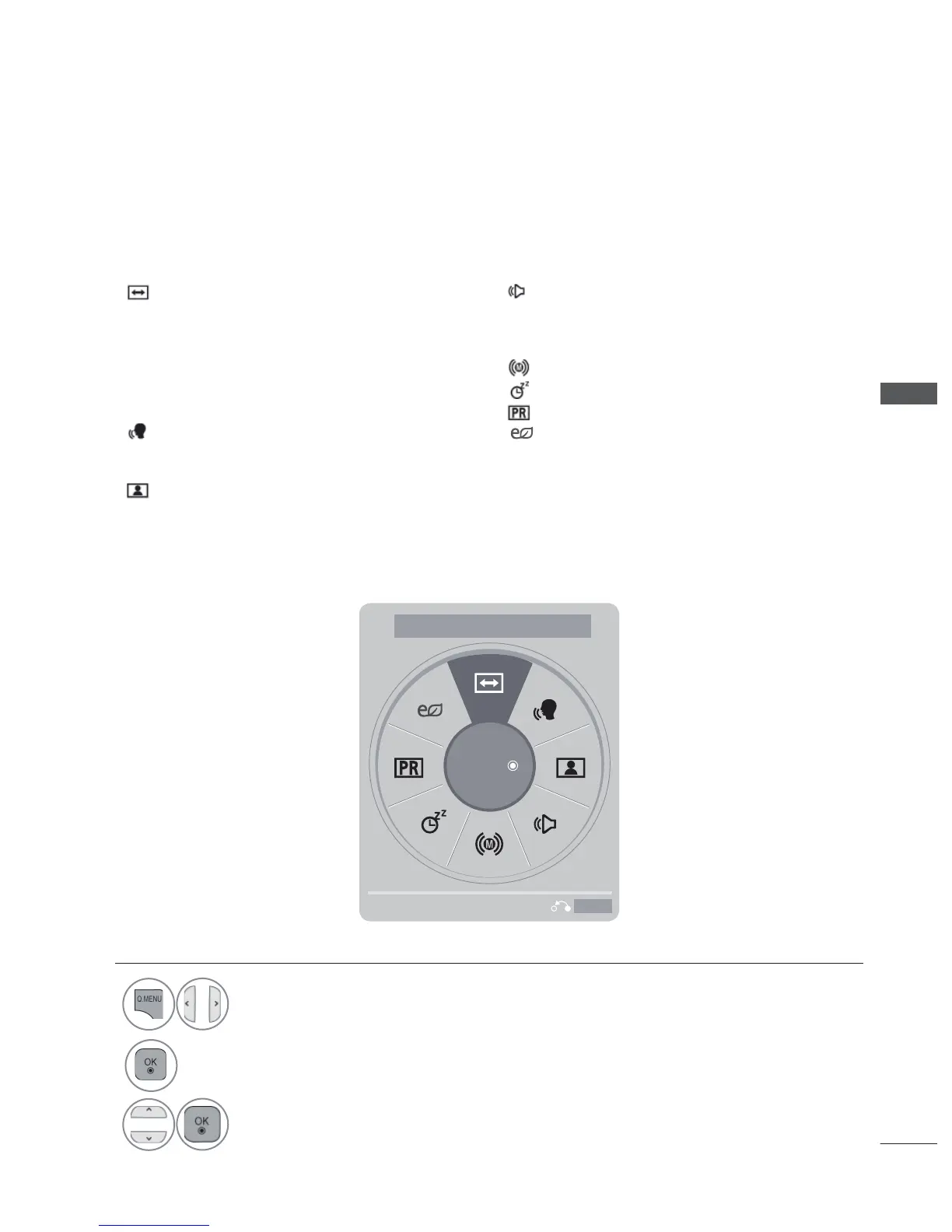
Aspect Ratio: Select your desired picture for-
mat.
For Zoom Setting, select 16:9,Just Scan,
Original,Full Wide,4:3,14:9, Zoom and
Cinema Zoom in Ratio Menu. After complet-
ing Zoom Setting, the display goes back to
Q.Menu.
Clear Voice II : By differentiating the human
sound range from others, it helps users lis-
ten to human voices better.
Picture Mode : Select your desired Picture
Mode.
Sound Mode : It is a feature to automatical-
ly set the sound combination which it deems
the best for the images being watched.
Selects your desired Sound Mode.
Audio : Select the sound output.
Sleep Timer : Set the sleep timer.
Skip Off/On : Select the Skip Off/On.
•
Press the Q.MENU/EXIT button to return to normal TV viewing.
• Press the BACK button to move to the previous menu screen.
1
Display each menu.
2
Select your desired Source.
3
Exit



 To Next Page