EasyManua.ls Logo

LG 22LD350C - Balance

LG 22LD350C
134 pages
Print Icon
To Next Page IconTo Next Page
To Previous Page IconTo Previous Page
Loading...
SOUND & LANGUAGE CONTROL
84
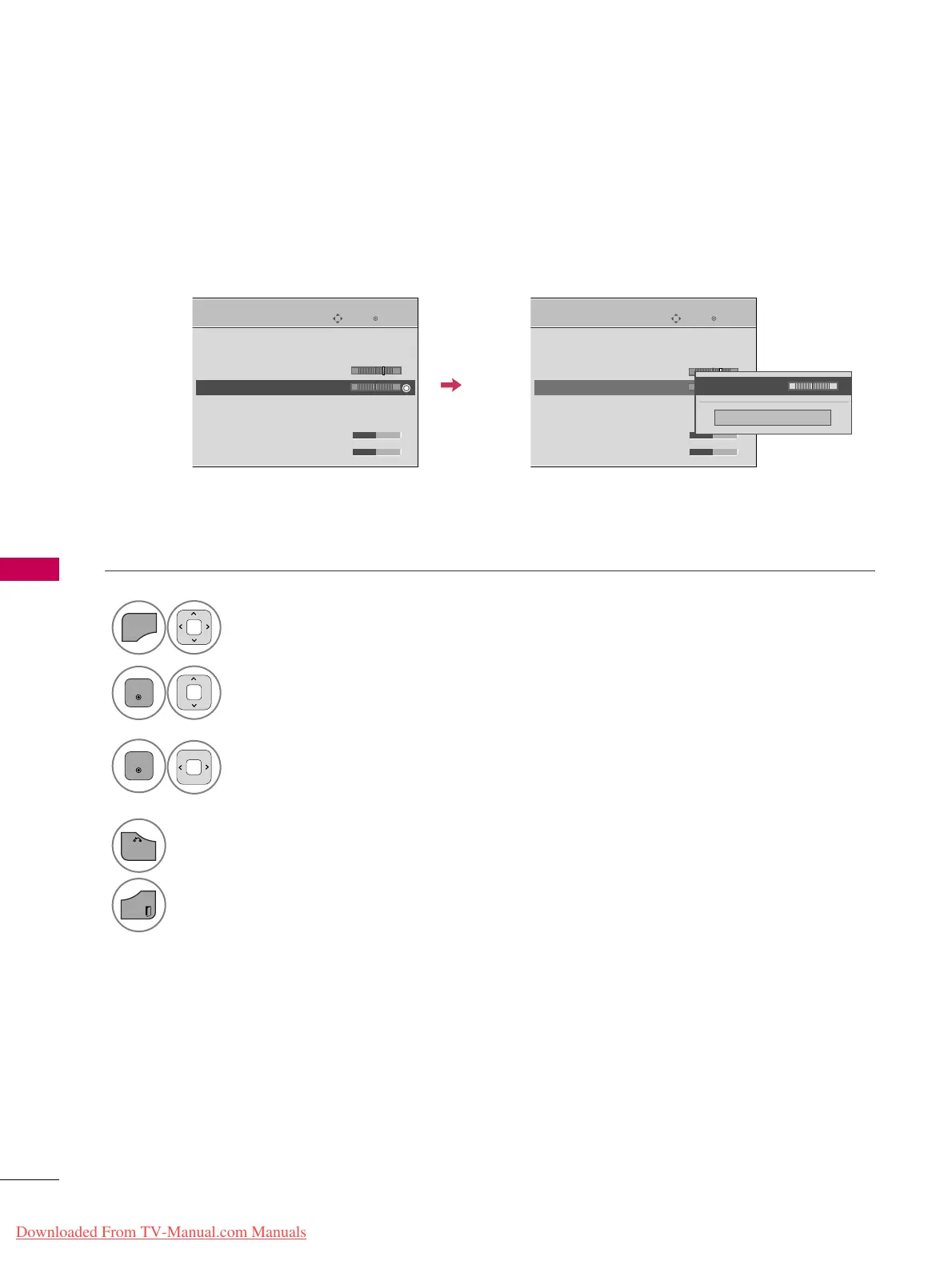
BALANCE
SOUND & LANGUAGE CONTROL
Select
AAUUDDIIOO
.
Select
BBaallaannccee
.
Make appropriate adjustments.
1
MENU
3
2
ENTER
ENTER
Adjust the left/right sound of speaker to suit your taste and room situations.
4
BACK
Return to the previous menu.
EXIT
Return to TV viewing.
Enter
Move
AUDIO
Auto Volume : Off
Clear Voice II : Off
• Level 3
Balance 0
Sound Mode : Standard
Infinite Sound :
Off
• Treble 50
• Bass 50
Enter
Move
AUDIO
Auto Volume : Off
Clear Voice II : Off
• Level 3
Balance 0
Sound Mode : Standard
Infinite Sound :
Off
• Treble 50
• Bass 50
E
LR
E
LR
-+
-+
Close
EE
EE
Balance 0
LR
Downloaded From TV-Manual.com Manuals

Table of Contents

Other manuals for LG 22LD350C

Related product manuals