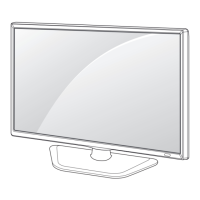
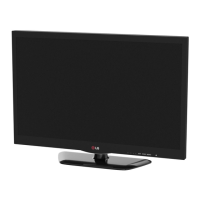
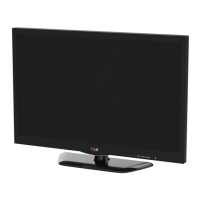
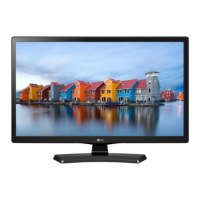
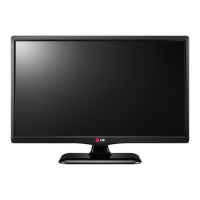
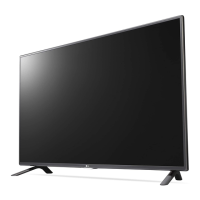
This document is an owner's manual for an LG LED TV, specifically models LY33**, LY34**, and LY54**. The asterisk indicates that LG LED TVs apply LCD screens with LED backlights. The manual provides instructions for assembling, preparing, using, maintaining, and troubleshooting the device, along with technical specifications and external control setup information.
Function Description
The LG LED TV serves as a display device for various video and audio sources. It can receive broadcast signals (DVB-T/T2, VHF, UHF, CATV), connect to external devices via HDMI, component, composite, and USB inputs, and output audio through optical digital audio out or external speakers. The TV is designed for both tabletop mounting and wall mounting. It features an on-screen display (OSD) for adjusting settings and a remote control for convenient operation. The TV incorporates an LCD screen with LED backlights, offering a visual display.
Important Technical Specifications
The LG LED TV models come in various sizes and configurations, with specific dimensions, weights, and power requirements.
Models and Dimensions (W x H x D):
- 32LY33
- Without stand: 732 x 431 x 55.5 mm
- With stand: 732 x 481 x 207 mm
- 32LY34
- Without stand: 732 x 431 x 55.5 mm
- With stand: 732 x 481 x 207 mm
- 39LY34
- Without stand: 885 x 524 x 55.5 mm
- With stand: 885 x 567 x 218 mm
- 42LY34
- Without stand: 961 x 567 x 55.5 mm
- With stand: 961 x 612 x 218 mm
- 47LY34
- Without stand: 1073 x 629 x 55.5 mm
- With stand: 1073 x 676 x 247 mm
- 32LY54
- Without stand: 732 x 431 x 55.5 mm
- With stand: 732 x 481 x 207 mm
- 39LY54
- Without stand: 885 x 524 x 55.5 mm
- With stand: 885 x 567 x 218 mm
- 42LY54
- Without stand: 961 x 567 x 55.5 mm
- With stand: 961 x 612 x 218 mm
- 47LY54
- Without stand: 1073 x 629 x 55.5 mm
- With stand: 1073 x 676 x 247 mm
- 55LY54
- Without stand: 1243 x 724 x 56.8 mm
- With stand: 1243 x 772 x 247 mm
- 28LY33
- Without stand: 641.5 x 390.8 x 57.6 mm
- With stand: 641.5 x 432 x 170 mm
Weight:
- 32LY33/34/54: Without stand: 6.2 kg, With stand: 8.0 kg
- 39LY34/54: Without stand: 8.3 kg, With stand: 10.0 kg
- 42LY34/54: Without stand: 9.5 kg, With stand: 12.3 kg
- 47LY34/54: Without stand: 12.7 kg, With stand: 18.4 kg
- 55LY54: Without stand: 18.0 kg, With stand: 20.0 kg
- 28LY33: Without stand: 4.2 kg, With stand: 4.5 kg
Power Requirements:
- 32/39/42/47/55LY34/54: AC 100-240 V~ 50 / 60 Hz
- 28LY33: 19 V === 2.0 A
Operating Conditions:
- Operating Temperature: 0 °C to 40 °C
- Operating Humidity: Less than 80 %
- Storage Temperature: -20 °C to 60 °C
- Storage Humidity: Less than 85 %
Television System:
- Digital TV: DVB-T (*DVB-T/T2)
- Analogue TV: PAL B/B, PAL D/K, PAL I, SECAM B/G, SECAM D/K, NTSC-M
Programme Coverage:
Maximum Number of Storable Programmes:
External Antenna Impedance: 75 Ω
Supported Resolutions (RGB-PC, HDMI/PC):
- 640 x 350 (70.09 Hz)
- 720 x 400 (70.08 Hz)
- 640 x 480 (59.94 Hz)
- 800 x 600 (60.31 Hz)
- 1024 x 768 (60.00 Hz)
- 1280 x 768 (60.00 Hz)
- 1152 x 864 (60.05 Hz)
- 1360 x 768 (60.015 Hz)
- 1280 x 1024 (60.020 Hz)
- 1920 x 1080 (60.00 Hz)
Supported Resolutions (HDMI/DTV):
- 720 x 480 (59.94 Hz)
- 720 x 576 (50 Hz)
- 1280 x 720 (50/60 Hz)
- 1920 x 1080i (50/60 Hz)
- 1920 x 1080p (50/60 Hz)
Usage Features
The LG LED TV offers a range of features for ease of use and connectivity.
Assembling and Preparing:
- Unpacking: The manual details the components included in the product box, such as the remote control, batteries, cable holder, stand screws, cable managements, wall mount spacers, stand base, and AC-DC adapter.
- Parts and Button: Illustrations show the location of the remote control sensor, power indicator, and joystick button on different TV types (32/42/47LY34**, 32/39/42/47/55LY54**, and 28LY33**).
- Using the Joystick Button: The joystick button, located below the TV screen, allows users to power on/off, adjust volume, change programs, and access/adjust menu settings.
- Lifting and Moving the TV: Instructions are provided for safely lifting and moving the TV, emphasizing the need for at least two people for larger TVs and cautioning against applying excessive pressure to the screen or frame.
- Attaching the Stand: Detailed steps with diagrams are provided for attaching the stand base to the TV, including screw specifications (M4 x L14 or M4 x L20) and torque requirements.
- Mounting on a Table: Instructions for placing the TV on a table, ensuring proper ventilation (at least 10 cm clearance), and securing it to prevent tipping using eye-bolts and wall brackets.
- Mounting on a Wall: Guidelines for attaching a wall mount bracket, including VESA compatibility (e.g., 100 x 100, 200 x 100, 400 x 400) and screw specifications (M4 x L10, M6). It warns against using non-VESA standard wall mounts.
Making Connections:
- Antenna Connection: Connects the TV to a wall antenna socket with an RF cable (75 Ω).
- Adapter Connection: Connects the AC-DC power adapter to the TV and a wall power outlet.
- Network Setup (Wired Network Connection): For LY54** models, the TV can be connected to a local area network (LAN) via an LAN port, allowing network communication.
- Other Connections:
- External Devices: Connects various external devices to the TV for the best picture and audio quality.
- Optical Digital Audio Out: Connects to a digital audio system.
- RGB IN (PC): Connects to a PC for video input.
- RS-232C IN (CONTROL & SERVICE): Connects for external control.
- EXTERNAL SPEAKER OUT: Connects to external speakers.
- COMPONENT IN / AV IN: Connects to component or composite video/audio sources.
- HDMI IN: Connects to HDMI-compatible devices.
- USB IN: Connects to USB storage devices.
- MHL (Mobile High-definition Link): For compatible mobile phones.
- Headphone Out: Connects to headphones.
Remote Control:
- The remote control allows users to power on/off, select input sources, adjust volume, change programs, access menus, and control various functions.
- Buttons: Includes POWER, TV/RAD, SUBTITLE, AV MODE, RATIO, INPUT, Number buttons (0-9), LIST, Q.VIEW, FAV, GUIDE, MUTE, P ^ / PAGE ^, TEXT, T.OPT, INFO, BACK, EXIT, OK, navigation buttons (up/down/left/right), SETTINGS, Q.MENU, SIMPLINK, SLEEP, and Colour buttons (Red, Green, Yellow, Blue).
- SIMPLINK (HDMI-CEC): Allows control of connected HDMI-CEC compatible devices through the TV's remote control.
- MY MEDIA (USB.SIMPLINK): Controls compatible USB devices.
External Control Device Setup (RS-232C):
- RS-232C Setup: Connects the serial port input jack to an external control device (such as a computer or an A/V control system) to control the product's functions.
- RS-232C Configurations: Provides pin assignments for 7-wire and 3-wire configurations (D-Sub 9-Pin Male connector).
- Communication Parameters: Baud rate: 9600 bps (UART), Data length: 8 bits, Parity: None, Stop bit: 1 bit, Communication code: ASCII code.
- Command Reference List: A detailed list of commands for controlling various TV functions (Power, Aspect Ratio, Screen Mute, Volume, Contrast, Brightness, Colour, Tint, Sharpness, OSD Select, Remote Control Lock Mode, Balance, Colour Temperature, Energy Saving, Auto Configure, Equalize, Tune Command, Programme Add/Skip, Key, Control Back Light, Input Select).
- Transmission / Receiving Protocol: Describes the format for sending and receiving commands, including OK and Error Acknowledgement.
Maintenance Features
The manual provides guidelines for cleaning and basic troubleshooting to ensure the longevity and optimal performance of the TV.
Cleaning your TV:
- Screen, Frame, Cabinet and Stand:
- Use a soft, dry, clean cloth to remove dust or light dirt.
- For major dirt, wipe the surface with a soft cloth dampened in clean water or a diluted mild detergent, then wipe immediately with a dry cloth.
- Caution: Do not push, rub, or hit the screen surface with your fingernail or a sharp object, as this may result in scratches and image distortions. Do not use any chemicals as this may damage the product. Do not spray liquid onto the surface. If water enters the TV, it may result in fire, electric shock, or malfunction.
- Power Cord: Remove accumulated dust or dirt on the power cord regularly.
Troubleshooting:
The manual includes a troubleshooting guide for common issues and their solutions.
- Problem: Cannot control the TV with the remote control.
- Solution: Check the remote control sensor on the product, try again. Check for obstacles between the product and remote control. Check if batteries are still working and properly installed.
- Problem: No image display and no sound is produced.
- Solution: Check if the product is turned on. Check if the power cord is connected to a wall outlet. Check if there is a problem in the wall outlet by connecting other products.
- Problem: The TV turns off suddenly.
- Solution: Check the power control settings. The power supply may be interrupted. Check if the Auto sleep feature is activated in the Time settings.
- Problem: When connecting to the PC (RGB/HDMI DVI), 'No Signal' or 'Invalid Format' is displayed.
- Solution: Turn the TV off/on using the remote control. Reconnect the RGB/HDMI DVI cable. Restart the PC with the TV on.

 Need help?

 To Next Page
 General