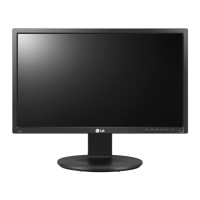
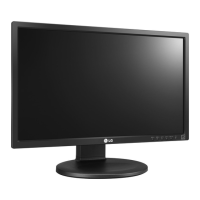
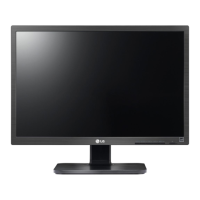
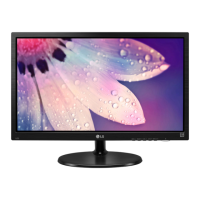
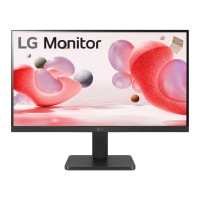
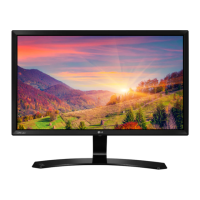
This document is the owner's manual for LG IPS LED (LED LCD) monitors, specifically models 19MB35D, 22MB35D, and 24MB35D. It provides detailed instructions for assembling, operating, customizing settings, and troubleshooting the monitor.
Function Description:
The LG IPS LED Monitor is designed to display video signals from a PC. It supports both analog (D-SUB) and digital (DVI-D) input signals, allowing for flexible connectivity with various computer systems. The monitor features Plug & Play functionality, enabling automatic recognition by a PC without requiring manual device configuration. It also includes a "Self Image Setting" function that automatically adjusts display settings for optimal viewing when the monitor is first connected or when input signals change (supported in Analog Mode). An "AUTO" function is available to improve resolution in cases of blurry screens, blurred letters, screen flicker, or tilted screens.
Important Technical Specifications:
19MB35D:
- Display: 48.2 cm (19 inch) Flat Panel Active matrix-TFT LCD with Anti-Glare coating. Visible diagonal size: 48.2 cm.
- Pixel Pitch: 0.294 mm x 0.294 mm.
- Horizontal Frequency: 30 kHz to 83 kHz (Automatic).
- Vertical Frequency: 56Hz to 75Hz (D-SUB, DVI-D).
- Input Form: Separate Sync. Digital.
- Video Input: 15 pin D-SUB Connector / DVI-D Connector (Digital). RGB Analog (0.7 Vp-p/ 75 ohm), Digital.
- Max Resolution: D-SUB(Analog): 1280 x 1024 @ 60 Hz. DVI (Digital): 1280 x 1024 @ 60 Hz.
- Recommended Resolution: VESA 1280 x 1024 @ 60 Hz.
- Power Consumption: On Mode: 15 W (ENERGY STAR® standard)*. Sleep Mode ≤ 0.3 W. Off Mode ≤ 0.3 W.
- Power Input: AC 100-240V ~ 50/60Hz 0.8 A.
- Dimensions (With Stand): 40.9 cm x 42.5 cm x 21.0 cm.
- Dimensions (Without Stand): 40.9 cm x 33.8 cm x 5.8 cm.
- Weight: 2.8 kg.
- Tilt Range: -5° to 20°.
- Environmental Conditions: Operating Temperature: 10°C to 35 °C. Operating Humidity: 10% to 80%. Storage Temperature: -20°C to 60 °C. Storage Humidity: 5% to 90% non-Condensing.
- Stand Base: Attached ( ), Detached (O).
- Power cord: Wall-outlet type.
22MB35D:
- Display: 54.6 cm (21.5 inch) Flat Panel Active matrix-TFT LCD with Anti-Glare coating. Visible diagonal size: 54.6 cm.
- Pixel Pitch: 0.248 mm x 0.248 mm.
- Horizontal Frequency: 30 kHz to 83 kHz (Automatic).
- Vertical Frequency: 56Hz to 75Hz (D-SUB, DVI-D).
- Input Form: Separate Sync. Digital.
- Video Input: 15 pin D-SUB Connector / DVI-D Connector (Digital). RGB Analog (0.7 Vp-p/ 75 ohm), Digital.
- Max Resolution: D-SUB(Analog): 1920 x 1080 @ 60 Hz. DVI (Digital): 1920 x 1080 @ 60 Hz.
- Recommended Resolution: VESA 1920 x 1080 @ 60 Hz.
- Power Consumption: On Mode: 20 W (ENERGY STAR® standard)*. Sleep Mode ≤ 0.3 W. Off Mode ≤ 0.3 W.
- Power Input: AC 100-240V ~ 50/60Hz 1.0 A.
- Dimensions (With Stand): 50.9 cm x 39.8 cm x 21.0 cm.
- Dimensions (Without Stand): 50.9 cm x 30.4 cm x 6.2 cm.
- Weight: 3.1 kg.
- Tilt Range: -5° to 20°.
- Environmental Conditions: Operating Temperature: 10°C to 35 °C. Operating Humidity: 10% to 80%. Storage Temperature: -20°C to 60 °C. Storage Humidity: 5% to 90% non-Condensing.
- Stand Base: Attached ( ), Detached (O).
- Power cord: Wall-outlet type.
24MB35D:
- Display: 60.4 cm (23.8 inch) Flat Panel Active matrix-TFT LCD with Anti-Glare coating. Visible diagonal size: 60.4 cm.
- Pixel Pitch: 0.2745 mm x 0.2745 mm.
- Horizontal Frequency: 30 kHz to 83 kHz (Automatic).
- Vertical Frequency: 56Hz to 75Hz (D-SUB, DVI-D).
- Input Form: Separate Sync. Digital.
- Video Input: 15 pin D-SUB Connector / DVI-D Connector (Digital). RGB Analog (0.7 Vp-p/ 75 ohm), Digital.
- Max Resolution: D-SUB(Analog): 1920 x 1080 @ 60 Hz. DVI (Digital): 1920 x 1080 @ 60 Hz.
- Recommended Resolution: VESA 1920 x 1080 @ 60 Hz.
- Power Consumption: On Mode: 23 W (ENERGY STAR® standard)*. Sleep Mode ≤ 0.3 W. Off Mode ≤ 0.3 W.
- Power Input: AC 100-240V ~ 50/60Hz 1.2 A.
- Dimensions (With Stand): 56.9 cm x 43.3 cm x 21.0 cm.
- Dimensions (Without Stand): 56.9 cm x 34.2 cm x 6.3 cm.
- Weight: 3.9 kg.
- Tilt Range: -5° to 20°.
- Environmental Conditions: Operating Temperature: 10°C to 35 °C. Operating Humidity: 10% to 80%. Storage Temperature: -20°C to 60 °C. Storage Humidity: 5% to 90% non-Condensing.
- Stand Base: Attached ( ), Detached (O).
- Power cord: Wall-outlet type.
Note: Product specifications may change without prior notice due to function upgrades. Power consumption levels may vary based on operating conditions and monitor settings. ENERGY STAR® is a US registered mark of the United States Environmental Protection Agency.
Usage Features:
- Assembly: The manual details how to unpack the monitor, identify parts and buttons, attach and detach the stand base, mount the monitor on a table, and use a Kensington locking device for security. It also provides instructions for wall mounting, emphasizing VESA standards and proper screw usage to prevent damage or injury.
- Connectivity: The monitor supports D-SUB (analog) and DVI-D (digital) connections to a PC. Users can connect two PCs simultaneously using both signal cables.
- On-Screen Display (OSD) Menu: The monitor features an intuitive OSD menu for customizing various settings.
- MENU/t Button: Accesses the main menus. Holding it down allows locking/unlocking OSD controls to prevent accidental changes.
- READER/ Button: Enters Reader Mode, which adjusts the screen for eye comfort, making it appear paper-like. Reader Mode 1 is optimized for newspapers, and Reader Mode 2 for cartoons. Brightness can still be controlled via the main OSD menu in Reader Mode.
- edi Button: Enters the SUPER ENERGY SAVING menu.
- AUTO/ Button: Automatically adjusts display settings for optimal resolution (Analog Mode only).
- INPUT/EXIT Button: Allows selection of input signals (D-SUB/DVI) when multiple sources are connected. Exits the OSD menu.
- Power Button: Turns the monitor on or off.
- Power Indicator: Stays white in On Mode, blinks white in Sleep Mode, and is off in Off Mode.
- Customizing Settings:
- Picture: Adjusts Brightness, Contrast, Response Time (for 19MB35D/24MB35D), Wide/Original aspect ratio (for 22MB35D/24MB35D), and Sharpness. Response Time can be set to 'Off' for normal use or 'High' for fast-moving pictures. Wide mode switches to full screen, while Original maintains the input image signal ratio.
- Color: Allows customization of Gamma (Gamma 0, 1, 2), Color Temp (Warm, Medium, Cool, Custom Red/Green/Blue levels), Six Color (Hue and Saturation for Red/Green/Blue/Cyan/Magenta/Yellow - for 19MB35D/24MB35D), and Color Reset.
- Display: Adjusts Horizontal and Vertical position, Clock (to minimize vertical bars/stripes and change horizontal screen size), and Phase (to adjust focus, remove horizontal noise, and sharpen characters).
- Others: Sets Language, Power Indicator (On/Off), and Off Time Setting (monitor switches off after a user-chosen time, 1-24 hours).
- Proper Posture: The manual includes a diagram and advice on maintaining proper posture while using the monitor to ensure comfort and prevent strain, including adjusting monitor angle and position, and hand placement on the keyboard.
Maintenance Features:
- Troubleshooting Guide: A dedicated section helps users diagnose and resolve common issues such as no image, power indicator problems, "OUT OF RANGE" or "NO SIGNAL" messages, "OSD LOCKED" messages, and incorrect display image (position, vertical bars, horizontal noise, color abnormalities, screen blinking).
- Display Driver Installation: For "Unrecognized monitor" messages, users are advised to install the display driver from the provided CD or LG's website.
- Kensington Lock: The monitor includes a connector for a Kensington lock, allowing users to secure the device to a table and prevent theft.
- Energy Saving: The SUPER ENERGY SAVING function allows users to reduce power consumption by adjusting screen brightness. It displays the total power reduction and CO2 reduction. Different saving levels (High, Low, Off) are available. When Super Energy Saving is active, Picture Mode automatically sets to Custom, and Reader Mode is turned off.
The manual emphasizes safety precautions, such as using approved accessories, unplugging the power cord before moving or installing the monitor, and avoiding over-tightening screws during assembly. It also advises against displaying fixed images for long periods to prevent image burn and recommends using a screensaver.


 To Next Page
 General