EasyManua.ls Logo

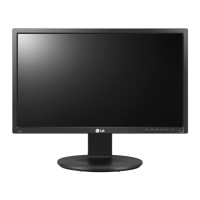
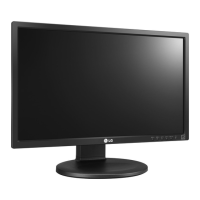
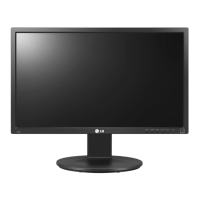
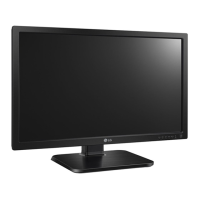
LG 22MB37PU - User Manual

LG 22MB37PU
31 pages
Print Icon
To Next Page IconTo Next Page
Loading...
www.lg.com
OWNER’S MANUAL
IPS LED MONITOR
(LED LCD MONITOR)
Please read this manual carefully before operating
your set and retain it for future reference.
IPS LED(LED LCD) MONITOR MODEL
ENGLISH
22MB37PU 24MB37PM
24MB37PY
24MB37PV

Other manuals for LG 22MB37PU

Questions and Answers

  • C
    clarkjeffreyAug 15, 2025
    How to fix an LG Monitor when no image appears?
    • K
      Kenneth GrantAug 15, 2025
      If your LG Monitor displays no image, there are several things you can check: * Ensure the power cord is properly connected to the power outlet. * Press the Power button on the monitor. * Adjust the brightness and contrast settings. * If the display is in power saving mode, try moving the mouse or pressing any key on the keyboard. * Make sure your PC is turned on. Also, this message appears when the signal from the PC (video card) is out of horizontal or vertical frequency range of the display. When the monitor is on "No-Signal" in 5 minutes, the monitor goes to DPM mode.
  • M
    Mrs. Jennifer Black DVMAug 18, 2025
    What to do if the display image is incorrect on my LG 22MB37PU Monitor?
    • L
      lawrence10Aug 18, 2025
      If the display image on your LG Monitor is incorrect, try the following: * Press the AUTO button to automatically adjust your display image to the ideal setting. * Check Control Panel ? Display ? Settings and adjust the display to the recommended resolution or adjust the display image to the ideal setting. * Ensure the color setting is higher than 24 bits (true color).
  • J
    Jessica WashingtonAug 21, 2025
    Why does the screen blink on my LG Monitor?
    • L
      larry07Aug 21, 2025
      If the screen of your LG Monitor blinks, check if the screen is set to interlace mode and if yes, change it to the recommend resolution.
  • S
    Sarah WashingtonAug 25, 2025
    Why is the screen color mono or abnormal on my LG 22MB37PU Monitor?
    • V
      vharrisAug 25, 2025
      If the screen color on your LG Monitor is mono or appears abnormal, consider these steps: * Check if the signal cable is properly connected, and use a screwdriver to fasten it if necessary. * Make sure the video card is properly inserted in the slot. * Set the color setting higher than 24 bits (true color) at Control Panel ? Settings.
  • N
    nathanhunterAug 28, 2025
    How to fix "Unrecognized monitor, Plug&Play (VESA DDC) monitor found" message on LG Monitor?
    • A
      Ashley HickmanAug 28, 2025
      If you see an "Unrecognized monitor, Plug&Play (VESA DDC) monitor found" message on your LG Monitor, make sure to install the display driver from the display driver CD (or diskette) that comes with your display. Also, make sure to check if the video card supports Plug&Play function.
  • E
    Edward NavarroAug 31, 2025
    How to unlock OSD on LG Monitor?
    • C
      Courtney BassAug 31, 2025
      If you see an "OSD LOCKED" message on the screen of your LG Monitor, you can unlock the OSD controls at any time by pushing the MENU button for several seconds: the message “OSD UNLOCKED” will appear.
  • M
    Michael KentSep 3, 2025
    What to do if no image appears on my LG Monitor?
    • S
      Savannah GrahamSep 4, 2025
      If no image appears on your LG Monitor, ensure the power cord is securely connected to the outlet and that the monitor is turned on by pressing the Power button. Also, adjust the brightness and contrast settings. If the monitor is in power saving mode, try moving the mouse or pressing a key. Finally, check the cable connecting the PC and the monitor, ensuring it's properly connected.
  • J
    jenkinspatriciaSep 7, 2025
    How to fix incorrect display image on LG Monitor?
    • A
      Angela JohnsonSep 7, 2025
      If the display image on your LG Monitor looks incorrect, press the AUTO button to automatically adjust the image to the ideal setting. You may need to check the display settings in the Control Panel and adjust the resolution to the recommended one, or set the color setting higher than 24 bits (true color).
  • E
    Emily WillisSep 10, 2025
    Why is the screen color on my LG 22MB37PU Monitor mono or abnormal?
    • J
      Jaime AndersonSep 10, 2025
      If the screen color on your LG monitor is mono or abnormal, verify that the signal cable is properly connected, tightening it with a screwdriver if necessary. Also, ensure the video card is correctly inserted. Finally, check that the color setting is set higher than 24 bits (true color) in the Control Panel settings.

Summary

Assembling and Preparing

Parts and Buttons

Identifies monitor parts, buttons, and input connectors for various models.

Using the Monitor Set

Connecting to a PC

Explains PC connection and Plug & Play support.

Peripheral Device Connection

Guides on connecting peripheral devices like keyboards and mice via USB ports.

HDMI Connection

How to connect the monitor using an HDMI cable for digital video and audio.

Customizing Settings

Menu Settings

Overview of main menu settings like Volume, Brightness, Response Time, and Wide/Original.

Picture Settings

Detailed explanation of Picture settings: Contrast and Sharpness.

Color Settings

Detailed color settings: Gamma, Color Temp, Six Color, and Color Reset.

Smart Energy Saving Settings

Configuration of SMART ENERGY SAVING modes (High, Low, Off) for power conservation.

Troubleshooting

No Image Appears

Steps to resolve issues when no image appears on the screen.

OSD Locked Message

How to unlock the OSD if it is locked.

Incorrect Display Image

Troubleshooting steps for incorrect display position, vertical bars, or horizontal noise.

Display Image Incorrect

Resolving abnormal screen color or blinking screens.

Specifications

LG 22MB37PU Specifications

General IconGeneral
BrandLG
Model22MB37PU
CategoryMonitor
LanguageEnglish

Related product manuals