7
ENG
ENGLISH
ASSEMBLING AND PREPARING
Adjusting the angle
1
Place the monitor mounted on the stand base
in an upright position.
2
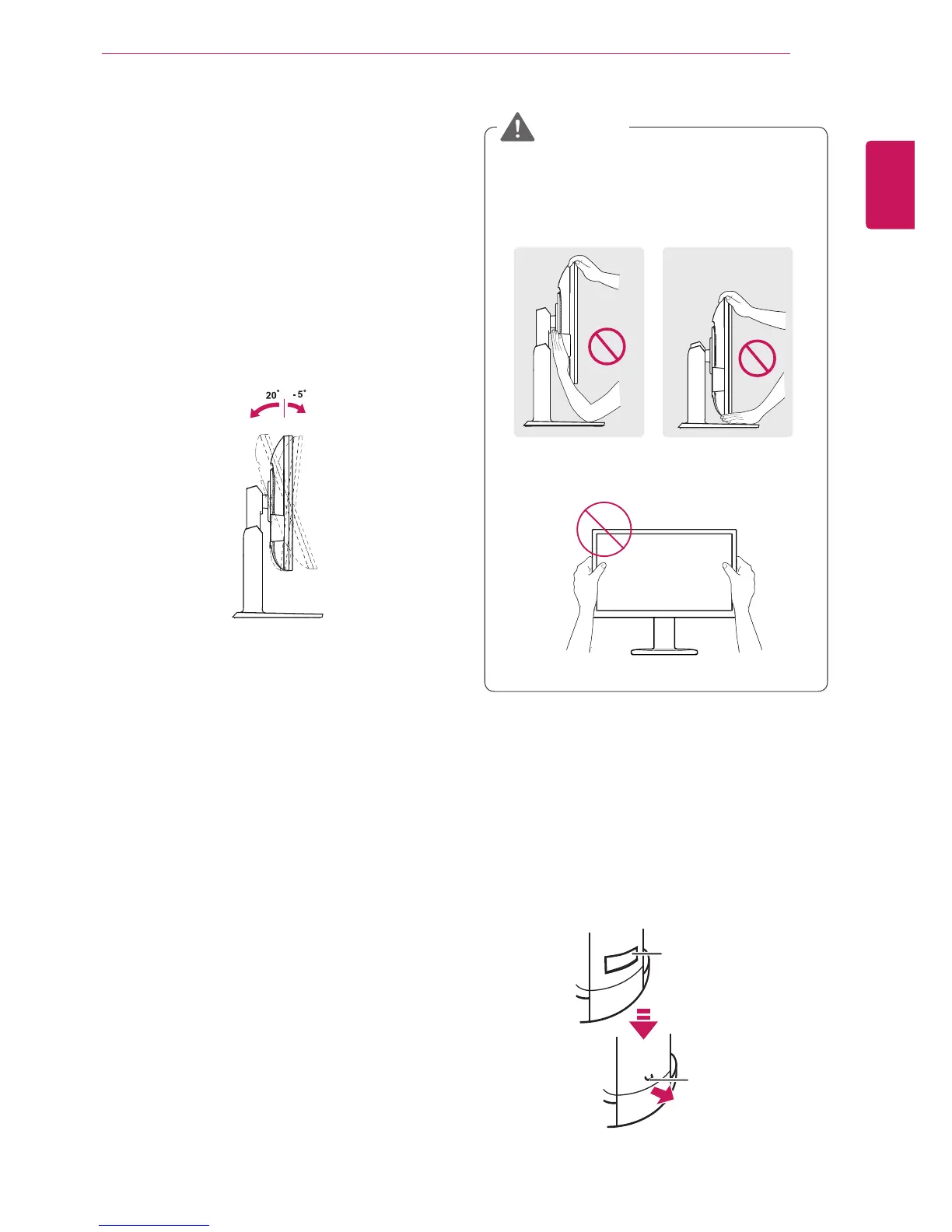
Adjust the angle of the screen. The angle of
the screen can be adjusted up to 5° forwards
and 20° backwards for a comfortable viewing
experience.
y
To avoid injury to the fingers when adjusting
the screen, do not hold the lower part of the
monitor's frame as illustrated below.
y
Be careful not to touch or press the screen
area when adjusting the angle of the monitor.
WARNING
Front SideRear Side
Adjusting the stand height
1
Place the monitor mounted on the stand base
in an upright position.
2
Remove the
tape
attached at the bottom rear
of the
stand body,
then pull out the
locking
pin
.
Tape
Locking Pin
Stand Body


 To Next Page