6
ENG
ENGLISH
ASSEMBLING AND PREPARING
Detaching the stand body
1
Place the monitor's screen face down. To
protect the screen from scratches, cover the
surface with a soft cloth.
2
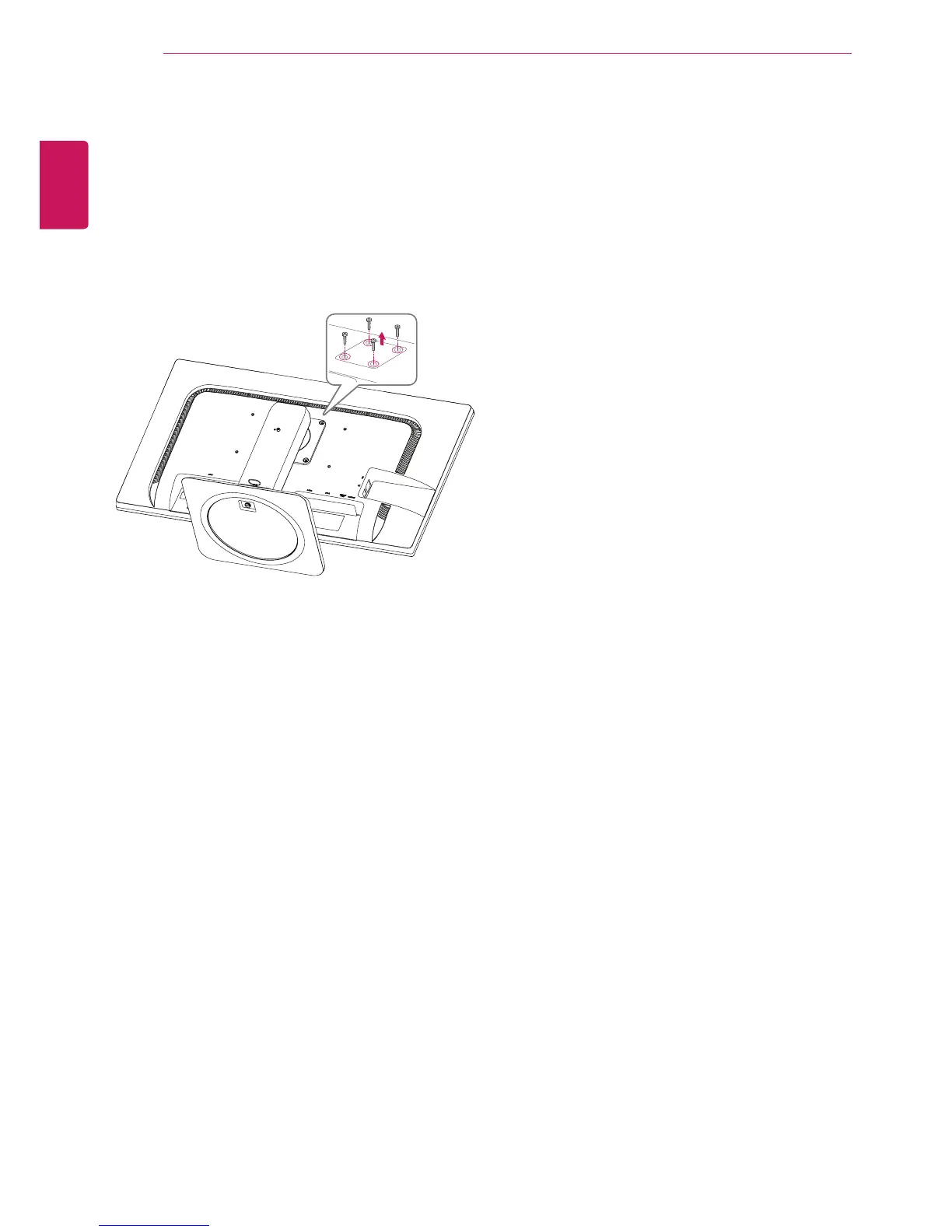
Using a screwdriver, remove the four screws
and detach the stand from the monitor.



 To Next Page