EasyManua.ls Logo

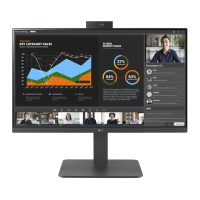
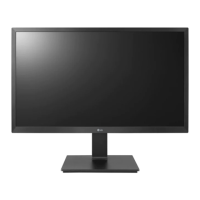
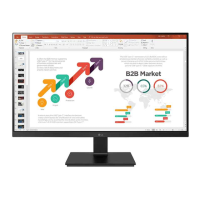
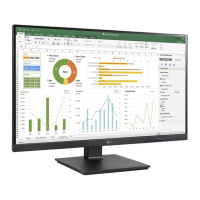
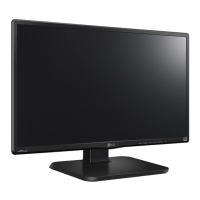
LG 24BR650B - User Manual

LG 24BR650B
31 pages
Print Icon
To Next Page IconTo Next Page
Loading...
* Disclaimer : LG LED Monitor applies LCD screen with LED backlights.
This product is a computer monitor and not for television purpose.
Please read this manual carefully before operating your set and retain it for
future reference.
24BR750C
27BR750C
24BR650B
27BR650B
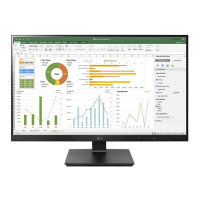
OWNER’S MANUAL
LED LCD COMPUTER
MONITOR
(LED Computer Monitor*)
www.lg.com
Copyright © 2022 LG Electronics Inc. All Rights Reserved.

Other manuals for LG 24BR650B

Questions and Answers

  • Y
    youngandrewAug 7, 2025
    How to fix LG Monitor when nothing is displayed on the screen?
    • S
      Sarah HouseAug 7, 2025
      If nothing is displayed on your LG Monitor screen, first, ensure the power cord is correctly plugged into the power outlet. If the connection is correct, check the signal cable between your PC and the monitor to ensure it is properly connected. If Settings -> General -> DP OUT is On, execute Settings -> General -> Reset to Initial Settings, as it may be a PC that does not support DP OUT (MST). Finally, verify that the signals transferred from your PC (graphics card) are within the horizontal or vertical frequency range supported by the monitor, referring to the Product Specification section of the manual to set the appropriate frequency.
  • L
    Lisa NobleAug 11, 2025
    Why are images displayed without sound on my LG 24BR650B Monitor?
    • K
      Kevin RussellAug 11, 2025
      If images are displayed without sound on your LG Monitor, ensure that the headphone port connections are properly made. Also, try increasing the volume using the button. Finally, set the audio output of your PC to the monitor you are using.
  • A
    Ashley BrownAug 15, 2025
    Why is my LG 24BR650B Monitor screen display unstable and shaky?
    • J
      Joshua HolmesAug 15, 2025
      If the images displayed on your LG Monitor are unstable, shaky, or leave shadow trails, it might be due to the selected resolution being HDMI 1080i 60/50 Hz (interlaced). Change the resolution to 1080p or the recommended resolution to resolve this issue. If this doesn't work, the graphics card may not be set to the recommended (optimal) resolution. In this case, contact the manufacturer of your computer or graphics card for assistance.
  • A
    Angela WalterAug 20, 2025
    What to do if my LG 24BR650B Monitor shows "Unrecognized monitor, Plug and Play (VESA DDC) monitor found"?
    • J
      Justin PachecoAug 20, 2025
      If you see an "Unrecognized monitor, Plug and Play (VESA DDC) monitor found" message on your LG Monitor, be sure to install the display driver from the LG website: http://www.lg.com. Also, make sure to check if the graphics card supports the Plug and Play function.
  • M
    Michelle GonzalezAug 25, 2025
    Why are some functions not available when I press the Menu button on my LG 24BR650B Monitor?
    • B
      Brenda ClarkAug 25, 2025
      If some functions are not available when you press the Menu button on your LG Monitor, the OSD might be locked. You can disable OSD Lock in the General settings.
  • V
    Victoria VegaAug 28, 2025
    What are the spots on my LG Monitor screen?
    • K
      keith33Aug 28, 2025
      Using the LG Monitor, pixilated spots may appear on the screen. This is not an error, nor is it related to the monitor's performance.
  • R
    Robert RossSep 1, 2025
    How to prevent image sticking on my LG Monitor?
    • C
      Cole MartinezSep 1, 2025
      To extend the lifetime of your LG Monitor and prevent image sticking, use a screensaver, as displaying a still image for a prolonged time may cause damage to the screen.

LG 24BR650B Specifications

General IconGeneral
BrandLG
Model24BR650B
CategoryMonitor
LanguageEnglish

Related product manuals