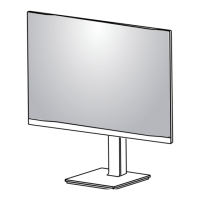
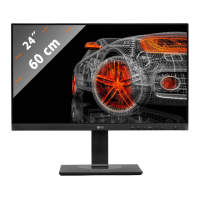
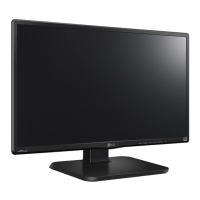
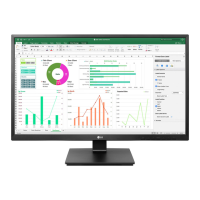
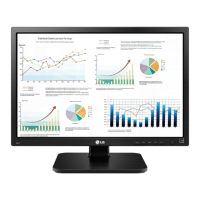
This document is an owner's manual for an LG LED LCD Monitor, covering models 22MR410, 24MR400-BA, 24MR400-BB, 24BR400-BB, 24MR400-WB, 27MR400, and 27BR400. It provides comprehensive information on assembling, preparing, using, and maintaining the monitor, along with technical specifications and troubleshooting tips.
Function Description
The LG LED LCD Monitor is designed to display digital video and audio signals from a PC or AV devices. It utilizes an LCD screen with LED backlights to provide a visual interface. Key functions include:
- Displaying PC and AV content: The monitor supports various input modes, including D-SUB and HDMI, allowing connection to a wide range of devices.
- User Settings: An intuitive joystick button on the back of the monitor allows users to easily control various settings such as input mode, power, picture mode, quick settings (brightness, contrast, volume), and general settings (language, SMART ENERGY SAVING, automatic standby, OSD lock, information, reset).
- Picture Mode: Offers several preset picture modes like [Custom], [Reader], [Photo], [Cinema], [Color Weakness], and [Game] to optimize the display for different content types.
- Picture Adjustments: Allows fine-tuning of [Brightness], [Contrast], [Sharpness], [SUPER RESOLUTION+], [Black Level], and [DFC] (Dynamic Fidelity Control) for personalized viewing.
- Game Adjustments: Includes [Response Time] settings ([Faster], [Fast], [Normal], [Off]) and [FreeSync] for an enhanced gaming experience by synchronizing the vertical frequency of the input and output signals.
- Color Adjustments: Provides [Gamma] modes, [Color Temp] settings ([Custom], [Warm], [Medium], [Cool]), and individual [Red], [Green], [Blue] color customization.
- Configuration Adjustments (D-SUB only): Enables adjustment of [Horizontal], [Vertical], [Clock], and [Phase] for optimal display in D-SUB mode.
- Resolution (D-SUB only): Allows users to set the desired resolution from a list of supported options.
- SMART ENERGY SAVING: A feature designed to conserve energy by adjusting luminance based on an algorithm, with [High], [Low], and [Off] options.
- Automatic Standby: Automatically switches the monitor to standby mode after a period of inactivity.
- Kensington Lock: Supports the Kensington security system for securing the monitor to a table.
Important Technical Specifications
The manual outlines several important technical specifications:
- Colour Depth: Supports 8-bit colour.
- Max Resolution:
- 1920 x 1080 @ 100 Hz (HDMI)
- 1920 x 1080 @ 75 Hz (D-SUB)
- Recommended Resolution: 1920 x 1080 @ 60 Hz.
- Environmental Conditions:
- Operating Temperature: 0 °C to 40 °C
- Operating Humidity: Less than 80 %
- Storing Temperature: -20 °C to 60 °C
- Storing Humidity: Less than 85 %
- AC/DC Adapter:
- Models: ADS-25FSF-19 19025EPCU-1, ADS-25FSF-19 19025EPG-1, ADS-25FSF-19 19025EPK-1, ADS-25FSF-19 19025EPI-1, ADS-25FSF-19 19025EPB-1, ADS-25SFA-19-3 19025E
- Manufacturer: SHENZHEN HONOR ELECTRONIC CO., LTD
- Input: 100-240 V~ 50/60 Hz, 0.7 A
- Output: 19 V 1.3 A
- Power Rating: 19 V 1.3 A
- Dimensions (Width x Depth x Height):
- 22MR410: With Stand: 491.9 x 200 x 378.1 mm; Without Stand: 491.9 x 50.5 x 284.3 mm
- 24MR400-BA / 24MR400-BB / 24BR400-BB / 24MR400-WB: With Stand: 540 x 200 x 414 mm; Without Stand: 540 x 50.5 x 320.6 mm
- 27MR400 / 27BR400: With Stand: 611.7 x 200 x 456.1 mm; Without Stand: 611.7 x 50.5 x 362.3 mm
- Weight (Without Packaging):
- 22MR410: With Stand: 2.5 kg; Without Stand: 2.1 kg
- 24MR400-BA / 24MR400-BB / 24BR400-BB / 24MR400-WB: With Stand: 2.9 kg; Without Stand: 2.5 kg
- 27MR400 / 27BR400: With Stand: 3.9 kg; Without Stand: 3.3 kg
- Wall Mount (mm): 100 x 100
- Standard screw for wall mount: M4 x L10
- Number of screws for wall mount: 4
- Wall Mount Plate (Optional): LSW149
- DDC (Display Data Channel) Protocol: Supports DDC1/DDC2B (uni-directional) and DDC 2AB/DDC2B+/DDC2Bi (bi-directional).
- E-DDC (Enhanced DDC): An I²C-based bi-directional data channel protocol compatible with DDC2B, allowing larger data retrieval.
- Energy Saving Design: Implements VESA DPMS (Display Power Management Signalling) Protocol to reduce power consumption in On, Sleep, and Off modes.
Usage Features
- Easy Control with Joystick Button: The joystick button simplifies navigation through the monitor's menu and settings.
- Adjustable Angle: The screen angle can be adjusted from -5° to 20° for ergonomic viewing.
- Plug & Play: Supports Plug & Play functionality for easy device connection without manual driver installation.
- Headphones Connection: Allows connecting peripheral audio devices via the headphones port.
- Supported Software: Users can download and install the latest Monitor Driver and OnScreen Control software from the LG website (www.lg.com).
- Auto Input Switch: Automatically switches to a new input when connected, if enabled.
- OSD Lock: Disables menu configuration and adjustment, except for essential settings like brightness, contrast, volume, input, OSD lock, and information.
Maintenance Features
- Cleaning: The manual provides detailed instructions for cleaning the monitor screen and frame using a soft, damp cloth. It emphasizes disconnecting the power cord, avoiding aerosols directly on the screen, and not using harsh chemicals.
- Repacking: Advises retaining the original carton and packing materials for safe transportation of the unit.
- Troubleshooting: Offers a comprehensive section to address common issues such as no display, "Unrecognised monitor" message, image sticking, unstable display, abnormal display colour, spots on the screen, disabled features, and no sound from the headphone port.
- Service: Recommends contacting qualified service personnel for issues like damaged power cords, liquid spills, exposure to rain/water, abnormal operation, physical damage, performance changes, or continuous/frequent snapping/popping sounds.
- Safety Precautions: Includes extensive warnings and notes on safe installation, handling, and power usage to prevent electric shock, fire, and personal injury. This covers proper power cord usage, avoiding foreign substances, and not opening the monitor.

 Need help?

 To Next Page
 General