EasyManua.ls Logo

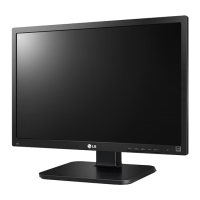
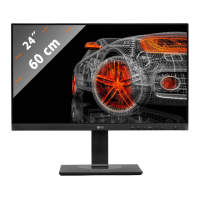
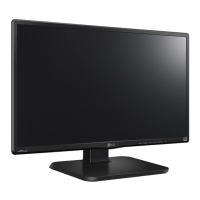
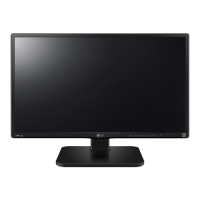
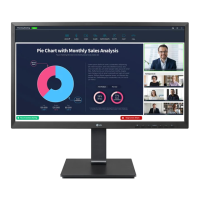
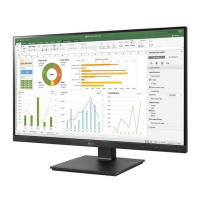
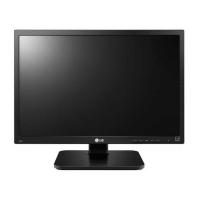
LG 24BK55WY - User Manual

LG 24BK55WY
32 pages
Print Icon
To Next Page IconTo Next Page
Loading...
www.lg.com
OWNER’S MANUAL
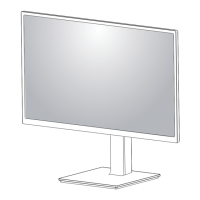
LED LCD Monitor
22BK55WD
24BK55WD
22BK55WY
24BK55WY
Please read this manual carefully before operating
your set and retain it for future reference.
LED LCD MONITOR MODEL
ENGLISH
24BK55WP

Other manuals for LG 24BK55WY

Questions and Answers

  • J
    justinthomasAug 19, 2025
    What to do if my LG 24BK55WY has no image?
    • B
      Brian CalhounAug 19, 2025
      If your LG Monitor displays no image, ensure the power cord is properly connected to the outlet and that you've pressed the power button. Also, adjust the brightness and contrast settings. If the display is in power saving mode, try moving the mouse or pressing a key. Ensure the PC is turned on. If a message indicates a frequency range issue, consult the 'Specifications' section to reconfigure your display. Finally, if the signal cable is missing or disconnected, check and reconnect it.
  • A
    allisonhillAug 21, 2025
    Why is my LG Monitor display image incorrect?
    • J
      Jessica PrattAug 21, 2025
      If the display image on your LG monitor is incorrect, try pressing the AUTO button to automatically adjust the image to the ideal setting. Also, check the display settings in your computer's Control Panel to ensure the resolution is set to the recommended level. Additionally, verify that the color setting is higher than 24 bits (true color).
  • E
    evanodonnellAug 23, 2025
    How to fix screen blinking on LG Monitor?
    • A
      Ashley DiazAug 25, 2025
      If your LG Monitor screen is blinking, check if the screen is set to interlace mode. If it is, change it to the recommended resolution.
  • W
    williamstammieAug 26, 2025
    How to stop my LG 24BK55WY screen from blinking?
    • C
      Curtis FergusonAug 26, 2025
      If your LG monitor screen blinks, check if the screen is set to interlace mode. If it is, change it to the recommended resolution.
  • D
    David MorrowAug 27, 2025
    What to do if the display image is incorrect on my LG 24BK55WY Monitor?
    • S
      Seth CampbellAug 28, 2025
      If the display image on your LG Monitor is incorrect, press the AUTO button to automatically adjust the image to the ideal setting. You can also check the display settings in the Control Panel to adjust the resolution or set the color setting higher than 24 bits (true color).
  • J
    jessica23Aug 30, 2025
    What to do if the screen color is mono or abnormal on my LG 24BK55WY?
    • T
      Travis EricksonAug 30, 2025
      If your LG Monitor's screen color is mono or abnormal, first check if the signal cable is properly connected, tightening it with a screwdriver if necessary. Next, ensure the video card is correctly inserted in its slot. Lastly, verify that the color setting is set higher than 24 bits (true color) in the Control Panel settings.
  • A
    Ashley PriceSep 1, 2025
    What to do if my LG 24BK55WY Monitor shows "Unrecognized monitor, Plug&Play (VESA DDC) monitor found"?
    • C
      Chris ZimmermanSep 1, 2025
      If your LG Monitor displays the message "Unrecognized monitor, Plug&Play (VESA DDC) monitor found", install the display driver from the CD or diskette that came with your display. Also, ensure that your video card supports the Plug&Play function.
  • R
    Rachel CarterSep 3, 2025
    How to fix an LG 24BK55WY when no image appears?
    • N
      nancyjimenezSep 3, 2025
      If your LG Monitor displays no image, ensure the power cord is properly connected to the outlet and the monitor is turned on. Adjust the brightness and contrast settings. If the monitor is in power saving mode, try moving the mouse or pressing a key on the keyboard. Also, make sure your PC is turned on. If the monitor displays 'NO SIGNAL', check and reconnect the signal cable between the PC and the monitor. If the signal from the PC is out of range, see the 'Specifications' section of this manual and configure your display again.
  • J
    jessicacarterSep 5, 2025
    What to do if the LG Monitor display image is incorrect?
    • E
      Erica WardSep 5, 2025
      If the display image on your LG monitor is incorrect, press the AUTO button to automatically adjust the image to the ideal setting. Also, check your computer's Control Panel under Display Settings to adjust the display to the recommended resolution and set the color setting higher than 24 bits (true color).
  • T
    teresa32Sep 7, 2025
    What to do if I see an 'Unrecognized monitor, Plug&Play (VESA DDC) monitor found' message on my LG Monitor?
    • J
      Jeremy EllisSep 7, 2025
      To address the "Unrecognized monitor, Plug&Play (VESA DDC) monitor found" message on your LG monitor, install the display driver from the LG website. Also, ensure that your video card supports the Plug&Play function.

LG 24BK55WY Specifications

General IconGeneral
BrandLG
Model24BK55WY
CategoryMonitor
LanguageEnglish

Related product manuals