EasyManua.ls Logo

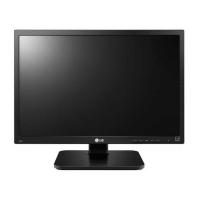
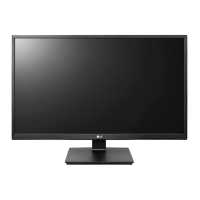
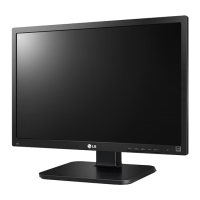
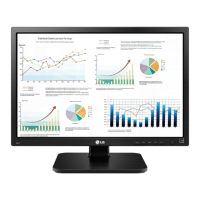
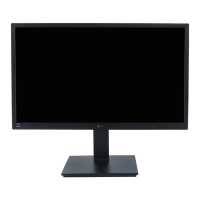
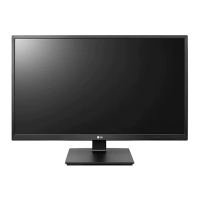
LG 24BK550Y - User Manual

LG 24BK550Y
29 pages
Print Icon
To Next Page IconTo Next Page
Loading...
www.lg.com
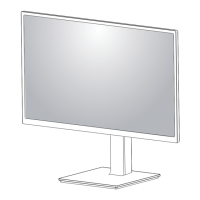
IPS LED MONITOR MODEL
Please read this manual carefully before operating
your set and retain it for future reference.
Owner's Manual
IPS LED MONITOR
(LED MONITOR*)
*LG LED Monitors are LCD Monitors with LED Backlighting.
24BK550Y
27BK550Y

Other manuals for LG 24BK550Y

Questions and Answers

  • M
    Mark TorresJul 27, 2025
    What to do if my LG 24BK550Y Monitor says no signal?
    • D
      Dan RiceJul 27, 2025
      If your LG Monitor displays a 'No Signal' message, first, ensure the cable connecting your PC and the monitor is properly connected. If it is, reconnect it securely. If the monitor enters DPM (Display Power Management) mode with the power LED off, press the DC button twice to wake up the screen.
  • E
    Edward GainesAug 3, 2025
    What to do if my LG 24BK550Y Monitor is unrecognized?
    • J
      joseph94Aug 3, 2025
      If you see an "Unrecognized monitor, Plug&Play (VESA DDC) monitor found" message on your LG Monitor, install the display driver from the CD (or diskette) that came with your display. You can also download the driver from the LG website. Ensure that your video card supports the Plug&Play function.
  • C
    Carol BrownAug 12, 2025
    Why is my LG Monitor display image incorrect?
    • M
      mjonesAug 12, 2025
      If the display image on your LG Monitor is incorrect, first ensure the signal cable is properly connected, tightening it with a screwdriver if necessary. Also, verify that the video card is correctly inserted in its slot. Set the color setting higher than 24 bits (true color) via Control Panel settings. Finally, check if the screen is set to interlace mode; if so, change it to the recommended resolution.
  • J
    Jesus SalinasAug 19, 2025
    How to unlock OSD on LG 24BK550Y?
    • T
      tiffany09Aug 19, 2025
      You can unlock the OSD (On-Screen Display) controls on your LG Monitor by accessing the OSD lock menu and setting the items to 'off'.

Summary

LICENSE

ASSEMBLING AND PREPARING

Product Components

Lists all included components in the product box.

Supported Drivers and Software

Details drivers and software supported by the product.

Component and Button Description

Describes the monitor's components and buttons.

Moving and Lifting the Monitor

Provides instructions on how to safely move and lift the monitor.

Setting up the Monitor set

Guides on setting up the monitor, including stand attachment and adjustments.

Detaching the Stand Body

Instructions on how to remove the monitor stand body.

Installing the wall mount plate

Steps to attach a wall mount plate to the monitor.

Installing to a wall

Guidance on safely mounting the monitor on a wall.

USING THE MONITOR SET

Connecting to a PC

Explains how to connect the monitor to a personal computer.

Connecting to AV Devices

Guides on connecting audio-visual devices to the monitor.

Connecting Peripherals

Details how to connect USB peripherals like keyboards and mice.

CUSTOMIZING SETTINGS

Activating the Main Menu

Instructions on how to access and navigate the monitor's OSD menu.

Customizing settings

Covers various picture and sound adjustments available in the OSD.

TROUBLESHOOTING

SPECIFICATIONS

Preset Modes (Resolution)

Lists supported display modes and their timing specifications.

Indicator

Explains the LED indicator lights for different monitor modes.

LG 24BK550Y Specifications

General IconGeneral
3DNo
DDC/CIYes
Color gamut72 %
Pixel pitch0.2745 x 0.2745 mm
Screen shapeFlat
Display diagonal24 \
Display technologyLED
Native aspect ratio16:9
Supported video modes1080p
Contrast ratio (dynamic)5000000:1
Contrast ratio (typical)1000:1
Display number of colors16.78 million colors
Display brightness (typical)250 cd/m²
Supported graphics resolutions1920 x 1080 (HD 1080)
Pivot angle0 - 90 °
Tilt angle range-5 - 35 °
Number of OSD languages18
Panel mounting interface100 x 100 mm
USB hub version2.0
Number of upstream ports1
USB Type-A downstream ports quantity2
Sustainability certificatesEPEAT Gold, ENERGY STAR
RMS rated power2 W
On/off switch-
CertificationTCO 7.0, UL (cUL), TUV-GS, TUV-Ergo, FCC-B, THIS, ISO13406-2, Windows 10
Product colorBlack
AC input voltage100 - 240 V
AC input frequency50 - 60 Hz
Energy efficiency scaleA to G
Power consumption (off)0.3 W
Power consumption (standby)0.5 W
Power consumption (typical)18.2 W
Power consumption (PowerSave)- W
Package depth178 mm
Package width627 mm
Package height505 mm
Package weight7900 g
Cables includedAC, Audio (3.5mm), DVI, DisplayPort, HDMI, USB
Harmonized System (HS) code85285210
Weight and Dimensions IconWeight and Dimensions
Depth (with stand)240 mm
Width (with stand)553.8 mm
Height (with stand)382.9 mm
Weight (with stand)5700 g
Depth (without stand)58.4 mm
Height (without stand)331.8 mm
Weight (without stand)3600 g

Related product manuals