EasyManua.ls Logo

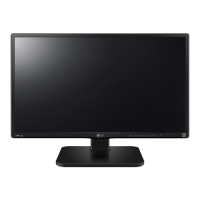
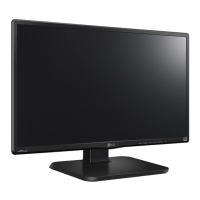
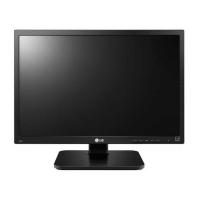
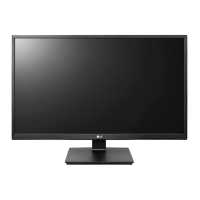
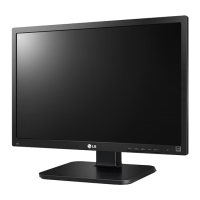
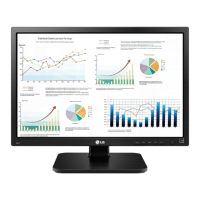
LG 24BK450H-B.AEU - User Manual

LG 24BK450H-B.AEU
29 pages
Print Icon
To Next Page IconTo Next Page
Loading...
www.lg.com
OWNER’S MANUAL
IPS LED MONITOR
24BK450H
Please read this manual carefully before operating
your set and retain it for future reference.
IPS LED MONITOR MODEL
ENGLISH

Other manuals for LG 24BK450H-B.AEU

Questions and Answers

  • C
    Carla SalazarSep 4, 2025
    How to correct display position on LG 24BK450H-B.AEU?
    • D
      Daryl SimpsonSep 4, 2025
      If the display position is incorrect on your LG Monitor, press the AUTO button to automatically adjust your display image to the ideal setting.
  • H
    hjenkinsSep 18, 2025
    How to correct the display position on my LG Monitor?
    • D
      Danielle MorenoSep 18, 2025
      To correct an incorrect display position on your LG Monitor, press the AUTO button. This will automatically adjust your display image to the ideal setting.
  • T
    tabithamarshallSep 16, 2025
    How to remove vertical bars or stripes on my LG 24BK450H-B.AEU Monitor?
    • K
      Kyle JohnsonSep 16, 2025
      To remove vertical bars or stripes visible on the screen background of your LG Monitor, press the AUTO button to automatically adjust the display image to the ideal setting.
  • I
    iperrySep 14, 2025
    What to do if my LG Monitor shows 'Unrecognized monitor, Plug&Play (VESA DDC) monitor found'?
    • C
      Carla MoralesSep 14, 2025
      If your LG Monitor displays an 'Unrecognized monitor, Plug&Play (VESA DDC) monitor found' message, make sure to install the display driver from the LG website. Additionally, verify that your video card supports the Plug&Play function.
  • M
    Mark DeanSep 13, 2025
    How to fix horizontal noise on my LG 24BK450H-B.AEU?
    • A
      Amanda JohnsSep 13, 2025
      To fix horizontal noise or unclear characters on your LG Monitor, try these solutions: First, press the AUTO button to automatically adjust the display image. If that doesn't work, go to Control Panel ? Display ? Settings and either adjust the display to the recommended resolution or fine-tune the display image settings. Also, ensure that the color setting is set to higher than 24 bits (true color).
  • S
    Samantha ColeSep 12, 2025
    Why is the screen color on my LG 24BK450H-B.AEU Monitor mono or abnormal?
    • L
      Larry RojasSep 12, 2025
      If the screen color on your LG Monitor is mono or appears abnormal, check the following: Ensure the signal cable is properly connected, tightening it with a screwdriver if needed. Verify that the video card is correctly inserted in its slot. Also, check that the color setting is set higher than 24 bits (true color) in your Control Panel settings.
  • D
    danielcarterSep 9, 2025
    What to do if no image appears on my LG Monitor?
    • D
      dianaweberSep 9, 2025
      If no image appears on your LG Monitor, try these steps: Ensure the power cord is properly connected to the outlet. Press the Power button. Adjust the brightness and contrast settings. If the display is in power saving mode, move the mouse or press a key on the keyboard. Also, verify that your PC is turned on. If a message appears indicating the signal is out of range, consult the 'Specifications' section of the manual to configure your display. Note that the monitor enters DPM mode if it's on 'No-Signal' for 5 minutes.
  • J
    Joseph RussellSep 7, 2025
    How to remove vertical bars on LG 24BK450H-B.AEU?
    • W
      Wayne DoyleSep 7, 2025
      If you notice vertical bars or stripes on the screen background of your LG Monitor, press the AUTO button to automatically adjust your display image to the ideal setting.
  • S
    shawnfergusonSep 5, 2025
    What to do if I see a "OSD LOCKED" message on my LG 24BK450H-B.AEU Monitor?
    • T
      Tiffany DeanSep 6, 2025
      If you see a "OSD LOCKED" message on the screen of your LG Monitor, you can unlock the OSD controls by pushing the MENU button for several seconds until the message “OSD UNLOCKED” appears.
  • A
    Alexandra PorterAug 20, 2025
    How to fix no image on LG 24BK450H-B.AEU?
    • F
      Frank McfarlandAug 21, 2025
      If no image appears on your LG Monitor, ensure the power cord is properly connected to the outlet and that the monitor is turned on by pressing the Power button. Also, adjust the brightness and contrast settings. If the monitor is in power saving mode, try moving the mouse or pressing a key on the keyboard. Verify that your PC is turned on. If the signal from the PC is out of range, consult the 'Specifications' section of the manual to configure your display settings. Note that the monitor enters DPM mode if it's on 'No-Signal' for 5 minutes.

LG 24BK450H-B.AEU Specifications

General IconGeneral
Resolution1920 x 1080 (Full HD)
Panel TypeIPS
Refresh Rate75 Hz
Response Time5 ms (GTG)
Brightness250 cd/m²
Contrast Ratio1000:1
Aspect Ratio16:9
VESA Mount100 x 100 mm
Color GamutsRGB 99%
Screen Size24 inch
PortsHDMI, D-Sub
Viewing Angle178°

Related product manuals