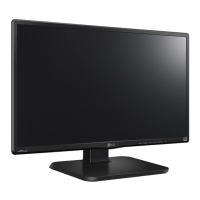
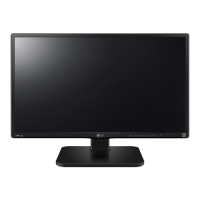
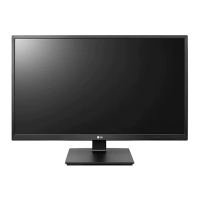
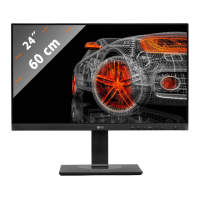
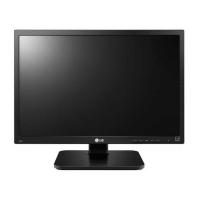
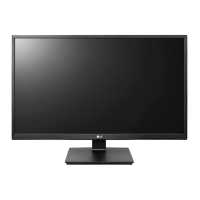
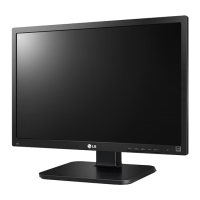
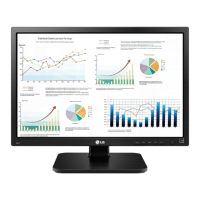
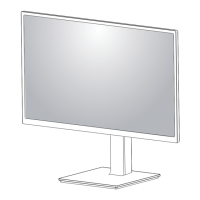
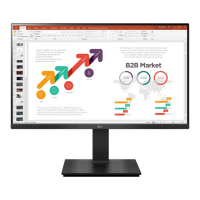
This document is an owner's manual for an LG IPS LED Monitor, specifically models 24BK450H and 24BK45HP. It provides comprehensive instructions for assembling, using, customizing, and troubleshooting the monitor.
Function Description
The LG IPS LED Monitor is a display device designed for various applications, including PC connectivity, AV device integration, and external peripheral connections. It features an IPS (In-Plane Switching) panel, which typically offers wide viewing angles and accurate color reproduction. The monitor is equipped with an LED backlight for energy efficiency and consistent brightness. It supports both analog (D-SUB) and digital (HDMI) video inputs, making it versatile for connecting to different types of computers and AV equipment. The monitor also includes an audio output for headphones or external speakers when connected via HDMI.
Important Technical Specifications
- Display: 60.4 cm (23.8 inch) Flat Panel Active matrix-TFT LCD with Anti-Glare coating. Visible diagonal size: 60.4 cm.
- Pixel Pitch: 0.2745 mm x 0.2745 mm.
- Sync Input:
- Horizontal Frequency: 30 kHz to 83 kHz (Automatic)
- Vertical Frequency: 56Hz to 75Hz (D-SUB), 56Hz to 61Hz (HDMI)
- Input Form: Separate Sync. Digital
- Video Input:
- Signal Input: 15 pin D-SUB Connector, HDMI Connector
- Input Form: RGB Analog (0.7 Vp-p/ 75 ohm), Digital
- Resolution:
- D-SUB (Analog): 1920 x 1080 @ 60 Hz
- HDMI (Digital): 1920 x 1080 @ 60 Hz
- Recommended: VESA 1920 x 1080 @ 60 Hz
- Plug & Play: DDC 2B (Analog, HDMI) compatible.
- Power Consumption:
- On Mode: 24.6 W Typ. (Outgoing condition)
- Sleep Mode (Standby Mode): ≤ 0.3 W
- Off Mode: ≤ 0.3 W
- Power Input: 19 V --- 1.6 A. The AC-DC Adapter can be one of several types from SHENZHEN HONOR ELECTRONIC or LIEN CHANG ELECTRONIC ENTERPRISE, or PI Electronics (H.K.) Ltd.
- Dimensions (Width x Height x Depth):
- With Stand: 55.4 cm x 36.0 cm x 23.9 cm
- Without Stand: 55.4 cm x 33.2 cm x 3.7 cm
- Weight: 3.9 kg.
- Tilt Range: -5° to 20°.
- Environmental Conditions:
- Operating Temperature: 10°C to 35 °C
- Operating Humidity: 10% to 80%
- Storage Temperature: -20°C to 60 °C
- Storage Humidity: 5% to 90% non-Condensing
- Stand Base: Attached (O), Detached (O).
- Power Cord: Wall-outlet type.
- VESA Wall Mount: 75 x 75 mm, M4 standard screw, 4 screws. Screw length from outer surface of back cover should be under 8mm.
Usage Features
The monitor offers a range of features to enhance user experience:
- Assembly and Setup: Detailed instructions are provided for unpacking, attaching/detaching the stand base, mounting on a table, and optional wall mounting. The stand allows for height adjustment (up to 120 mm), tilt (-5° to 20°), and swivel (355 degrees) for optimal viewing angles.
- Connectivity:
- PC Connection: Supports D-SUB (analog) and HDMI (digital) connections. Users can connect two PCs simultaneously using both input types.
- AV Device Connection: HDMI input allows connection to various AV devices, transmitting both digital video and audio signals.
- External Devices: Features a headphone port for connecting peripheral audio devices.
- On-Screen Display (OSD) Menu: Accessed via buttons on the rear, the OSD allows for extensive customization:
- Customizing Settings: Adjustments for Brightness, Contrast, Response Time (Off, High), Wide/Original aspect ratio, and Reset to factory defaults.
- Picture Settings: Sharpness, Black Level (for HDMI input), and Overscan (for HDMI input, recommended for AV equipment).
- Color Settings: Gamma (0, 1, 2), Color Temp (Custom, Warm, Medium, Cool), Six Color (Hue, Saturation for Red/Green/Blue/Cyan/Magenta/Yellow), and Color Reset.
- Display Settings: Horizontal/Vertical position, Clock, and Phase for analog signals to optimize image clarity and stability.
- Audio Settings: Volume control for headphone/earphone output (HDMI input only).
- Other Settings: Language selection, Power Indicator (On/Off), and Automatic Standby.
- Reader Mode: A dedicated mode (Reader 1, Reader 2, Off) designed to adjust the screen for eye comfort, making it suitable for reading newspaper-like content or cartoons. When Reader Mode is active, SMART ENERGY SAVING is automatically turned off.
- FUNC. Setting:
- SMART ENERGY SAVING: Offers High, Low, and Off options to conserve energy by adjusting luminance. When SMART ENERGY SAVING is active, Reader Mode is automatically turned off.
- Picture Mode: Pre-set modes for different content types: Custom, Text, Photo, Cinema, Game, Vivid 1, Vivid 2, Standard. These modes optimize display settings for specific uses. If a non-Custom Picture Mode is selected, Reader Mode and SMART ENERGY SAVING are automatically turned off.
- SUPER RESOLUTION+: Enhances picture quality with options for Off, Low, Middle, and High. This feature is designed to provide smoother, more natural, or crystal-clear images, effective for various content like slow-moving pictures, UCC, SD video, or high-quality video/games.
- Power Indicator: A white LED indicates normal operation (On Mode), and blinks white in Sleep Mode. It can be turned On or Off via the OSD.
- Self Image Setting Function (Analog Mode Only): Automatically adjusts display settings for optimal performance when the monitor is first turned on or when the AUTO function button is pressed to resolve issues like blurry screens or flickering.
- Kensington Security System: A connector is provided for attaching a Kensington security cable to secure the monitor to a table.
Maintenance Features
- Troubleshooting Guide: The manual includes a comprehensive troubleshooting section to address common issues such as no image, power indicator problems, "OUT OF RANGE" or "NO SIGNAL" messages, "OSD LOCKED" messages, incorrect display position, vertical bars/stripes, horizontal noise, monochrome/abnormal colors, screen blinking, and "Unrecognized monitor" messages. It provides solutions like checking cable connections, adjusting settings via OSD, installing display drivers, and selecting recommended resolutions.
- Care during Movement: Instructions emphasize holding the monitor frame firmly (not the panel), disconnecting cables, and placing it in its original box for safe transportation. It also warns against strong shocks, vibrations, and turning the monitor on its side.
- Screen Protection: Advises against touching or pressing the screen to prevent damage and temporary distortion. It also recommends using a screensaver to avoid image burn from fixed images.
- VESA Standard Compliance: Ensures proper wall mounting by specifying VESA standards for screws and wall mount pads, preventing damage or injury.



 To Next Page

 General