EasyManua.ls Logo

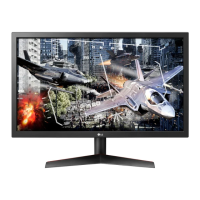
LG 24GM77 - User Manual

LG 24GM77
40 pages
Print Icon
To Next Page IconTo Next Page
Loading...
www.lg.com
OWNER'S MANUAL
LED MONITOR
24GM77
Please read the safety information carefully before using the product.
LED Monitor Model List

Questions and Answers

  • J
    jennifernortonJul 27, 2025
    What to do if nothing is displayed on my LG Monitor screen?
    • I
      Isabella ElliottJul 27, 2025
      If your LG Monitor screen is blank, start by ensuring the power cord is securely plugged into the outlet and that the outlet has power by testing it with another device. Check the monitor's power cable connection and press the power button. Verify that the correct input is enabled via the Menu. If the monitor is in power-saving mode, move the mouse or press a key. Also, make sure your computer is turned on. Check the cable and reconnect it.
  • J
    joshua62Aug 1, 2025
    What to do if there is no sound from the headphone port on my LG 24GM77 Monitor?
    • A
      Amy GoldenAug 1, 2025
      If you're not getting any sound from the headphone port on your LG Monitor, remember that D-Sub and DVI cables do not support audio, so audio support depends on the cable type. Ensure the headphone port connections are properly made. Increase the volume using the joystick. Finally, set the PC's audio output to the monitor by going to Control Panel > Hardware and Sound > Sound and setting the monitor as the default device.
  • S
    Samantha WashingtonAug 6, 2025
    Why is my LG 24GM77 screen display unstable and shaky?
    • K
      Kim WatkinsAug 6, 2025
      If your LG Monitor's screen display is unstable, shaky, or images leave shadow trails, it might be due to the resolution being set to HDMI 1080i 60/50 Hz (interlaced). Change the resolution to 1080P or the recommended resolution to resolve this issue.
  • S
    Sergio HickmanAug 11, 2025
    Why is my LG 24GM77 display color abnormal?
    • U
      ujonesAug 11, 2025
      If the display color on your LG monitor appears abnormal, first, set the color to 24 bit (true color) or higher by navigating to Control Panel > Display > Settings > Color Quality in Windows. Next, check the signal cable for proper connection, reconnecting it or reinserting the PC's video card. Note that pixilated spots (red, green, blue, white, or black) may appear, which is normal for LCD screens and not related to the monitor's performance.
  • R
    Robert CarlsonAug 16, 2025
    Why does my LG 24GM77 Monitor screen retain an image?
    • J
      Jacob ButlerAug 16, 2025
      Displaying a still image for a prolonged time may cause damage to the screen, resulting in the retention of the image on your LG Monitor. To extend the monitor's lifetime, use a screensaver.
  • R
    robertwilliamsAug 21, 2025
    How to turn off the OSD Lock message on my LG 24GM77?
    • K
      Kelly BrownAug 21, 2025
      If the OSD Lock message is displayed on your LG Monitor, you can turn it off by going to Menu > Settings and setting OSD Lock to Off.

Summary

ASSEMBLING AND PREPARING

Product Composition

Details the items included in the product box.

Component and Button Description

Identifies and explains the monitor's buttons and ports.

How to Use the Joystick Button

Explains basic functions controlled by the joystick button.

Installing the Monitor

Step-by-step guide for assembling the monitor stand.

Installing on to a Table

Steps for setting up the monitor on a table.

Adjusting the Stand Height

Guide on how to change the monitor's height.

Adjusting the Angle

Instructions for tilting the monitor screen.

Pivot Feature

Explains how to rotate the monitor 90 degrees.

Installing the Wall Mount Plate

Guide on attaching a wall mount plate to the monitor.

USING THE MONITOR

Connecting to a PC

Connects the monitor to a computer for display.

USER SETTINGS

TROUBLESHOOTING

Nothing is displayed on the screen

Troubleshooting steps for a blank or unresponsive screen.

The OSD Lock message is being displayed

Solves issues where menu functions are unavailable.

The screen retains an image

Addresses image sticking or retention on the screen.

The display color is abnormal

Troubleshooting steps for incorrect or distorted display colors.

No sound from the headphone port

Solves issues related to audio output or headphone jack.

PRODUCT SPECIFICATION

PROPER POSTURE

LG 24GM77 Specifications

General IconGeneral
3DNo
DDC/CIYes
Panel typeTN
Pixel pitch0.27675 x 0.27675 mm
Aspect ratio16:9
Display surface-
Display diagonal23.6 \
Display technologyLED
Viewing angle, vertical160 °
Contrast ratio (dynamic)5000000:1
Display number of colors16.78 million colors
Viewing angle, horizontal170 °
Digital vertical frequency56 - 120 Hz
Digital horizontal frequency30 - 135 kHz
Display brightness (typical)350 cd/m²
Supported graphics resolutions1920 x 1080 (HD 1080)
USB hub version3.2 Gen 1 (3.1 Gen 1)
USB Type-A downstream ports quantity3
CertificationUL (cUL), TUV-Type, FCC-B, CE, TCO
Product colorBlack
Market positioningGaming
Tilt angle range-5 - 20 °
Cable lock slot typeKensington
Number of OSD languages16
Panel mounting interface100 x 100 mm
Power consumption (off)0.3 W
Annual energy consumption40 kWh
Power consumption (standby)1.2 W
Power consumption (typical)27 W
Sustainability certificatesEPEAT Gold, ENERGY STAR
Package depth423 mm
Package width637 mm
Package height184 mm
Package weight7340 g
Cables includedAC, DVI, USB, VGA
Weight and Dimensions IconWeight and Dimensions
Depth (with stand)248 mm
Height (with stand)401.2 mm
Weight (with stand)5430 g
Depth (without stand)57.3 mm
Width (without stand)567.6 mm
Height (without stand)353.9 mm
Weight (without stand)3830 g

Related product manuals