EasyManua.ls Logo

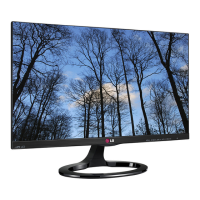
LG 27EA83 - User Manual

LG 27EA83
39 pages
Print Icon
To Next Page IconTo Next Page
Loading...
www.lg.com
OWNER'S MANUAL
IPS LED MONITOR
(LED LCD MONITOR)
27EA83
27EA83R
Please read the safety information carefully before using the product.
IPS LED Monitor (LED LCD Monitor) Model List
ENGLISH

Questions and Answers

  • A
    Amy McmahonAug 9, 2025
    What to do if nothing is displayed on my LG 27EA83 Monitor screen?
    • J
      Jacob ButlerAug 9, 2025
      If nothing is displayed on your LG Monitor screen, try the following: * Ensure the power cord is correctly plugged into the power outlet. * Check the power indicator. * Verify that the connected input is enabled via Menu > Input. * If the monitor is in power-saving mode, move the mouse or press any key on the keyboard. * Confirm that the computer is turned on. * Check the cable and reconnect if the signal cable between the PC and the monitor is missing or disconnected. * If signals transferred from the PC (video card) are out of the horizontal or vertical frequency range of the monitor, set the appropriate frequency according to the "Product Specification" section of this manual.
  • D
    Dr. Donna Jenkins DDSAug 13, 2025
    What to do if my LG 27EA83 Monitor screen retains an image?
    • R
      robinsonjohnAug 13, 2025
      If your LG Monitor screen retains an image, it may be due to displaying a still image for a prolonged time, which can cause damage. Use a screen saver to protect the screen when using the monitor for a prolonged period of time.
  • J
    Jessica LarsenAug 19, 2025
    Why is the display color abnormal on my LG 27EA83?
    • S
      Sherry ShepherdAug 19, 2025
      If the display color is abnormal on your LG Monitor, here are a few things you can try: * Set the color to 24 bit (true color) or higher by going to Control Panel > Display > Settings > Color Quality in Windows. * Check if the signal cable is connected properly; try reconnecting the cable or reinserting the PC's video card. Note that pixilated spots (red, green, blue, white, or black) may appear on the screen. This is not an error and is unrelated to the monitor's performance.
  • A
    Anthony ShermanAug 23, 2025
    What to do if the "OSD LOCKED" message is displayed on my LG 27EA83?
    • R
      Ryan HernandezAug 23, 2025
      If the “OSD LOCKED” message is displayed on your LG Monitor, go to Menu > Settings and set "OSD Lock" to Unlock.
  • J
    jonathan23Aug 28, 2025
    How to prevent image retention on my LG 27EA83 Monitor?
    • R
      Richard WilsonAug 29, 2025
      Displaying a still image for a prolonged time may cause damage to the screen, resulting in the retention of the image. Use a screen saver to protect the screen when using the monitor for a prolonged period of time.
  • E
    Eric YatesSep 2, 2025
    How to unlock OSD on LG 27EA83 Monitor?
    • M
      Michael HernandezSep 2, 2025
      If the "OSD LOCKED" message is displayed on your LG Monitor, go to Menu > Settings and set "OSD Lock" to Unlock.

Summary

ASSEMBLING AND PREPARING

Assembling the Stand Base

Step-by-step guide to attaching the monitor stand base.

USING THE MONITOR

Connecting to a PC

How to connect the monitor to a computer for display.

DVI Connection

Steps for connecting the monitor using a DVI cable.

Display Port Connection

Instructions for connecting the monitor via a DisplayPort cable.

HDMI Connection

Guide for connecting the monitor using an HDMI cable.

INSTALLING TUSB3410 DRIVER

INSTALLING TRUE COLOR PRO;FINDER

INSTALLING SCREEN SPLIT

CUSTOMIZING SETTINGS

Activating the Main Menu

How to access and navigate the monitor's on-screen display (OSD) menu.

Menu Settings

Explains various OSD menu options like Brightness, Contrast, Volume, Input, etc.

Color Mode Settings

Options to select and customize display color profiles and settings.

PIP Settings

Configures the Picture-in-Picture (PIP) mode for dual input display.

TROUBLESHOOTING

Nothing is Displayed on the Screen

Solutions for issues where the monitor screen remains blank or shows no signal.

The Screen Retains an Image

Addresses image sticking or screen burn-in issues.

SPECIFICATIONS

PROPER POSTURE

LG 27EA83 Specifications

General IconGeneral
Screen Size27 inches
Resolution2560 x 1440
Panel TypeAH-IPS
Aspect Ratio16:9
Brightness350 cd/m²
Contrast Ratio1000:1
Response Time5 ms
Refresh Rate60 Hz
Viewing Angle (H/V)178°/178°
Color Gamut99% sRGB
SpeakersNo
Dynamic Contrast Ratio5, 000, 000:1
ConnectivityHDMI, DisplayPort, DVI-D
USBYes
Stand AdjustmentsTilt, Height
VESA MountYes
Color Depth8-bit

Related product manuals