EasyManua.ls Logo

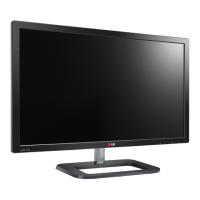
LG 27EA73LM-P - User Manual

LG 27EA73LM-P
28 pages
Print Icon
To Next Page IconTo Next Page
Loading...
www.lg.com
OWNER’S MANUAL
IPS LED MONITOR
23EA73LM
27EA73LM
Please read this manual carefully before operating
your set and retain it for future reference.
IPS LED MONITOR MODEL
ENGLISH

Other manuals for LG 27EA73LM-P

Questions and Answers

  • D
    David JonesAug 13, 2025
    How to fix no image on LG 27EA73LM-P?
    • T
      Tamara JosephAug 13, 2025
      If no image appears on your LG Monitor, ensure the power cord is properly connected to the power outlet and that you've pressed the Power button. Also, adjust the brightness and contrast settings. If the display is in power saving mode, try moving the mouse or pressing a key on the keyboard. Ensure your PC is turned on. If the signal from the PC (video card) is out of the display's horizontal or vertical frequency range, consult the 'Specifications' section of the manual to reconfigure your display. Note that the monitor enters DPM mode if it remains on 'No-Signal' for 5 minutes.
  • K
    Katelyn MatthewsAug 17, 2025
    How to stop the screen from blinking on my LG 27EA73LM-P?
    • R
      Robert ParkerAug 17, 2025
      If your LG monitor screen is blinking, check if the screen is set to interlace mode. If it is, change it to the recommended resolution.
  • P
    Pamela MoralesAug 20, 2025
    What to do if the display image is incorrect on my LG 27EA73LM-P Monitor?
    • C
      Cristian KaneAug 21, 2025
      If the display image on your LG Monitor is incorrect, press the AUTO button to automatically adjust the image to the ideal setting. Also, check the Control Panel under Display Settings to adjust the display to the recommended resolution or adjust the display image to the ideal setting. Ensure that the color setting is higher than 24 bits (true color).
  • J
    Joshua HillAug 25, 2025
    Why is the screen color mono or abnormal on my LG 27EA73LM-P Monitor?
    • J
      Jessica ReedAug 25, 2025
      If the screen color on your LG Monitor is mono or abnormal, check that the signal cable is properly connected and use a screwdriver to tighten it if necessary. Also, make sure the video card is properly inserted in its slot. Verify that the color setting is set higher than 24 bits (true color) in the Control Panel settings.
  • E
    elizabethfisherAug 27, 2025
    What to do if no image appears on LG Monitor with mobile phone?
    • G
      Gregory TorresAug 27, 2025
      If no image appears on your LG Monitor when connected to a mobile phone, first check if the mobile phone supports MHL. Try updating the mobile phone's software to the latest version. Also, ensure the MHL cable is properly connected to both the mobile phone and the HDMI2/MHL port.
  • C
    Catherine ByrdAug 31, 2025
    How to fix 'Unrecognized monitor, Plug&Play (VESA DDC) monitor found' message on LG 27EA73LM-P Monitor?
    • V
      Valerie Stewart MDAug 31, 2025
      To resolve the 'Unrecognized monitor, Plug&Play (VESA DDC) monitor found' message on your LG Monitor, install the display driver from the CD or diskette that came with your display. Also, make sure to check if the video card supports Plug&Play function.
  • T
    tclarkeSep 4, 2025
    Why is my LG Monitor screen flickering?
    • K
      Kevin BraunSep 4, 2025
      If your LG Monitor screen is flickering, and the selected resolution is HDMI 1080i 60/50 Hz, change the resolution to the recommended resolution of 1080P.
  • D
    David SandersSep 8, 2025
    How to unlock OSD on LG 27EA73LM-P?
    • J
      Jessica RuizSep 8, 2025
      To unlock the OSD controls on your LG Monitor, push the MENU button for several seconds until the message 'OSD UNLOCKED' appears.

Summary

Owners Manual

Assembling and Preparing the Monitor

Setting Up the Monitor Stand

Instructions for attaching and detaching the monitor stand base securely.

Mounting the Monitor on a Wall

Guidance for securely mounting the monitor using VESA standards and appropriate hardware.

Using the Monitor Set

Connecting to a PC

How to connect the monitor to a computer using D-SUB or HDMI cables for video input.

Customizing Monitor Settings

Picture Settings Adjustment

Details how to adjust contrast, sharpness, black level, and SUPER+RESOLUTION.

Color Settings Adjustment

Explains how to customize gamma, color temperature, and individual color settings (Red, Green, Blue).

Troubleshooting Common Issues

Resolving No Image Problems

Solutions for when the monitor displays no image, 'OUT OF RANGE', or 'NO SIGNAL' messages.

Correcting Display Image Errors

Tips for fixing incorrect display position, vertical bars, or horizontal noise using AUTO function.

Monitor Specifications

23 EA73 LM Model Specifications

Detailed technical specifications for the 23-inch model, including display, sync, and power.

27 EA73 LM Model Specifications

Detailed technical specifications for the 27-inch model, including display, sync, and power.

LG 27EA73LM-P Specifications

General IconGeneral
Screen Size27 inches
Resolution1920 x 1080
Panel TypeIPS
Aspect Ratio16:9
Brightness250 cd/m²
Contrast Ratio1000:1
Response Time5 ms
Refresh Rate60 Hz
Viewing Angle178°/178°
Dynamic Contrast Ratio5000000:1
ConnectivityHDMI
Power Consumption30 W

Related product manuals