EasyManua.ls Logo

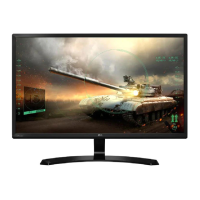
LG 27MB35PH - User Manual

LG 27MB35PH
34 pages
Print Icon
To Next Page IconTo Next Page
Loading...
www.lg.com
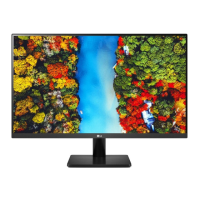
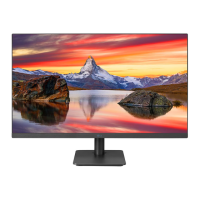
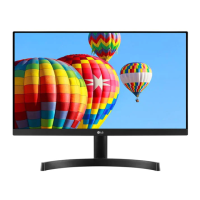
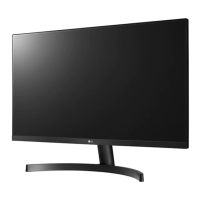
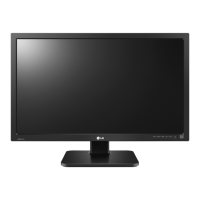
OWNER’S MANUAL
IPS LED MONITOR
23MB35PH
24MB35PH
27MB35PH
Please read this manual carefully before operating
your set and retain it for future reference.
IPS LED MONITOR MODEL
ENGLISH

Questions and Answers

  • A
    Aaron BrockAug 17, 2025
    How to fix no image on LG Monitor?
    • L
      lbaileyAug 17, 2025
      If no image appears on your LG Monitor, ensure the power cord is properly connected to the outlet and that the monitor is turned on by pressing the Power button. Also, adjust the brightness and contrast settings. If the monitor is in power saving mode, try moving the mouse or pressing a key on the keyboard. Verify that your PC is turned on. If the signal from the PC is out of range, consult the 'Specifications' section of the manual to configure your display settings. Note that the monitor enters DPM mode if it's on 'No-Signal' for 5 minutes.
  • M
    Mrs. Ashley Mendez MDAug 20, 2025
    Why is my LG Monitor screen flickering?
    • J
      Jose VillanuevaAug 20, 2025
      If the selected resolution is HDMI 1080i 60/50 Hz, the screen on your LG Monitor may be flickering. To resolve this, change the resolution to the recommended resolution of 1080P.
  • R
    Richard ValenciaAug 22, 2025
    How to fix no image on my LG 27MB35PH?
    • T
      Teresa CannonAug 23, 2025
      If no image appears on your LG Monitor, ensure the power cord is properly connected to the power outlet and that the monitor is turned on by pressing the Power button. Also, adjust the brightness and contrast settings. If the display is in power saving mode, try moving the mouse or pressing a key on the keyboard. Make sure your PC is turned on. Check the 'Specifications' section of this manual and configure your display again. Note that the monitor goes to DPM mode when it is on 'No-Signal' for 5 minutes.
  • A
    Antonio BestAug 26, 2025
    What to do if the display image is incorrect on my LG 27MB35PH Monitor?
    • R
      Randy JohnsonAug 26, 2025
      If the display image on your LG Monitor is incorrect, first press the AUTO button to automatically adjust the display image to the ideal setting. Also, check Control Panel ? Display ? Settings and adjust the display to the recommended resolution or adjust the display image to the ideal setting. Ensure the color setting is higher than 24 bits (true color).
  • A
    Amy HaleAug 28, 2025
    What to do if display image is incorrect on LG Monitor?
    • S
      Shawn MartinezAug 28, 2025
      If the display image on your LG Monitor is incorrect, first press the AUTO button to automatically adjust the display to the ideal setting. If that doesn't work, go to Control Panel ? Display ? Settings and adjust the display to the recommended resolution. Also, ensure that the color setting is higher than 24 bits (true color).
  • H
    Hannah ClarkAug 31, 2025
    Why is the screen color mono or abnormal on my LG Monitor?
    • H
      Hannah GlennAug 31, 2025
      If the screen color on your LG Monitor is mono or abnormal, check whether the signal cable is properly connected and tighten it with a screwdriver if needed. Also, ensure that the video card is correctly inserted in its slot. Finally, set the color setting higher than 24 bits (true color) at Control Panel ? Settings.
  • L
    Lisa SmithSep 2, 2025
    How to unlock OSD on LG 27MB35PH Monitor?
    • L
      Lisa OwensSep 3, 2025
      The "OSD LOCKED" message on your LG Monitor screen indicates that the current control settings are secured to prevent accidental changes. To unlock the OSD controls, push the MENU button for several seconds until the message 'OSD UNLOCKED' appears.
  • L
    Laura GarciaSep 5, 2025
    What to do if no image appears on my LG 27MB35PH Monitor?
    • C
      Courtney JohnsonSep 5, 2025
      If your LG Monitor displays no image, ensure the power cord is properly connected to the outlet and that the monitor is turned on by pressing the Power button. Also, adjust the brightness and contrast settings. If the monitor is in power saving mode, try moving the mouse or pressing a key. Ensure your PC is also turned on. If a message appears indicating a frequency range issue, consult the 'Specifications' section of the manual to reconfigure your display. Finally, if the monitor has been on 'No-Signal' for 5 minutes, it will enter DPM mode.
  • O
    Olivia BlackSep 8, 2025
    Why is my LG 27MB35PH screen color mono or abnormal?
    • K
      Kyle HodgeSep 8, 2025
      If the screen color on your LG Monitor is mono or abnormal, first check if the signal cable is properly connected, tightening it with a screwdriver if necessary. Next, ensure that the video card is correctly inserted in its slot. Finally, verify that the color setting is set higher than 24 bits (true color) in Control Panel ? Settings.
  • T
    Tom GuzmanSep 12, 2025
    How to fix incorrect display image on LG 27MB35PH?
    • S
      Steven MartinezSep 12, 2025
      To correct an incorrect display image on your LG Monitor, start by pressing the AUTO button to automatically adjust the image to the ideal setting. Also, check Control Panel ? Display ? Settings and adjust the display to the recommended resolution. Ensure that the color setting is set to higher than 24 bits (true color).

LG 27MB35PH Specifications

General IconGeneral
BrandLG
Model27MB35PH
CategoryMonitor
LanguageEnglish

Related product manuals