13
ENG
ENGLISH
USING THE MONITOR SET
y
Peripheral devices are sold separately.
y
The USB ports on the left and bottom of the
monitor can be used to connect the key-
board, mouse, and other USB devices.
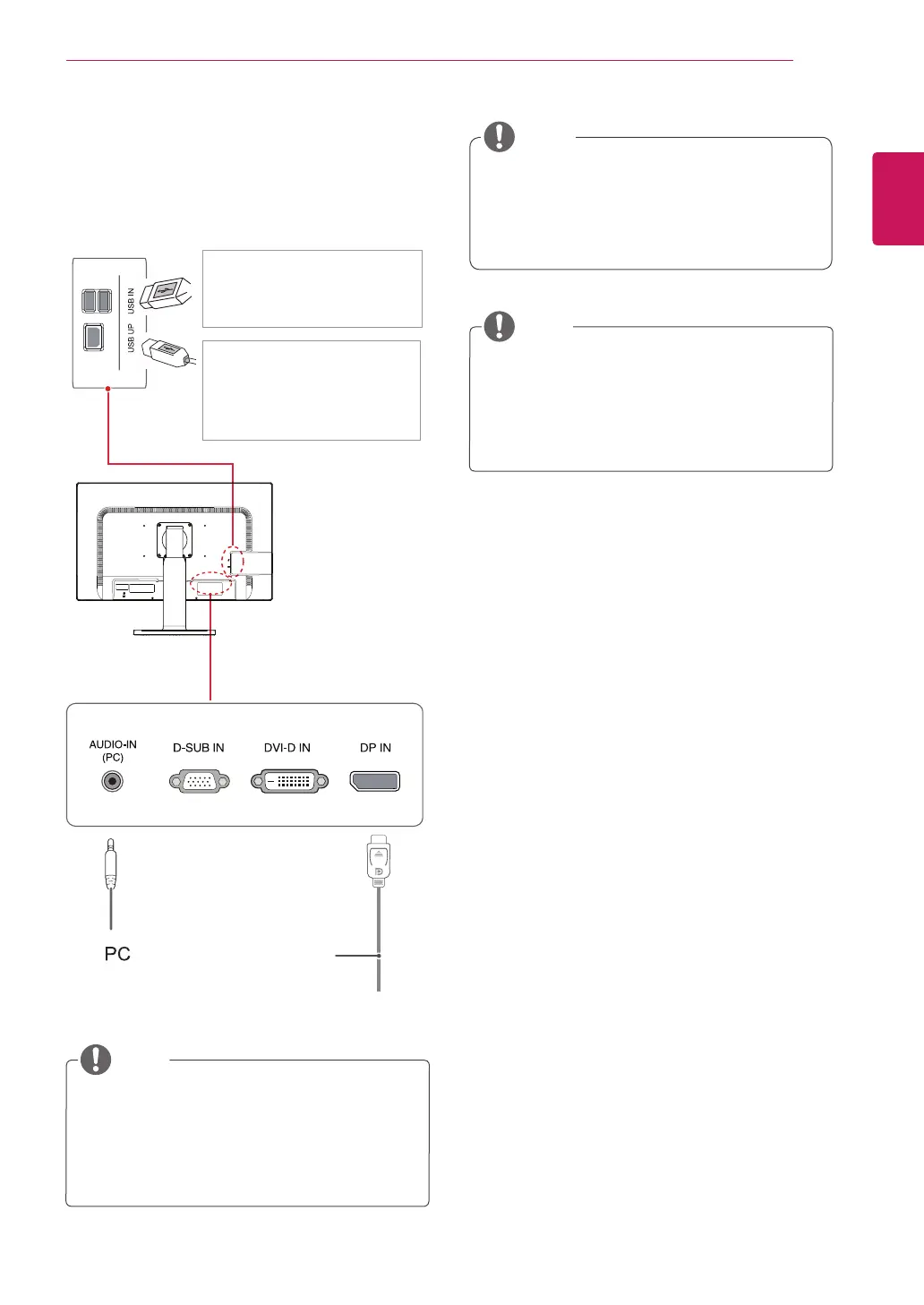
Peripheral device connection
Connect peripheral devices to the monitor.
NOTE
NOTE
y
Speakers may not work normally, depending
on the server PC settings.
y
Virtual solutions may affect the functions or
speed of the specific USB storage device.
NOTE
y
The monitor's USB terminal supports USB
2.0 and high speed cables.
y
DP = Display Port
The cable is
Separate purchase
.
Two USB Downstream ports
Connect these ports to a mouse,
USB keyboard, memory stick with
current spec under 100mA.
One USB Upstream port
Connect this port to the down-
stream port of a computer, laptop
or USB monitor (Your computer
or USB monitor must support
USB and have USB ports).
(Not Provided)


 To Next Page