13
ENGENGLISH
ASSEMBLING AND PREPARING
Parts and buttons
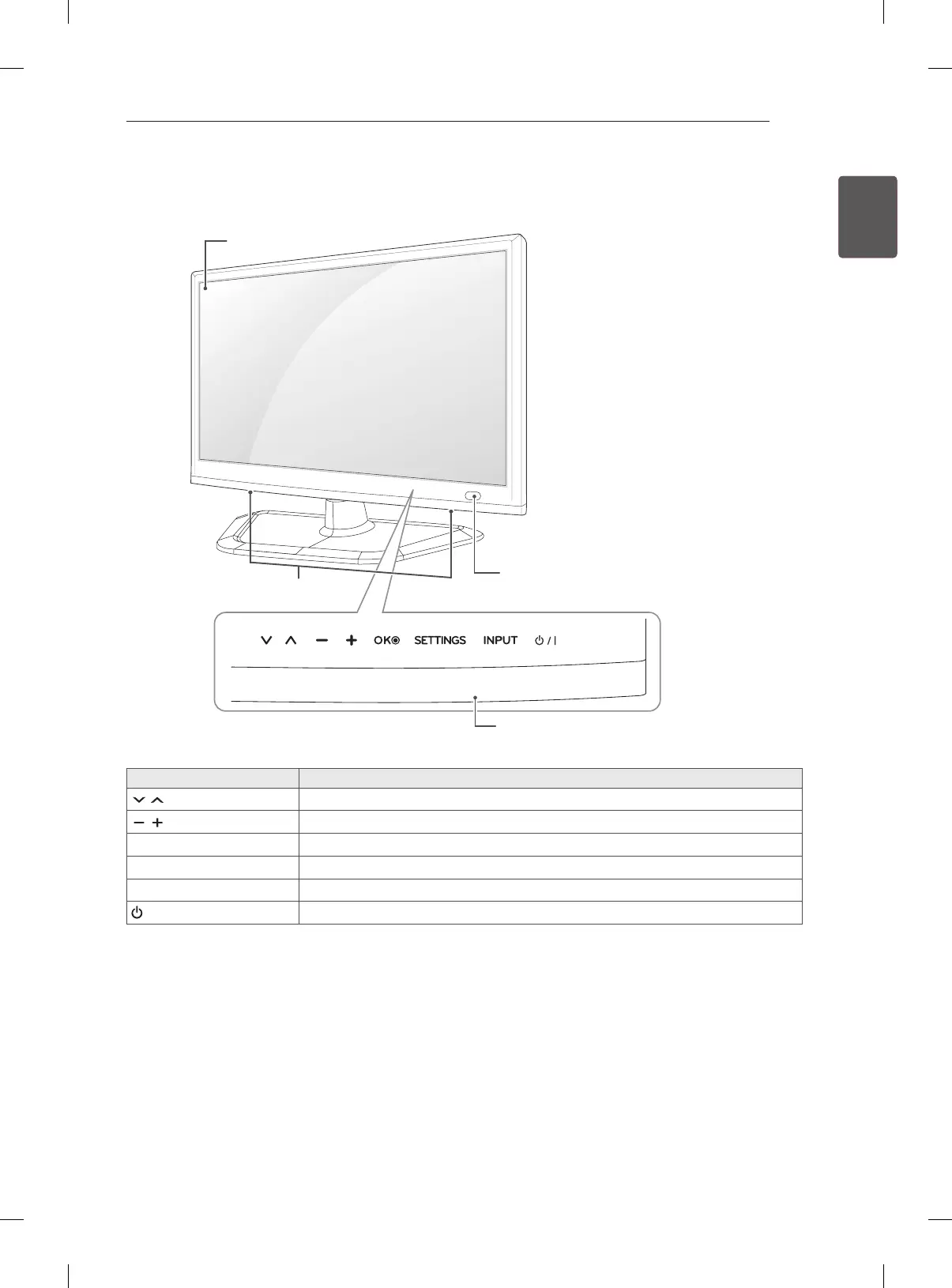
Touch Buttons Description
Scrolls through the saved programmes.
Adjusts the volume level.
OK
ꔉ
Selects the highlighted menu option or confirms an input.
SETTINGS
Accesses the main menu, or saves your input and exits the menus.
INPUT
Changes the input source.
/ I
Turns the power on or off.
1 All of the buttons are touch sensitive and can be operated through simple touch with your nger.
Remote Control Sensor
Touch Buttons
1
Screen
Speakers



 To Next Page