A-3
SETTING UP THE TV
CAUTION
y
When attaching the stand to the TV, place
the screen facing down on a cushioned
table or flat surface to protect the screen
from scratches.
26/29LN46
**
Setting up the TV
Image shown may differ from your TV.
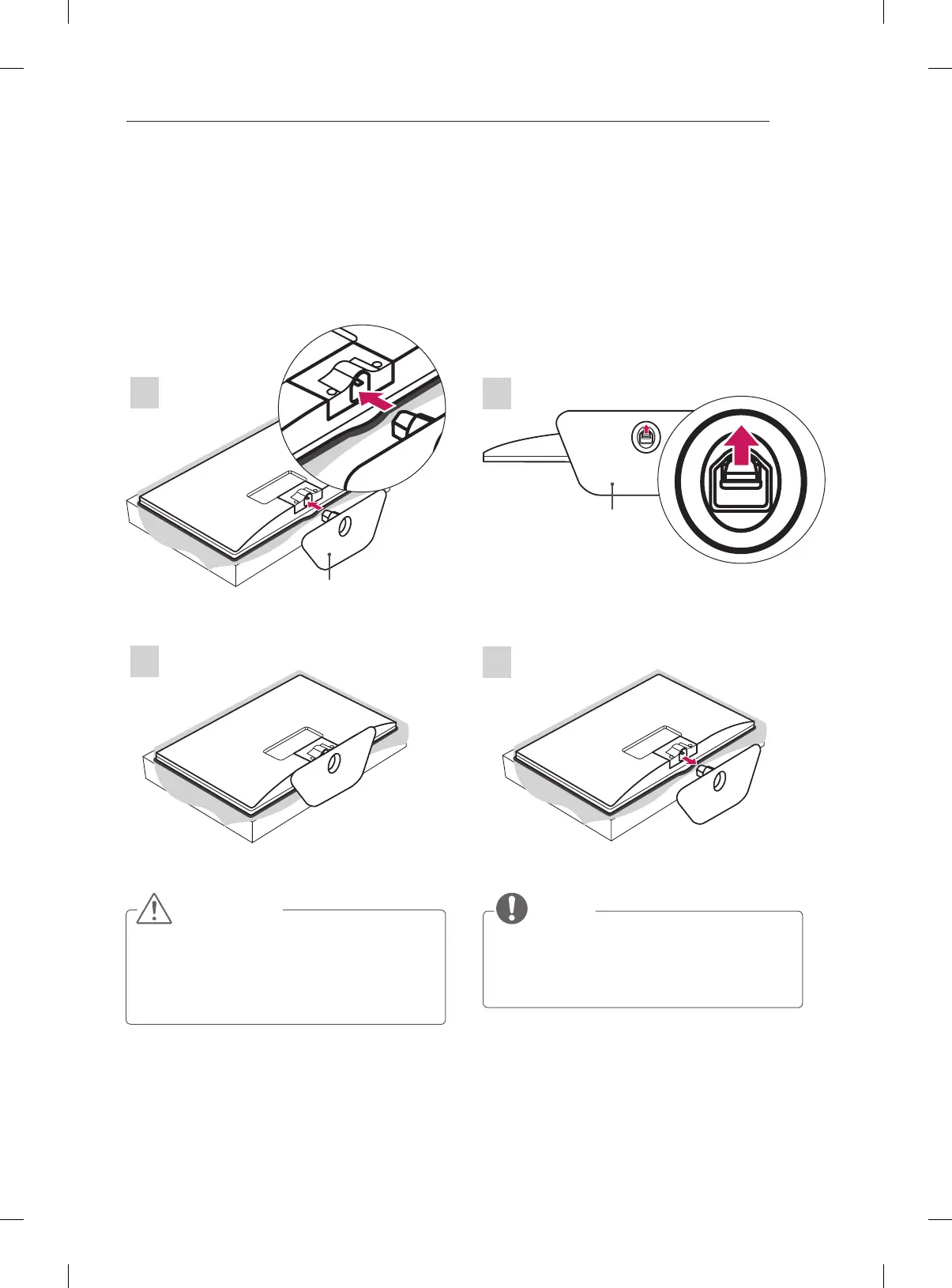
Attaching the stand
Detaching the Stand
1
Stand Base
2
2
1
Stand Base
26/29LN46
**
NOTE
y
When Detaching the stand from TV, Detach
the stand with lifting up the lever in the
direction of the arrow.


 To Next Page