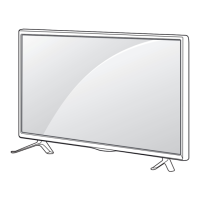
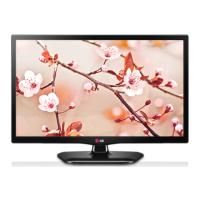
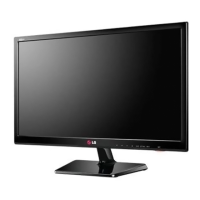
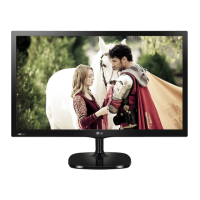
This document is an owner's manual for an LG LED TV, specifically models 22MT55*, 24MT55*, and 27MT55*. It provides comprehensive instructions for assembling, preparing, connecting, operating, and maintaining the television.
Function Description:
The LG LED TV serves as a display unit for various multimedia content, including broadcast television, external devices like DVD/Blu-Ray players, HD cable boxes, PCs, and USB storage devices. It supports Plug & Play functionality for PC connections and features built-in speakers with Virtual Surround for enhanced audio. The TV can be mounted on a table or a wall, offering flexibility in placement. It also includes a SIMPLINK feature for integrated control of compatible LG multimedia devices.
Important Technical Specifications:
- Models: 22MT55D, 24MT55D, 27MT55D
- Dimensions (W x H x D):
- 22MT55D: With stand: 508.5 x 416.6 x 188.4 mm; Without stand: 508.5 x 315 x 65.9 mm
- 24MT55D: With stand: 566.8 x 447.7 x 188.4 mm; Without stand: 566.8 x 346.1 x 66.5 mm
- 27MT55D: With stand: 641.2 x 489.1 x 213.2 mm; Without stand: 641.2 x 391.3 x 77.8 mm
- Weight:
- 22MT55D: With stand: 3.4 kg; Without stand: 3.2 kg
- 24MT55D: With stand: 3.9 kg; Without stand: 3.6 kg
- 27MT55D: With stand: 5.3 kg; Without stand: 4.88 kg
- Power Requirement: 19 V ⎓ 1.6 A (for 22MT55D, 24MT55D); 19 V ⎓ 2.0 A (for 27MT55D)
- AC/DC Adapter:
- Manufacturer: Lien Chang; Model: LCAP21C
- Manufacturer: Honor; Model: ADS-45SN-19-3 19040G
- Input: AC 100 - 240 V ~ 50/60 Hz
- Output: DC 19 V ⎓ 2.1 A
- Environment Conditions:
- Operating Temperature: 10 °C to 35 °C
- Operating Humidity: 20% to 80%
- Storage Temperature: -10 °C to 60 °C
- Storage Humidity: 5% to 90%
- Television System: DVB-T (Digital TV, dependent on country); PAL B/B, PAL B/G, PAL D/K, PAL-I, SECAM B/G, SECAM D/K, NTSC-M (Analogue TV, dependent on country)
- Programme Coverage: VHF, UHF, CATV
- Maximum Number of Storable Programmes: DVB-T & Analogue TV: 1,500
- External Antenna Impedance: 75 Ω
- Supported Video Formats (Maximum): 1920 x 1080 @ 30p (Motion JPEG 640 x 480 @ 30p)
- .asf, .wmv: MPEG-2, MPEG-4 Part2, DivX3.11, DivX4, DivX5, DivX6, XVID, H.264/AVC, VC1(WMV3, WVC1), MP43 (Video); WMA Standard, WMA9(Pro), MP3, AAC, AC3, MP3, 3D WMV Single Stream (Audio)
- .divx, .avi: MPEG-2, MPEG-4 Part2, DivX3.11, DivX4, DivX5, DivX6, XVID, H.264/AVC (Video); HE-AAC, LPCM, ADPCM, MPEG-1 Layer I, MPEG-1 Layer II, Dolby Digital, MPEG-1 Layer III (MP3), *DTS (Audio)
- .ts, .trp, .tp, .mts, .m2ts: H.264/AVC, MPEG-2, AVS, VC1 (Video); MPEG-1 Layer I, MPEG-1 Layer II, MPEG-1 Layer III (MP3), Dolby Digital, Dolby Digital Plus, AAC, HE-AAC, *DTS (Audio)
- .vob: MPEG-1, MPEG-2 (Video); Dolby Digital, MPEG-1 Layer I, MPEG-1 Layer II, DVD-LPCM (Audio)
- .mp4, .m4v, .mov: MPEG-2, MPEG-4 Part2, DivX3.11, DivX4, DivX5, DivX6, XVID, H.264/AVC (Video); AAC, MPEG-1 Layer III (MP3), *DTS (Audio)
- .mkv: MPEG-2, MPEG-4 Part2, DivX3.11, DivX4, DivX5, DivX6, XVID, H.264/AVC (Video); HE-AAC, Dolby Digital, MPEG-1 Layer III (MP3), *DTS, LPCM (Audio)
- motion JPEG: MJPEG (Video); LPCM, ADPCM (Audio)
- .mpg, .mpeg, .mpe: MPEG-1, MPEG-2 (Video); MPEG-1 Layer I, MPEG-1 Layer II, Dolby Digital, LPCM (Audio)
- .dat: MPEG-1, MPEG-2 (Video); MP2 (Audio)
- .flv: Sorenson H.263, H.264/AVC (Video); MP3, AAC, HE-AAC (Audio)
- **.rm, .rmvb: RV30, RV40 (Video); Dolby Digital, AAC, HE-AAC, RA6(Cook) (Audio)
- 3gp, 3gp2: H.264/AVC, MPEG-4 Part2 (Video); AAC, AMR(NB/WB) (Audio)
- **DTS / *rm / rmvb: Depending on model
- Supported Audio Formats:
- mp3: 32 Kbps - 320 Kbps (Bit rate); 16 kHz - 48 kHz (Sample freq.); MPEG1, MPEG2, Layer2, Layer3 (Support)
- AAC: Free Format (Bit rate); 8 kHz ~ 48 kHz (Sample freq.); ADIF, ADTS (Support)
- M4A: Free Format (Bit rate); 8 kHz ~ 48 kHz (Sample freq.); MPEG-4 (Support)
- WMA: 128 Kbps ~ 320 Kbps (Bit rate); 8 kHz ~ 48 kHz (Sample freq.); WMA7, WMA8, WMA9 Standard (Support)
- WMA: ~ 768 Kbps (Bit rate); M0: up to 2 Channel @ 48 kHz (Except LBR mode), M1: up to 5.1 Channel @ 48 kHz, M2: up to 5.1 Channel @ 96 kHz (Channel / Sample freq.); WMA 10 Pro (Support)
- OGG: Free Format (Bit rate); ~ 48 kHz (Sample freq.); OGG Vorvis (Support)
- Supported Photo Formats:
- 2D (jpeg, jpg, jpe): SOF0: Baseline, SOF1: Extend Sequential, SOF2: Progressive (Available file type); Minimum: 64 x 64, Maximum: Normal Type: 15360 (W) x 8640 (H), Progressive Type: 1920 (W) x 1440 (H) (Photo size)
- BMP: Minimum: 64 x 64, Maximum: 9600 x 6400 (Photo size)
- PNG: Interlace, Non-Interlace (Available file type); Minimum: 64 x 64, Maximum: Interlace: 1200 x 800, Non-Interlace: 9600 x 6400 (Photo size)
- USB Port: Supports 0.5A electric current. For HDDs requiring more current, a separate power adaptor is needed.
- USB Storage Device Recommendations: FAT32 or NTFS file system, less than 5V rated voltage and 500mA rated current for external HDDs, USB memory sticks of 32 GB or less, USB HDDs of 1 TB or less.
- My Media Supporting File: Maximum data transfer rate: 20 Mbps. External subtitle formats: *.srt, *.smi, *.sub, .ass/.ssa, *.txt, *.psb. Internal subtitle formats: XSUB.
Usage Features:
- Unpacking and Assembly: Detailed instructions for unpacking, identifying parts (remote control, batteries, CD manual, cards, stand base, power cord, AC-DC adaptor, RGB cable, stand body), and assembling the stand. Cautions are provided against using unapproved items and for safe handling during assembly.
- Lifting and Moving the TV: Guidelines for safe transportation, emphasizing avoiding screen contact, disconnecting cables, holding the frame firmly, and maintaining an upright position.
- Setting Up the TV: Instructions for attaching the stand and mounting the TV on a table or wall. For wall mounting, VESA standards are specified (100 x 100 for 22/24/27MT55* models, M4 x L10 standard screw, 4 screws, RW120 wall mount bracket). Proper ventilation clearance (10 cm on each side and from the wall) is recommended.
- Adjusting the Angle: The TV can be tilted from +20 to -5 degrees for optimal viewing.
- Kensington Security System: Information on connecting a Kensington security cable to the TV and a table (optional, not available for all models).
- Making Connections:
- Antenna Connection: Connects to a wall antenna socket with an RF cable (75 Ω). Notes on using signal splitters, amplifiers, and antenna realignment for improved image quality.
- Other Connections: Diagrams and instructions for connecting external devices like DVD/Blu-Ray players, HD Cable Boxes, HD STBs, and PCs via HDMI, Component, AV In, and RGB IN (PC) ports.
- USB Connection: For USB/HDD devices, noting the 0.5A current limit and the need for a separate power adaptor for HDDs requiring more current.
- Headphone Connection: For audio output through headphones.
- Connecting to a PC: The TV supports Plug & Play. Users can set the Input Label to "PC mode" for optimized display. A prompt "Is the input connected to your PC?" appears, allowing users to optimize settings for PC or AV devices.
- Remote Control: A detailed overview of the remote control buttons and their functions, including power, input selection, channel navigation, volume control, teletext, settings, and media playback controls.
- Settings:
- Auto Tuning: Automatically tunes TV programmes.
- Picture Wizard: Calibrates and adjusts picture quality.
- Picture Mode: Selects optimized picture modes (Vivid, Standard, Eco/APS, Cinema/Game, Soccer, Expert) for different viewing environments or content.
- Advanced Control / Expert Control: Fine-tunes picture settings such as Dynamic Contrast, Dynamic Colour, Skin Colour, Sky Colour, Grass Colour, Gamma, Colour Gamut, Edge Enhancer, Expert Pattern, and Colour Filter.
- Picture Option: Adjusts Noise Reduction, MPEG Noise Reduction, Black Level, Real Cinema, Motion Eye Care / SUPER Energy Saving.
- TruMotion: Adjusts de-judder and de-blur settings.
- Energy Saving: Auto, Off, Minimum, Medium, Maximum.
- TV Speaker / External Speaker: Selects audio output.
- Digital Sound Out: Configures digital audio output settings (PCM, Dolby Digital, HE-AAC).
- LG Sound Sync (Optical): Connects to compatible LG audio devices for rich sound.
- Headphone: Enables sound output through headphones.
- AV Sync. Adjust: Synchronizes video and audio.
- SIMPLINK: Controls and manages compatible LG multimedia devices via HDMI. Functions include Direct Play, Select Multimedia Device, Disc Playback, Power Off All Devices, Sync Power On, and Speaker selection.
- Set Password: Sets or changes the TV password (initial password '0000').
- Factory Reset: Resets all stored information and TV settings.
- USB Device Removal: Safely removes USB storage devices.
Maintenance Features:
- Cleaning Your TV:
- Screen, Frame, Cabinet, and Stand: Use a dry, clean, soft cloth to remove dust. For major dirt, use a soft cloth dampened in a diluted mild detergent.
- Power Cord: Remove accumulated dust or dirt.
- Cautions: Avoid touching the screen, do not push/rub the screen with sharp objects, do not use chemicals, and do not spray liquid directly onto the surface.
- Preventing "Image Burn" or "Burn-in": Advice on preventing permanent image retention, especially when displaying a fixed image for a long period. It is recommended to avoid displaying a fixed image on the TV screen for a long period of time (2 or more hours for LCD).

 Need help?

 To Next Page
 General