EasyManua.ls Logo

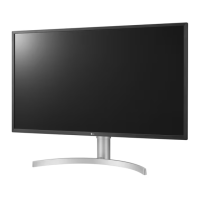
LG 32BL75U-W - User Manual

LG 32BL75U-W
27 pages
Print Icon
To Next Page IconTo Next Page
Loading...
* LG LED Monitor applies LCD screen with LED backlights.
Please read this manual carefully before operating your set and
retain it for future reference.
32UL750
32BL75U
OWNER’S MANUAL
LED LCD MONITOR
(LED Monitor*)
www.lg.com
Copyright © 2018 LG Electronics Inc. All Rights Reserved.

Questions and Answers

  • P
    Paul NelsonJul 28, 2025
    How to fix LG Monitor when nothing is displayed on the screen?
    • K
      kylie32Jul 28, 2025
      If your LG Monitor displays nothing on the screen, first ensure the power cord is properly connected to the power outlet and that the power cable is securely attached. Then, press the power button. Also, verify that the correct input is selected in the monitor's settings under [Settings] > [Input]. If the issue persists, check the signal cable connecting your PC to the monitor and reconnect it if necessary. Finally, if signals from the PC are outside the monitor's frequency range, consult the Product Specification section of the manual to set the appropriate frequency.
  • N
    Nicole WhiteAug 3, 2025
    Why is my LG Monitor screen display unstable and shaky?
    • K
      Kimberly StrongAug 3, 2025
      If the screen display on your LG Monitor is unstable or shaky, or if images leave shadow trails, and you're using HDMI 1080i at 60/50 Hz (interlaced), this may cause flickering. Try changing the resolution to 1080p or the recommended setting. Also, ensure your graphics card is set to the recommended resolution. Incorrect settings can cause blurred text, a dimmed screen, or a misaligned display. If problems persist, further assistance may be needed from the computer or graphics card manufacturer.
  • A
    Anthony LewisAug 7, 2025
    Why is there no sound from the headphone port on my LG 32BL75U-W?
    • M
      Michael YoungAug 7, 2025
      If you're not getting any sound from the headphone port on your LG Monitor, first, check that the headphone connections are properly made. Next, try increasing the volume using the joystick on the monitor. Finally, ensure that the audio output of your PC is set to the LG monitor you are using. Note that the exact settings might vary based on your operating system.
  • C
    Cesar WongAug 12, 2025
    How to prevent image sticking on my LG 32BL75U-W Monitor?
    • R
      Randy TaylorAug 12, 2025
      Displaying a still image for a long duration on your LG Monitor may cause damage to the screen, leading to image retention. To extend the monitor's lifespan, use a screensaver.
  • S
    steven87Aug 17, 2025
    What to do if my LG 32BL75U-W shows "Unrecognized monitor, Plug and Play (VESA DDC) monitor found" message?
    • T
      Travis HernandezAug 17, 2025
      If you see an "Unrecognized monitor, Plug and Play (VESA DDC) monitor found" message on your LG Monitor, first, install the display driver from the LG website: http://www.lg.com. Then, verify that your graphics card supports the Plug and Play function.
  • C
    Clarence RiceAug 22, 2025
    How to unlock the menu on my LG Monitor?
    • M
      Melissa RodriguezAug 22, 2025
      If some functions are unavailable when you press the Menu button on your LG Monitor, it's possible the OSD (On-Screen Display) is locked. To resolve this, disable [OSD Lock] in the [General] settings.

Summary

Open Source Software Notice Information

Assembling and Preparing

Installing the Wall Mount Plate

Information on mounting the monitor using a compatible wall mount plate.

Installing on the Wall

Procedures for securely mounting the monitor on a wall.

Product and Button Description

How to Use the Joystick Button

Explains how to operate the monitor using the joystick button for navigation and control.

Moving and Lifting the Monitor

Instructions for safely moving and lifting the monitor to prevent scratches or damage.

Using the Monitor

Connecting to a PC

Guide on connecting the monitor to a computer via HDMI, DisplayPort, or USB-C.

User Settings

Picture Settings

General Settings

Troubleshooting

No Display Issues

Solutions for when the monitor screen shows no image or signal.

Display Instability and Image Trails

Troubleshooting unstable screens and lingering image shadows.

Image Sticking and Screen Spots

Addressing issues like image persistence and dead pixels on the screen.

Disabled Features

Resolving problems where monitor functions are unavailable or locked.

Unrecognized Monitor Message

Steps to resolve 'Unrecognized monitor' messages and driver issues.

Headphone Port and Sound Issues

Troubleshooting problems with audio output through the headphone port.

Product Specification

Display Specifications

Details on color depth, resolution, and refresh rates supported by the monitor.

LG 32BL75U-W Specifications

General IconGeneral
BrandLG
Model32BL75U-W
CategoryMonitor
LanguageEnglish

Related product manuals