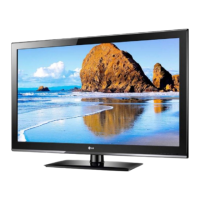
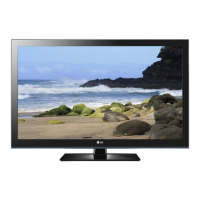
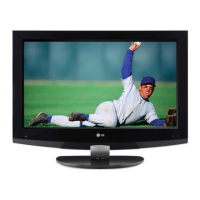
This document outlines the service and maintenance procedures for the LG LCD TV models 32CS410/410Y/411/411Y/412, 32CS410/410Y-TB, 32CS411/411Y-TA, and 32CS412-TD, all utilizing the LP24B chassis. It is primarily intended for technicians and service personnel, providing comprehensive guidance to ensure safe and effective repair and adjustment of these television sets.
The LG LCD TV models covered by this manual are designed to provide a high-quality visual and audio experience for users. They function as standard television receivers, capable of displaying video content from various sources and producing accompanying audio. The TVs support multiple broadcasting systems, including PAL, SECAM, and NTSC, catering to different regional standards. Input options are extensive, allowing connectivity with component video sources, HDMI devices, and USB storage for media playback. The TVs are designed to handle various video resolutions, from standard definition (SDTV) up to full high definition (HDTV 1080P), ensuring compatibility with a wide range of content and devices. Audio input is also supported for both AV and component connections.
Usage Features
The LG LCD TVs offer a range of features to enhance the user experience. They are equipped with a comprehensive channel storage system, allowing users to save and access numerous channels across different frequency ranges (E2-C69, S21-S47 for PAL; 2-78, 1-71 for NTSC; C1-C62, S1-S41 for China(DK)). The receiving system utilizes an upper heterodyne design for efficient signal processing.
For video input, the TVs support PAL, SECAM, and NTSC formats, ensuring broad compatibility with legacy video equipment. Component input (Y/Cb/Cr, Y/Pb/Pr) is available at the rear, supporting various resolutions and refresh rates, including SDTV 480i/p, 576i/p, and HDTV 720p/1080i/p. HDMI inputs are also provided at the rear, supporting HDMI-DTV and PCM audio modes, and are compatible with PC modes such as VESA(VGA), VESA(SVGA), VESA(XGA), VESA(WXGA), WXGA, SXGA, and WUXGA. This versatility allows users to connect a wide array of modern digital devices, including Blu-ray players, gaming consoles, and personal computers.
A USB input is conveniently located on the side, enabling playback of MP3 audio files and JPEG images directly from USB storage devices. Audio output is available via RF, AV, and HDMI, allowing connection to external audio systems. A D-SUB input is included for software upgrades, indicating the TV's capability for future enhancements and bug fixes. The TVs also feature L/R audio inputs for AV and component connections, providing flexibility for audio routing.
Maintenance Features
The service manual emphasizes safety and precision in all maintenance operations. It highlights the importance of using an isolation transformer during servicing to protect technicians from electrical shocks and prevent damage to the receiver. Technicians are instructed to replace blown fuses or fusible resistors with specified components and to maintain proper spacing for high-wattage resistors to prevent overheating. Keeping wires away from high-voltage and high-temperature parts is also crucial.
Before returning a serviced TV to a customer, an AC leakage current check must be performed on all exposed metallic parts to ensure electrical safety. This check includes both cold and hot conditions, with specific resistance and voltage limits to be met. Any deviation from these limits indicates a potential shock hazard that must be corrected.
The manual provides detailed instructions for handling electrostatically sensitive (ES) devices, such as integrated circuits and field-effect transistors, to prevent damage from static electricity. This includes grounding oneself with a wrist strap, placing ES-equipped assemblies on conductive surfaces, and using grounded-tip soldering irons and anti-static solder removal devices. Technicians are advised to minimize bodily motions when handling unpackaged ES devices, as even seemingly harmless movements can generate static electricity.
Soldering guidelines are provided, recommending the use of low-wattage, grounded-tip soldering irons with appropriate tip sizes and temperatures, along with RMA resin-core solder. Emphasis is placed on keeping soldering iron tips clean and well-tinned, and thoroughly cleaning surfaces to be soldered. Specific techniques for unsoldering and soldering components are detailed, with warnings to work quickly to avoid overheating circuit board foils.
For IC removal and replacement, the manual describes a technique for slotted holes, involving desoldering and straightening leads, then carefully inserting and soldering the new IC. Similar detailed procedures are outlined for "small-signal" discrete transistors, power output transistor devices, diodes, and fuses/conventional resistors, each with specific steps to ensure proper installation and prevent damage.
Circuit board foil repair instructions are also included, addressing damaged copper patterns at IC connections and other areas. This involves carefully removing damaged copper, scratching away solder resist, and installing jumper wires with proper crimping and soldering to restore electrical continuity.
The manual also covers software-related maintenance, including instructions for downloading the Mstar Main S/W program using a D/L Jig or a memory stick. This process involves connecting the jig, executing an ISP Tool program, and following steps to read and write bin files. For memory stick downloads, the TV automatically detects the bin file and prompts for download.
ADC (Analog-to-Digital Converter) calibration procedures are detailed for component inputs, using an external pattern generator and a remote controller. This involves changing the input mode, inputting a specific color bar signal, and performing an "Auto-RGB" adjustment to ensure accurate color reproduction. Confirmation steps are provided to verify the ADC values in the EEPROM.
White balance adjustment is another critical maintenance feature, aimed at correcting color temperature deviations. The manual outlines both automatic and manual adjustment methods. For automatic adjustment, specific equipment like a color analyzer and an auto W/B adjustment instrument are required, along with a connecting diagram. Manual adjustment involves selecting a white pattern, entering a password-protected adjustment mode, and adjusting Red/Green/Blue Gain and Offset values using the remote control. Standard color coordinates and temperatures are provided as targets for calibration.
Finally, the manual includes extensive troubleshooting guides for various issues, such as "No power," "No Raster" (for general, component, and HDMI signals), and "No Sound." These guides present flowcharts that lead technicians through a series of checks, such as verifying power board outputs, checking panel link cables, inverter connectors, LVDS cables, input source cables and jacks, and specific IC outputs. Each step suggests potential causes and remedies, including re-soldering, changing defect parts, or replacing entire assemblies like the LED Assy or adapter. These systematic approaches ensure efficient diagnosis and repair of common television malfunctions.


 To Next Page

 General
 Weight and Dimensions