EasyManua.ls Logo

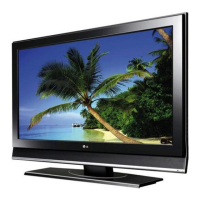
LG 32CS470-TA - User Manual

LG 32CS470-TA
136 pages
Print Icon
To Next Page IconTo Next Page
Loading...
www.lg.com
Please read this manual carefully before operating
your set and retain it for future reference.
LS34**
LM34**
CS46**
CS47**
OWNER’S MANUAL
LED LCD TV / LCD TV
P/NO : MFL67360813 (1204-REV03)
Printed in Korea

Questions and Answers

  • J
    John DoyleAug 9, 2025
    How to fix LG 32CS470-TA remote control not working?
    • V
      vkleinAug 9, 2025
      If you cannot control your LG LCD TV with the remote, check the remote control sensor on the TV and try again. Make sure there are no obstacles between the remote and the TV. Also, verify that the batteries in the remote are working and correctly installed ( to , to ).
  • C
    costaalexanderAug 15, 2025
    Why does my LG LCD TV turn off by itself?
    • S
      sharonheathAug 15, 2025
      If your LG LCD TV is turning off unexpectedly, you should first check the power control settings to ensure the power supply isn't being interrupted. Also, verify that the Auto sleep feature is not enabled within the Time settings. Lastly, be aware that if the TV doesn't receive a signal for 15 minutes while it's on, it will automatically shut off.
  • C
    Carrie MillsAug 23, 2025
    How to fix an LG 32CS470-TA LCD TV remote that is not working?
    • H
      Henry PottsAug 23, 2025
      If you're unable to control your LG LCD TV with the remote, start by checking the remote control sensor on the TV and try again. Make sure there are no obstructions between the remote and the TV. Also, ensure the batteries in the remote are working and correctly installed.
  • C
    Christopher MolinaAug 30, 2025
    Why does my LG LCD TV turn off suddenly?
    • B
      Brianna WallsAug 31, 2025
      If your LG LCD TV turns off suddenly, it could be due to a power interruption. Check the power control settings. Also, the Auto sleep feature in the Time settings might be enabled. If the TV is on but receives no signal, it will automatically turn off after 15 minutes of inactivity.

Summary

LICENSES

OPEN SOURCE SOFTWARE NOTICE

Information about open-source licenses used in the product.

SAFETY INSTRUCTIONS

General Safety Precautions

Critical safety advice to prevent injury, fire, or product damage.

3 D Viewing Safety

Guidelines for safe viewing of 3D content to prevent health issues.

INSTALLATION AND ASSEMBLY

Unpacking and Preparation

Steps for unpacking, checking contents, and preparing the TV for setup.

Parts and Buttons

Identification of TV components and remote control buttons.

Attaching the Stand

Detailed steps for attaching the TV stand to the unit.

Securing the TV

Instructions for mounting the TV on a table or wall, and securing it.

Cable Management

Instructions for organizing and securing cables connected to the TV.

MAKING CONNECTIONS

Antenna Connection

How to connect the TV to an antenna for broadcast signals.

External Device Connections

Connecting various devices via HDMI, Component, Composite, USB, and Headphone.

REMOTE CONTROL

Remote Control Operation

How to use the buttons on the remote control for TV operation.

USING THE USER GUIDE

MAINTENANCE AND CLEANING

Cleaning Your TV

Instructions for cleaning the TV screen, frame, and cabinet.

Power Cord Care

Guidance on cleaning and maintaining the power cord.

TROUBLESHOOTING

SPECIFICATIONS

LG 32CS470-TA Specifications

General IconGeneral
Screen Size32 inches
Resolution1366 x 768
Display TypeLCD
Aspect Ratio16:9
HDMI Ports2
USB Ports1
Brightness300 cd/m²
Response Time5 ms
Refresh Rate60 Hz
Sound Output10W + 10W
InputsHDMI, USB, Composite, Component, RF
Weight7.8 kg

Related product manuals