EasyManua.ls Logo

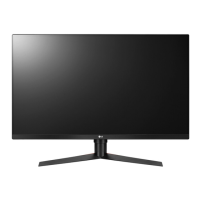
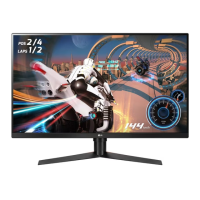
LG 32GK650F - User Manual

LG 32GK650F
43 pages
Print Icon
To Next Page IconTo Next Page
Loading...
* Disclaimer : LG LED Monitor applies LCD screen with LED backlights.
This product is a computer monitor and not for television purpose.
Please read this manual carefully before operating your set and retain it
for future reference.
www.lg.com
32GK650F
OWNER’S MANUAL
LG Gaming Computer Monitor
(LED COMPUTER MONITOR*)

Questions and Answers

  • L
    Lacey ManningAug 2, 2025
    What to do if there is no sound from the LG 32GK650F Monitor headphone port?
    • A
      Alexandra BrooksAug 2, 2025
      If there is no sound from the headphone port on your LG Monitor: * Ensure the headphone port connections are properly made. * Try increasing the volume using the joystick on the monitor. * Set the audio output of your PC to the monitor you are using. On Microsoft Windows, go to Control Panel > Hardware and Sound > Sound and set the Monitor as the default device.
  • M
    Mary FreemanAug 7, 2025
    Why is my LG 32GK650F Monitor screen display unstable and shaky?
    • D
      Dennis HoganAug 7, 2025
      If your LG Monitor's screen display is unstable, shaky, or images leave shadow trails, try changing the resolution to 1080p or the recommended resolution.
  • K
    karencarneyAug 13, 2025
    How to enable disabled features on LG 32GK650F?
    • K
      Kevin WilliamsAug 13, 2025
      If some features are disabled on your LG Monitor, go to Settings > General and set OSD Lock to Off.
  • R
    ryanhallAug 18, 2025
    Why does my LG Monitor display abnormal colors?
    • K
      Kristen WatsonAug 18, 2025
      If the display color on your LG Monitor is abnormal: * Set the color to 24 bit (true color) or higher. In Windows, this can be found in Control Panel > Display > Settings > Color Quality. * Try reconnecting the cable or reinserting the PC's graphics card. * Note that some color variation is normal for an LCD screen and does not indicate an error or affect the monitor's performance.
  • R
    Robert WatkinsAug 22, 2025
    Why does my LG 32GK650F screen retain an image?
    • J
      Jorge LevineAug 22, 2025
      If your LG Monitor screen retains an image, it may be due to displaying a still image for a prolonged time, which can cause damage. To extend the monitor's lifetime, use a screensaver.
  • R
    Richard WalkerOct 28, 2025
    How to fix LG Monitor when nothing is displayed on the screen?
    • M
      Michael RiceOct 28, 2025
      If nothing is displayed on your LG Monitor, there are several things you can check: * Ensure the power cord is correctly plugged into the power outlet. * Verify the power cable connection and press the power button. * Confirm that the connected input is enabled in the monitor's settings (Settings > Input). * If the monitor is in sleep mode, try moving the mouse or pressing a key on the keyboard. Also, check if your computer is turned on. * If the signals from your PC's graphics card are outside the monitor's recommended frequency range, refer to the Product Specification section of the manual to set the appropriate frequency. * Check and reconnect the cable. * Install the display driver from the CD or download it from the LG website. Ensure your graphics card supports Plug a...

Summary

ASSEMBLING AND PREPARING

Moving and Lifting the Monitor

Provides safety instructions and guidelines for safely moving and handling the monitor.

Installing the Monitor

Installing on a Table

Instructions for properly placing and connecting the monitor on a flat surface.

Installing the Wall Mount Plate

Installing on the Wall

Guidelines for mounting the monitor on a wall with proper spacing and security.

USING THE MONITOR

Connecting to a PC

How to establish a video and audio connection from a computer to the monitor.

USER SETTINGS

Activating the Main Menu

Explains how to access and navigate the monitor's on-screen display (OSD) menu.

Menu Settings

Details the process of configuring various display and system settings.

TROUBLESHOOTING

No Image Display

Troubleshooting steps for scenarios where the monitor shows no image.

Display Quality Problems

Solutions for display instability, shaking, image retention, or motion blur.

LG 32GK650F Specifications

General IconGeneral
Screen Size31.5 inches
Resolution2560 x 1440 (QHD)
Refresh Rate144Hz
Panel TypeVA
Aspect Ratio16:9
Brightness350 cd/m²
Response Time5ms (GtG)
Adaptive SyncAMD FreeSync
Contrast Ratio3000:1
VESA Mount100 x 100 mm
Color GamutsRGB 95%
Ports2x HDMI, 1x DisplayPort
Viewing Angle178°/178°
Weight16.5 lbs

Related product manuals