EasyManua.ls Logo

LG 32LB550B-ZA - User Manual

LG 32LB550B-ZA
132 pages
Print Icon
To Next Page IconTo Next Page
Loading...
www.lg.com
Please read this manual carefully before operating
your set and retain it for future reference.
OWNER’S MANUAL
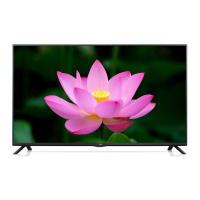
LED TV*
* LG LED TVs are LCD TVs with LED backlighting.
LB55**
LB56**
LB62**
P/NO : MFL68003814 (1502-REV01)
Printed in Korea
*MFL68003814*

Questions and Answers

  • D
    Dr. Eric JohnsonAug 14, 2025
    Why does my LG TV turn off suddenly?
    • D
      Deborah VincentAug 14, 2025
      If your LG TV turns off suddenly, it might be due to a few reasons. First, the power supply could be interrupted, so check the power control settings. Secondly, the Automatic Standby, Sleep Timer, or Off Time feature might be activated in the TIME settings. Finally, if the TV doesn't receive a signal while it's on, it will automatically turn off after 15 minutes of inactivity.
  • A
    Ann JonesAug 17, 2025
    How to fix LG TV remote not working?
    • L
      Leonard WoodAug 18, 2025
      If you're unable to control your LG TV with the remote, there are a few things to try. First, make sure there isn't anything blocking the remote control sensor on the TV. Then, check for any obstacles between the remote and the TV. Lastly, ensure that the batteries in the remote are working and correctly installed.
  • E
    emurilloAug 21, 2025
    What to do if LG TV says no signal when connected to PC?
    • N
      Nicole MyersAug 21, 2025
      If you see ‘No signal’ or ‘Invalid Format’ when connecting your PC to your LG TV via HDMI, try the following steps. First, turn the TV off and then on again using the remote control. If that doesn't work, try reconnecting the HDMI cable. As a final step, restart your PC while the TV is turned on.
  • T
    Tyler SotoAug 25, 2025
    Why is my LG 32LB550B-ZA remote not working?
    • H
      Heather HansenAug 26, 2025
      If you cannot control your LG LED TV with the remote, first check the remote control sensor on the TV and try again. Also, ensure there are no obstacles between the remote and the TV. Finally, check that the batteries are working and properly installed.
  • T
    Tracy SchmidtAug 28, 2025
    Why is there no picture or sound on my LG TV?
    • C
      christopherburtonAug 28, 2025
      If your LG TV has no image and no sound, start by checking if the TV is turned on. Next, verify that the power cord is properly connected to a wall outlet. Lastly, test the wall outlet by plugging in other products to see if it's working correctly.
  • C
    Crystal KaneSep 1, 2025
    What to do if my LG LED TV has no image and sound?
    • A
      Adrian BerrySep 1, 2025
      If your LG LED TV shows no image and produces no sound, start by checking if the TV is turned on. Then, verify that the power cord is securely connected to a working wall outlet. You can test the outlet by connecting other products to see if it's functioning correctly.
  • C
    Cheryl StevensSep 4, 2025
    Why does my LG 32LB550B-ZA LED TV turn off suddenly?
    • A
      Alisha JohnsonSep 5, 2025
      If your LG LED TV turns off suddenly, check the power control settings to ensure the power supply isn't interrupted. Also, verify if the Automatic Standby, Sleep Timer, or Off Time feature is activated in the TIME settings. Note that the TV will automatically turn off after 15 minutes of inactivity if there is no signal.
  • W
    Willie HicksSep 9, 2025
    How to fix 'No signal' or 'Invalid Format' on LG LED TV when connecting to PC (HDMI)?
    • H
      hendersonbrianSep 9, 2025
      If you see a ‘No signal’ or ‘Invalid Format’ message on your LG LED TV when connecting to a PC via HDMI, try the following: 1. Turn the TV off and then on again using the remote control. 2. Reconnect the HDMI cable. 3. Restart your PC while the TV is on.

Summary

Licenses and Agreements

Safety Instructions

Assembling and Preparing the TV

Operating with the Joystick Button

Explains how to operate TV functions using the joystick button.

Safe TV Handling and Movement

Provides advice to prevent TV damage and ensure safe handling during movement.

Making Connections

Connecting the Antenna

Connects the TV to a wall antenna socket using an RF cable.

External Device Connectivity

Details various external device connections like HDMI, LAN, Component, and Audio.

Remote Control

Remote Buttons (LB55**;LB56**)

Explains the functions of buttons on the remote for LB55** and LB56** models.

General Remote Control Functions

Details various remote buttons like Teletext, INFO, SETTINGS, navigation, and coloured buttons.

Remote Buttons (LB62**)

Explains the functions of buttons on the remote for LB62** models.

Remote Functions (LB62**)

Details remote buttons for LB62** models, including Teletext, navigation, and coloured buttons.

Settings

Picture Wizard for Quality Adjustment

Calibrates and adjusts picture quality using the Picture Wizard feature.

Picture Mode Selection

Selects picture modes optimized for viewing environment or programme content.

Advanced Picture Tuning

Adjusts detailed picture settings like contrast, colour, gamma, and enhancers for fine-tuning.

TruMotion for Smoother Video

Corrects images for smoother motion sequences using various de-judder and de-blur modes.

SIMPLINK Device Control

Enables control of multimedia devices via SIMPLINK menu using HDMI.

Maintenance

Troubleshooting

Troubleshooting Remote Control

Solutions for problems controlling the TV with the remote control.

Troubleshooting Display;Sound

Solutions for issues with no image display or no sound.

Specifications

LG Customer Information Centre

Service Stations List

LG 32LB550B-ZA Specifications

General IconGeneral
BrandLG
Model32LB550B-ZA
CategoryLED TV
LanguageEnglish

Related product manuals