EasyManua.ls Logo

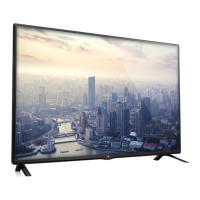
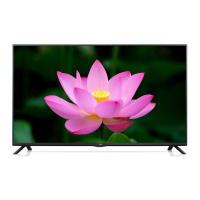
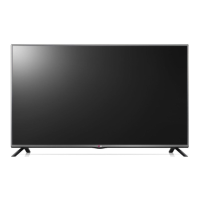
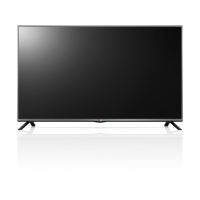
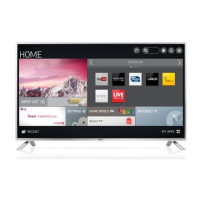
LG 32LB550U-ZA - User Manual

LG 32LB550U-ZA
132 pages
Print Icon
To Next Page IconTo Next Page
Loading...
www.lg.com
Please read this manual carefully before operating
your set and retain it for future reference.
OWNER’S MANUAL
LED TV*
* LG LED TVs are LCD TVs with LED backlighting.
LB55**
LB56**
LB62**
P/NO : MFL68003814 (1502-REV01)
Printed in Korea
*MFL68003814*

Questions and Answers

  • A
    Angela WardAug 12, 2025
    Why does my LG TV turn off suddenly?
    • G
      gloverspencerAug 12, 2025
      If your LG TV turns off suddenly, it might be due to a few reasons. First, the power supply could be interrupted, so check the power control settings. Secondly, the Automatic Standby, Sleep Timer, or Off Time feature might be activated in the TIME settings. Finally, if the TV doesn't receive a signal while it's on, it will automatically turn off after 15 minutes of inactivity.
  • J
    joseph44Aug 16, 2025
    How to fix LG TV remote not working?
    • M
      Maria HillAug 16, 2025
      If you're unable to control your LG TV with the remote, there are a few things to try. First, make sure there isn't anything blocking the remote control sensor on the TV. Then, check for any obstacles between the remote and the TV. Lastly, ensure that the batteries in the remote are working and correctly installed.
  • A
    Ashley WilsonAug 19, 2025
    What to do if LG TV says no signal when connected to PC?
    • C
      Carlos SmithAug 20, 2025
      If you see ‘No signal’ or ‘Invalid Format’ when connecting your PC to your LG TV via HDMI, try the following steps. First, turn the TV off and then on again using the remote control. If that doesn't work, try reconnecting the HDMI cable. As a final step, restart your PC while the TV is turned on.
  • C
    Carolyn LeeAug 23, 2025
    Why is my LG LED TV remote not working?
    • R
      Richard MeadowsAug 23, 2025
      If you cannot control your LG LED TV with the remote, first check the remote control sensor on the TV and try again. Also, ensure there are no obstacles between the remote and the TV. Finally, check that the batteries are working and properly installed.
  • E
    Elizabeth CarpenterAug 27, 2025
    Why is there no picture or sound on my LG TV?
    • J
      justinballAug 27, 2025
      If your LG TV has no image and no sound, start by checking if the TV is turned on. Next, verify that the power cord is properly connected to a wall outlet. Lastly, test the wall outlet by plugging in other products to see if it's working correctly.
  • M
    Mark CaldwellAug 31, 2025
    What to do if my LG LED TV has no image and sound?
    • J
      Jacob JohnsonAug 31, 2025
      If your LG LED TV shows no image and produces no sound, start by checking if the TV is turned on. Then, verify that the power cord is securely connected to a working wall outlet. You can test the outlet by connecting other products to see if it's functioning correctly.
  • J
    Joshua ParkerSep 4, 2025
    Why does my LG LED TV turn off suddenly?
    • E
      Emily FieldsSep 4, 2025
      If your LG LED TV turns off suddenly, check the power control settings to ensure the power supply isn't interrupted. Also, verify if the Automatic Standby, Sleep Timer, or Off Time feature is activated in the TIME settings. Note that the TV will automatically turn off after 15 minutes of inactivity if there is no signal.
  • M
    Michelle GilesSep 8, 2025
    How to fix 'No signal' or 'Invalid Format' on LG 32LB550U-ZA when connecting to PC (HDMI)?
    • M
      Margaret SmithSep 8, 2025
      If you see a ‘No signal’ or ‘Invalid Format’ message on your LG LED TV when connecting to a PC via HDMI, try the following: 1. Turn the TV off and then on again using the remote control. 2. Reconnect the HDMI cable. 3. Restart your PC while the TV is on.

Summary

Product Overview and Safety

Product Licenses and Technologies

Information on Dolby, HDMI, and DivX technologies and their licensing.

General Safety Instructions

Essential safety precautions for product usage and environment to prevent hazards.

Assembling and Preparing the TV

Unpacking and Initial Setup

Instructions for checking product contents and initial setup steps.

TV Parts Identification and Operation

Identification of TV components, buttons, and sensors for operation.

TV Mounting and Connection Guide

Guides for table mounting, wall mounting, and connecting external devices.

Remote Control and TV Settings

Remote Control Operation and Functions

Overview of remote control, battery replacement, and button functions.

Picture Settings and Optimization

Guides on automatic setup, picture wizard, and selecting picture modes for optimal viewing.

Audio Output and System Management

Settings for audio output, connectivity, system management, and USB media.

Troubleshooting and Specifications

Troubleshooting Common Issues

Solutions for common problems with remote control, display, power, and connections.

Product Specifications Overview

Details on dimensions, weight, power consumption, and supported modes for various models.

Regulatory and Service Information

Regulatory Compliance and Ecolabel

Information on LG's recycling policy, EU ecolabel, and hazardous substance restrictions.

LG Customer Support and Service Stations

Contact information for LG customer support and a list of authorized service stations.

LG 32LB550U-ZA Specifications

General IconGeneral
Screen Size32 inches
Display TypeLED
Resolution1366 x 768
Refresh Rate50 Hz
HDMI Ports2
USB Ports1
Smart TVNo
Built-in Wi-FiNo
Backlight TypeLED
Audio Output2 x 10W

Related product manuals