EasyManua.ls Logo

LG 32LB551U-ZC - User Manual

LG 32LB551U-ZC
132 pages
Print Icon
To Next Page IconTo Next Page
Loading...
www.lg.com
Please read this manual carefully before operating
your set and retain it for future reference.
OWNER’S MANUAL
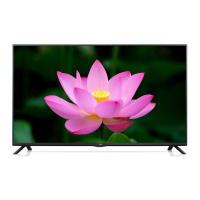
LED TV*
* LG LED TVs are LCD TVs with LED backlighting.
LB55**
LB56**
LB62**
P/NO : MFL68003814 (1502-REV01)
Printed in Korea
*MFL68003814*

Questions and Answers

  • J
    Jonathon ScottAug 13, 2025
    Why does my LG TV turn off suddenly?
    • B
      Brittany ScottAug 13, 2025
      If your LG TV turns off suddenly, it might be due to a few reasons. First, the power supply could be interrupted, so check the power control settings. Secondly, the Automatic Standby, Sleep Timer, or Off Time feature might be activated in the TIME settings. Finally, if the TV doesn't receive a signal while it's on, it will automatically turn off after 15 minutes of inactivity.
  • D
    David FinleyAug 16, 2025
    How to fix LG TV remote not working?
    • C
      Cindy JonesAug 17, 2025
      If you're unable to control your LG TV with the remote, there are a few things to try. First, make sure there isn't anything blocking the remote control sensor on the TV. Then, check for any obstacles between the remote and the TV. Lastly, ensure that the batteries in the remote are working and correctly installed.
  • A
    Anthony FloresAug 20, 2025
    What to do if LG TV says no signal when connected to PC?
    • V
      vanessa52Aug 21, 2025
      If you see ‘No signal’ or ‘Invalid Format’ when connecting your PC to your LG TV via HDMI, try the following steps. First, turn the TV off and then on again using the remote control. If that doesn't work, try reconnecting the HDMI cable. As a final step, restart your PC while the TV is turned on.
  • M
    Megan LewisAug 25, 2025
    Why is my LG LED TV remote not working?
    • S
      Seth BrownAug 25, 2025
      If you cannot control your LG LED TV with the remote, first check the remote control sensor on the TV and try again. Also, ensure there are no obstacles between the remote and the TV. Finally, check that the batteries are working and properly installed.
  • J
    Jill MorrisonAug 28, 2025
    Why is there no picture or sound on my LG TV?
    • W
      Whitney StarkAug 28, 2025
      If your LG TV has no image and no sound, start by checking if the TV is turned on. Next, verify that the power cord is properly connected to a wall outlet. Lastly, test the wall outlet by plugging in other products to see if it's working correctly.
  • L
    Lisa SchmidtAug 31, 2025
    What to do if my LG 32LB551U-ZC has no image and sound?
    • C
      Catherine AcostaSep 1, 2025
      If your LG LED TV shows no image and produces no sound, start by checking if the TV is turned on. Then, verify that the power cord is securely connected to a working wall outlet. You can test the outlet by connecting other products to see if it's functioning correctly.
  • B
    Brenda StevensSep 4, 2025
    Why does my LG 32LB551U-ZC turn off suddenly?
    • T
      Tanya JonesSep 4, 2025
      If your LG LED TV turns off suddenly, check the power control settings to ensure the power supply isn't interrupted. Also, verify if the Automatic Standby, Sleep Timer, or Off Time feature is activated in the TIME settings. Note that the TV will automatically turn off after 15 minutes of inactivity if there is no signal.
  • E
    Emily ValentineSep 7, 2025
    How to fix 'No signal' or 'Invalid Format' on LG 32LB551U-ZC when connecting to PC (HDMI)?
    • J
      Jennifer BryantSep 7, 2025
      If you see a ‘No signal’ or ‘Invalid Format’ message on your LG LED TV when connecting to a PC via HDMI, try the following: 1. Turn the TV off and then on again using the remote control. 2. Reconnect the HDMI cable. 3. Restart your PC while the TV is on.

Summary

Safety Instructions

General Safety Precautions

Important safety guidelines to follow before using the product to prevent hazards.

Electrical Safety and Usage

Precautions regarding power cords, plugs, outlets, and electrical shock hazards.

Product Placement and Environmental Safety

Guidelines on avoiding hazardous environments, dust, and potential fire risks.

Handling Product Risks and Damage

Warnings about thunderstorms, gas leaks, disassembly, and product damage.

Installation and Usage Cautions

Precautions for installation, radio wave interference, unstable surfaces, and viewing distance.

Battery and Remote Control Safety

Guidelines for battery usage, remote control sensor, and preventing product overheating.

Product Care and Electrical Safety

Advice on ventilation, cord examination, dust prevention, and proper cleaning methods.

Product Handling and Operational Safety

Instructions for moving, cleaning, servicing, and handling specific product phenomena.

Viewing 3 D Imaging

Assembling and Preparing

Lifting and Moving the TV Safely

Precautions and recommendations for safely moving and transporting the television set.

Setting Up the TV

Attaching the TV Stand

Step-by-step instructions for attaching the TV stand to the unit.

Mounting the TV on a Table

Instructions for placing and connecting the TV on a table surface.

Wall Mounting the TV

Detailed instructions and considerations for mounting the TV on a wall.

Wall Mount Bracket Specifications

Details on VESA standard compatibility and bracket requirements for wall mounting.

Making Connections

Connecting External Devices

Guide to connecting various external devices like receivers, PCs, and gaming consoles to the TV.

Antenna Connection

Instructions for connecting the TV to a wall antenna socket using an RF cable.

Remote Control Operations

Remote Control Basics

Introduction to the remote control and battery replacement instructions.

Remote Control Button Functions (LB55;LB56 Models)

Detailed explanation of buttons on the remote control for specific TV models.

TV Settings and Configuration

USB Device Management

TV Maintenance

Troubleshooting Common Issues

Solving Remote Control and Display Problems

Solutions for issues like unresponsive remote control, no image, or no sound.

Addressing TV Turn-off and PC Connection Errors

Troubleshooting steps for sudden TV turn-off and PC connection display errors.

LG 32LB551U-ZC Specifications

General IconGeneral
Screen Size32 inches
Display TechnologyLED
Resolution1366 x 768
Refresh Rate50 Hz
HDMI Ports2
USB Ports1
VESA Mounting200 x 200 mm
Audio Output10W
Digital TV TunerDVB-T2/C
Operating SystemNo Smart OS
Display TypeLED-backlit LCD TV

Related product manuals