EasyManua.ls Logo

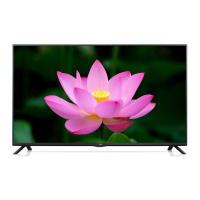
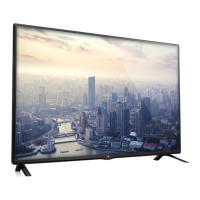
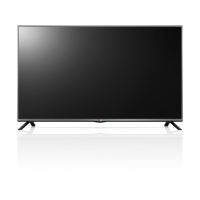
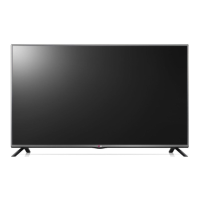
LG 32LB550D - User Manual

LG 32LB550D
56 pages
Print Icon
To Next Page IconTo Next Page
Loading...
OWNER’S MANUAL
LED TV*
* LG LED TV applies LCD screen with LED backlights.
Please read this manual carefully before operating your TV
and retain it for future reference.
P/NO : MFL67987002 (1401-REV00) www.lg.com
32LB550D
42LB550T
49LB550T
32LB561B
42LB5610
47LB5610
50LB5610
32LB561D
42LB561T
47LB561T
60LB561T
*MFL67987002*

Questions and Answers

  • B
    Bradley Harris MDAug 10, 2025
    Why is my LG LED TV remote not working?
    • B
      Breanna ByrdAug 11, 2025
      If you cannot control your LG LED TV with the remote, there might be a simple fix. First, ensure that nothing is covering the receiver on the TV. Also, check for any obstacles between the remote and the TV. If neither of those solves the issue, try replacing the batteries in the remote with fresh ones.
  • J
    joanhernandezAug 16, 2025
    Why does my LG 32LB550D LED TV turn off by itself?
    • K
      Kevin MorrisonAug 16, 2025
      If your LG LED TV turns off suddenly, it might be due to a few reasons. First, examine the power control settings in case the power supply is interrupted. Also, verify if the Off Time or Sleep Timer feature is enabled within the TIME settings. Lastly, the TV automatically shuts down after 15 minutes of inactivity if no signal is detected.
  • K
    Katherine HenryAug 23, 2025
    How to fix LG 32LB550D remote control not working?
    • A
      Alicia GibsonAug 23, 2025
      If your LG LED TV isn't responding to the remote, first, make sure nothing is blocking the remote's signal by covering the receiver on the TV. Then, check for any obstacles between the remote and the TV. If that doesn't work, try replacing the batteries in the remote with new ones.
  • D
    danielcollierAug 28, 2025
    What to do if my LG 32LB550D LED TV turns off by itself?
    • C
      Cassandra MckenzieAug 29, 2025
      If your LG LED TV is turning off unexpectedly, there are a few things you can check. First, review the power control settings to make sure the power supply isn't being interrupted. Next, verify that the Off Time or Sleep Timer feature isn't activated in the TIME settings. Also, if the TV is left on without a signal, it will automatically turn off after 15 minutes of inactivity.
  • S
    Sandra WilliamsSep 4, 2025
    What to do if LG 32LB550D LED TV remote is not working?
    • H
      harrishollySep 4, 2025
      If you're unable to control your LG LED TV with the remote, start by checking if anything, like tape, is covering the receiver. Ensure there are no obstructions between the remote and the TV. If the issue persists, replace the remote's batteries with new ones.

LG 32LB550D Specifications

General IconGeneral
BrandLG
Model32LB550D
CategoryLED TV
LanguageEnglish

Related product manuals