EasyManua.ls Logo

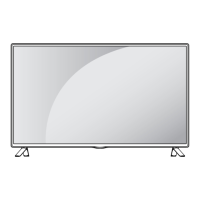
LG 32LB561U-ZC - User Manual

LG 32LB561U-ZC
132 pages
Print Icon
To Next Page IconTo Next Page
Loading...
www.lg.com
Please read this manual carefully before operating
your set and retain it for future reference.
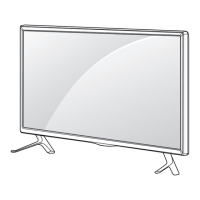
OWNER’S MANUAL
LED TV*
* LG LED TVs are LCD TVs with LED backlighting.
LB55**
LB56**
LB62**
P/NO : MFL68003814 (1502-REV01)
Printed in Korea
*MFL68003814*

Questions and Answers

  • W
    Whitney WaltonAug 9, 2025
    Why is my LG LED TV remote not working?
    • J
      John ColemanAug 9, 2025
      If you cannot control your LG LED TV with the remote, first check the remote control sensor on the TV and try again. Also, ensure there are no obstacles between the remote and the TV. Finally, check that the batteries are working and properly installed.
  • G
    Gabriel HernandezAug 16, 2025
    What to do if my LG LED TV has no image and sound?
    • J
      Jonathan MooreAug 17, 2025
      If your LG LED TV shows no image and produces no sound, start by checking if the TV is turned on. Then, verify that the power cord is securely connected to a working wall outlet. You can test the outlet by connecting other products to see if it's functioning correctly.
  • J
    jacksonstevenAug 25, 2025
    Why does my LG 32LB561U-ZC LED TV turn off suddenly?
    • K
      Kristina Levy DVMAug 25, 2025
      If your LG LED TV turns off suddenly, check the power control settings to ensure the power supply isn't interrupted. Also, verify if the Automatic Standby, Sleep Timer, or Off Time feature is activated in the TIME settings. Note that the TV will automatically turn off after 15 minutes of inactivity if there is no signal.
  • L
    Luke BarnesAug 30, 2025
    How to fix 'No signal' or 'Invalid Format' on LG LED TV when connecting to PC (HDMI)?
    • A
      amandamaysAug 30, 2025
      If you see a ‘No signal’ or ‘Invalid Format’ message on your LG LED TV when connecting to a PC via HDMI, try the following: 1. Turn the TV off and then on again using the remote control. 2. Reconnect the HDMI cable. 3. Restart your PC while the TV is on.

Summary

Software Notice and Safety Information

General Safety Precautions

Initial safety warnings and precautions for using the TV.

Electrical, Handling, and Environmental Safety

Power Cord and Socket Safety Guidelines

Guidelines for the safe connection and use of power cords and electrical outlets.

Product Placement and Child Safety

Precautions regarding TV placement, child safety, batteries, and foreign objects.

Product Usage and Operational Safety

TV Performance and Advanced Safety

3 D Viewing Health and Safety

Health warnings and safety guidelines for 3D content viewing.

Connectivity and External Device Integration

Remote Control and TV Settings

Remote Control Functions and Battery Replacement

Basics of remote control operation and battery replacement.

Picture and Audio Settings Adjustment

How to adjust picture modes, noise reduction, and audio output settings.

TV Maintenance and Troubleshooting Guide

Troubleshooting Common TV Issues

Solutions for common problems such as remote control, display, and power issues.

LG 32LB561U-ZC Specifications

General IconGeneral
BrandLG
Model32LB561U-ZC
CategoryLED TV
LanguageEnglish

Related product manuals