EasyManua.ls Logo

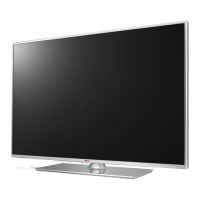
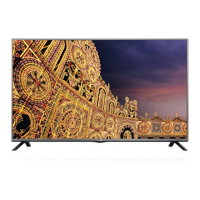
LG 32LB56 Series - User Manual

LG 32LB56 Series
60 pages
Print Icon
To Next Page IconTo Next Page
Loading...
Please read this manual carefully before operating
your set and retain it for future reference.
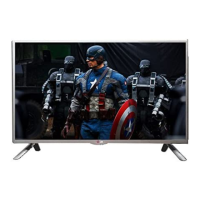
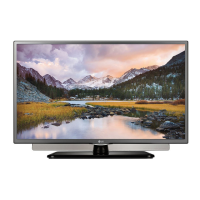
LB56**
LB55**
LB62**
OWNER’S MANUAL
LED TV
*
* Disclaimer
LG LED TVs are LCD TVs with LED backlighting.
P/NO : MFL68003302 (1411-REV07)
Printed in Korea
www.lg.com
*MFL68003302*

Other manuals for LG 32LB56 Series

Questions and Answers

  • A
    Allison TaylorAug 16, 2025
    What to do if the LG 32LB56 remote control is not working?
    • J
      Jim GarciaAug 16, 2025
      If you cannot control your LG LED TV with the remote, first check the remote control sensor on the TV and try again. Also, ensure there are no obstacles between the remote and the TV. Finally, verify that the batteries in the remote are working and properly installed.
  • D
    Douglas HerreraAug 19, 2025
    Why does my LG TV turn off suddenly?
    • M
      melissaskinnerAug 19, 2025
      If your LG TV turns off suddenly, it might be due to a few reasons. First, the power supply could be interrupted, so check the power control settings. Secondly, the Automatic Standby, Sleep Timer, or Off Time feature might be activated in the TIME settings. Finally, if the TV doesn't receive a signal while it's on, it will automatically turn off after 15 minutes of inactivity.
  • K
    Katherine DavisAug 22, 2025
    How to fix LG TV remote not working?
    • C
      Cory HendersonAug 22, 2025
      If you're unable to control your LG TV with the remote, there are a few things to try. First, make sure there isn't anything blocking the remote control sensor on the TV. Then, check for any obstacles between the remote and the TV. Lastly, ensure that the batteries in the remote are working and correctly installed.
  • M
    Mrs. Heather BondAug 25, 2025
    What to do if LG TV says no signal when connected to PC?
    • C
      charles40Aug 26, 2025
      If you see ‘No signal’ or ‘Invalid Format’ when connecting your PC to your LG TV via HDMI, try the following steps. First, turn the TV off and then on again using the remote control. If that doesn't work, try reconnecting the HDMI cable. As a final step, restart your PC while the TV is turned on.
  • S
    Scott LarsonAug 28, 2025
    Why is my LG 32LB56 remote not working?
    • T
      timothy26Aug 28, 2025
      If you cannot control your LG LED TV with the remote, first check the remote control sensor on the TV and try again. Also, ensure there are no obstacles between the remote and the TV. Finally, check that the batteries are working and properly installed.
  • K
    Kathleen JohnsonAug 31, 2025
    Why does my LG 32LB56 LED TV turn off suddenly?
    • J
      James DunnAug 31, 2025
      Your LG LED TV might be turning off suddenly due to several reasons. Check the power control settings to ensure the power supply isn't interrupted. Also, verify if the Sleep Timer or Off Time feature is activated in the TIME settings. If the TV is on but not receiving a signal, it will automatically turn off after 15 minutes of inactivity.
  • M
    Miss Kaitlyn BrownSep 3, 2025
    What to do if my LG 32LB56 LED TV has no image and sound?
    • L
      Lauren McgeeSep 3, 2025
      If your LG LED TV shows no image and produces no sound, first ensure that the TV is turned on. Next, check that the power cord is properly connected to a working wall outlet. You can verify the outlet's functionality by connecting other products to it.
  • R
    reynoldsnathanSep 6, 2025
    Why is there no picture or sound on my LG TV?
    • A
      Antonio DickersonSep 6, 2025
      If your LG TV has no image and no sound, start by checking if the TV is turned on. Next, verify that the power cord is properly connected to a wall outlet. Lastly, test the wall outlet by plugging in other products to see if it's working correctly.
  • J
    Jared RichardsonSep 9, 2025
    How to fix ‘No signal’ or ‘Invalid Format’ on LG LED TV when connecting to PC (HDMI)?
    • C
      Caitlin FlowersSep 9, 2025
      If you see a ‘No signal’ or ‘Invalid Format’ message on your LG LED TV when connecting to a PC via HDMI, try turning the TV off and on using the remote control. If that doesn't work, reconnect the HDMI cable. As a final step, restart your PC while the TV is turned on.
  • S
    Stephen ShepherdSep 12, 2025
    How to fix 'No signal' or 'Invalid Format' on LG LED TV when connecting to PC (HDMI)?
    • D
      Dylan BrowningSep 12, 2025
      If you see a ‘No signal’ or ‘Invalid Format’ message on your LG LED TV when connecting to a PC via HDMI, try the following: 1. Turn the TV off and then on again using the remote control. 2. Reconnect the HDMI cable. 3. Restart your PC while the TV is on.

LG 32LB56 Series Specifications

General IconGeneral
BrandLG
Model32LB56 Series
CategoryLED TV
LanguageEnglish

Related product manuals