EasyManua.ls Logo

LG 32LB561V-ZC - User Manual

LG 32LB561V-ZC
132 pages
Print Icon
To Next Page IconTo Next Page
Loading...
www.lg.com
Please read this manual carefully before operating
your set and retain it for future reference.
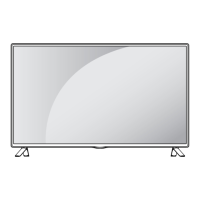
OWNER’S MANUAL
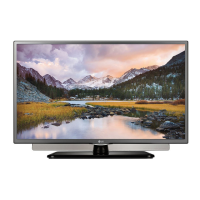
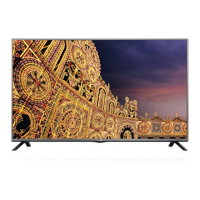
LED TV*
* LG LED TVs are LCD TVs with LED backlighting.
LB55**
LB56**
LB62**
P/NO : MFL68003814 (1502-REV01)
Printed in Korea
*MFL68003814*

Questions and Answers

  • A
    Andrea MaxwellAug 9, 2025
    Why is my LG LED TV remote not working?
    • A
      anthony50Aug 9, 2025
      If you cannot control your LG LED TV with the remote, first check the remote control sensor on the TV and try again. Also, ensure there are no obstacles between the remote and the TV. Finally, check that the batteries are working and properly installed.
  • C
    Charles ThomasAug 16, 2025
    What to do if my LG LED TV has no image and sound?
    • M
      Melissa LuceroAug 16, 2025
      If your LG LED TV shows no image and produces no sound, start by checking if the TV is turned on. Then, verify that the power cord is securely connected to a working wall outlet. You can test the outlet by connecting other products to see if it's functioning correctly.
  • M
    Michelle GardnerAug 25, 2025
    Why does my LG LED TV turn off suddenly?
    • M
      mberryAug 25, 2025
      If your LG LED TV turns off suddenly, check the power control settings to ensure the power supply isn't interrupted. Also, verify if the Automatic Standby, Sleep Timer, or Off Time feature is activated in the TIME settings. Note that the TV will automatically turn off after 15 minutes of inactivity if there is no signal.
  • K
    Kristin MeyersAug 31, 2025
    How to fix 'No signal' or 'Invalid Format' on LG LED TV when connecting to PC (HDMI)?
    • E
      Earl GarciaAug 31, 2025
      If you see a ‘No signal’ or ‘Invalid Format’ message on your LG LED TV when connecting to a PC via HDMI, try the following: 1. Turn the TV off and then on again using the remote control. 2. Reconnect the HDMI cable. 3. Restart your PC while the TV is on.

Summary

Safety Instructions

Environmental and General Safety

Warnings about environmental hazards, dust, and proper plug usage.

Electrical and Cable Safety

Guidelines for safe handling of power cords, plugs, and preventing electrical hazards.

Operational and Environmental Safety

Safety measures during storms, gas leaks, product modification, and exposure to elements.

3 D Imaging Safety

Assembling and Preparing

TV Parts and Buttons

Using the Joystick Button

Moving and Installing the TV

Making Connections

Connecting External Devices Overview

General guidance on connecting various external devices.

Diverse Port Connectivity

Details on connecting devices via HDMI, LAN, Component, and AV ports.

Remote Control Operation

Basic Remote Control Usage

Introduction to remote control operation and battery replacement.

Key Remote Button Functions

Explains the function of various buttons on the remote control.

Advanced Remote Features

Details on teletext, playback controls, and special function buttons.

LB62** Model Remote Functions

Specific button functions for LB62** models, including 3D control.

Settings Menu

Advanced Picture Control

Detailed adjustments for picture settings like contrast, colour, and filters.

Picture Options and TruMotion

Settings for noise reduction, image optimization, and motion smoothing.

Energy Saving and Audio Output

Managing power consumption and configuring audio output.

Audio Device and SIMPLINK Setup

Connecting audio devices, headphones, syncing audio/video, and using SIMPLINK.

SIMPLINK Features and System Settings

Detailed SIMPLINK functions and system settings like password/reset.

USB Management and Media Formats

USB device handling and supported media file types.

Supported Audio and Video Formats

Comprehensive list of supported video and audio file formats.

Maintenance and Care

Cleaning and Care Instructions

Guidelines for cleaning the TV screen, cabinet, and power cord.

Troubleshooting Guide

Common Issues and Solutions

Addresses frequent problems like remote control issues, display problems, and PC connectivity errors.

LG 32LB561V-ZC Specifications

General IconGeneral
Screen Size32 inches
Resolution1920 x 1080
Display TypeLED
Refresh Rate50 Hz
HDMI Ports2
USB Ports1
Audio Output10W
Backlight TypeLED
Energy Efficiency ClassA+

Related product manuals