22
WATCHING TV / PROGRAMME CONTROL
WATCHING TV / PROGRAMME CONTROL
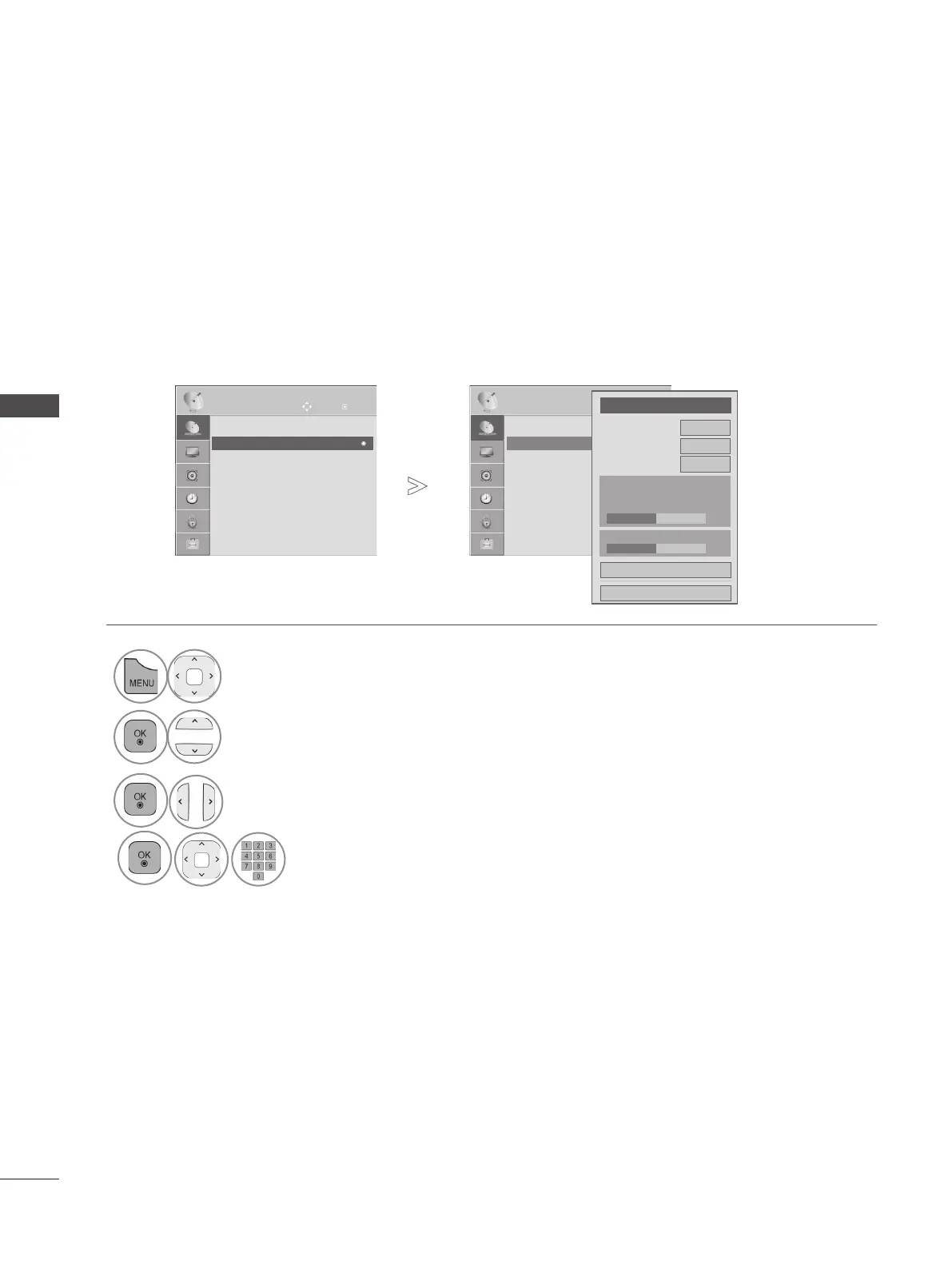
OK
Move
● Auto Tuning
● Manual Tuning
● Programme Edit
● CI Information
SETUP
● Manual Tuning
• Press the MENU/EXIT button to return to normal TV viewing.
• Press the BACK button to move to the previous menu screen.
1
Select SETUP.
2
Select Manual Tuning.
3
Select Cable DTV.
OK
Move
● Auto Tuning
● Manual Tuning
● Programme Edit
● CI Information
SETUP
● Manual Tuning
If you want to select the Cable DTV,
◄
Cable DTV
►
Frequency(kHz)
362000
Symbol rate(kS/s)
6875
Modulation
64QAM
Close
Add
● Signal Strength
50%
● Signal Quality
50%
►
►
Make appropriate adjustments.
4


 To Next Page