77
TO USE A USB DEVICE
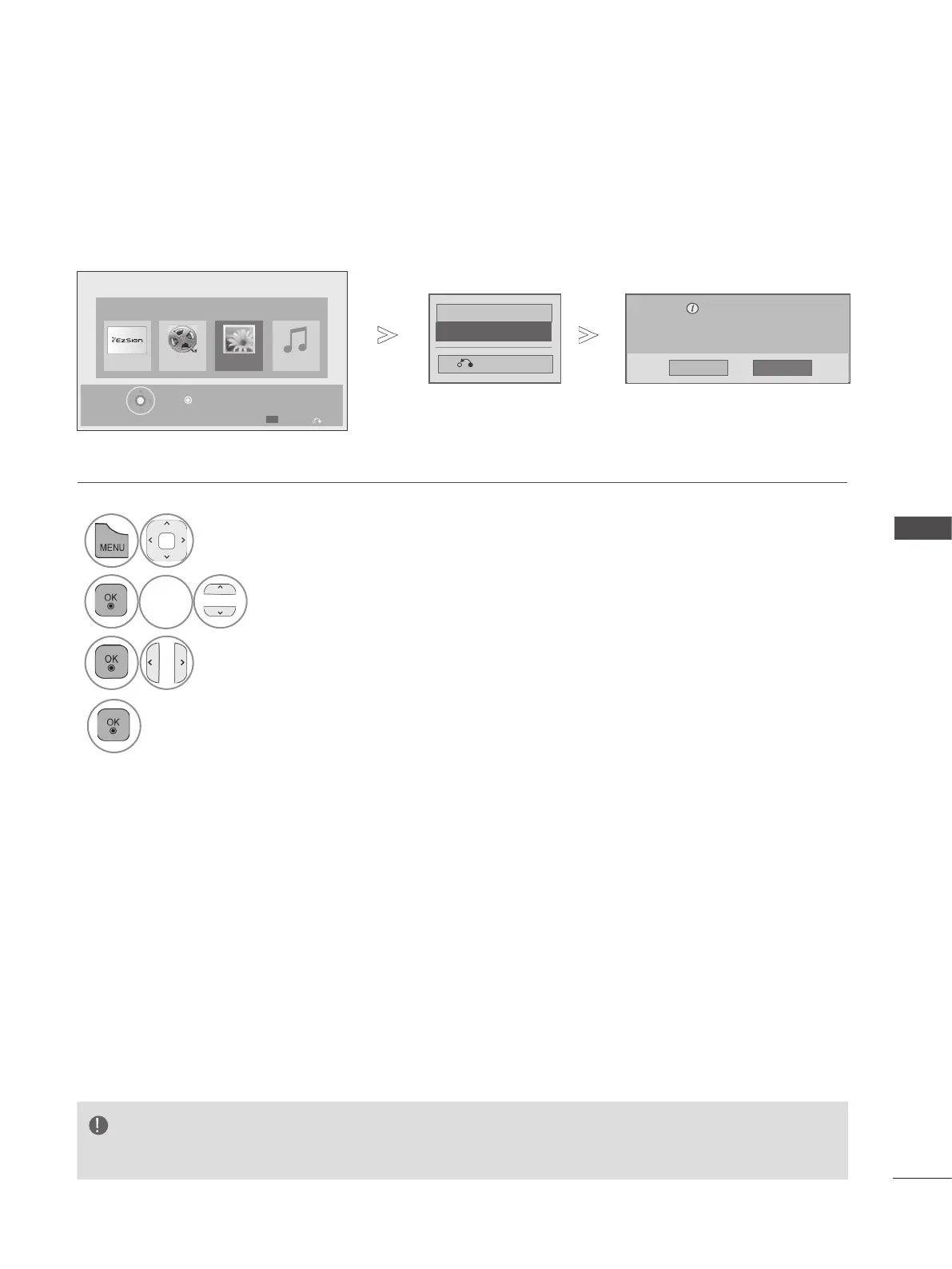
DIVX® VOD DEREGISTRATION
You should deregister your device with 8 digit DivX deregistration code from your device at www.divx.
com/vod.
• Press the MENU/EXIT button to return to normal TV viewing.
• Press the BACK button to move to the previous menu screen.
Deregistration code :
********
Deregister at http://vod.divx.com
Continue with registration?
1
Select MY MEDIA.
BLUE
2
Select Deactivation.
3
Select Yes.
4
Display Deactivation.
Previous
DivX Reg.Code
Deactivation
Yes No
MY MEDIA
Press OK( ) to see photos from the USB.
Exit
Option
Music List
Photo List
Movie ListEzSign TV
NOTE
► Once the deregistration is executed, you must register your device again to see DivX® VOD contents.


 To Next Page